Long-trip planners bury a two-night break under tabs you will never open. This one is built for the short trip only: one destination, 2-3 nights, costed the way a weekend actually spends — the stay by the night, food by the day, getting there and back, the activities you book, and the one splurge you already know you are going to allow yourself.
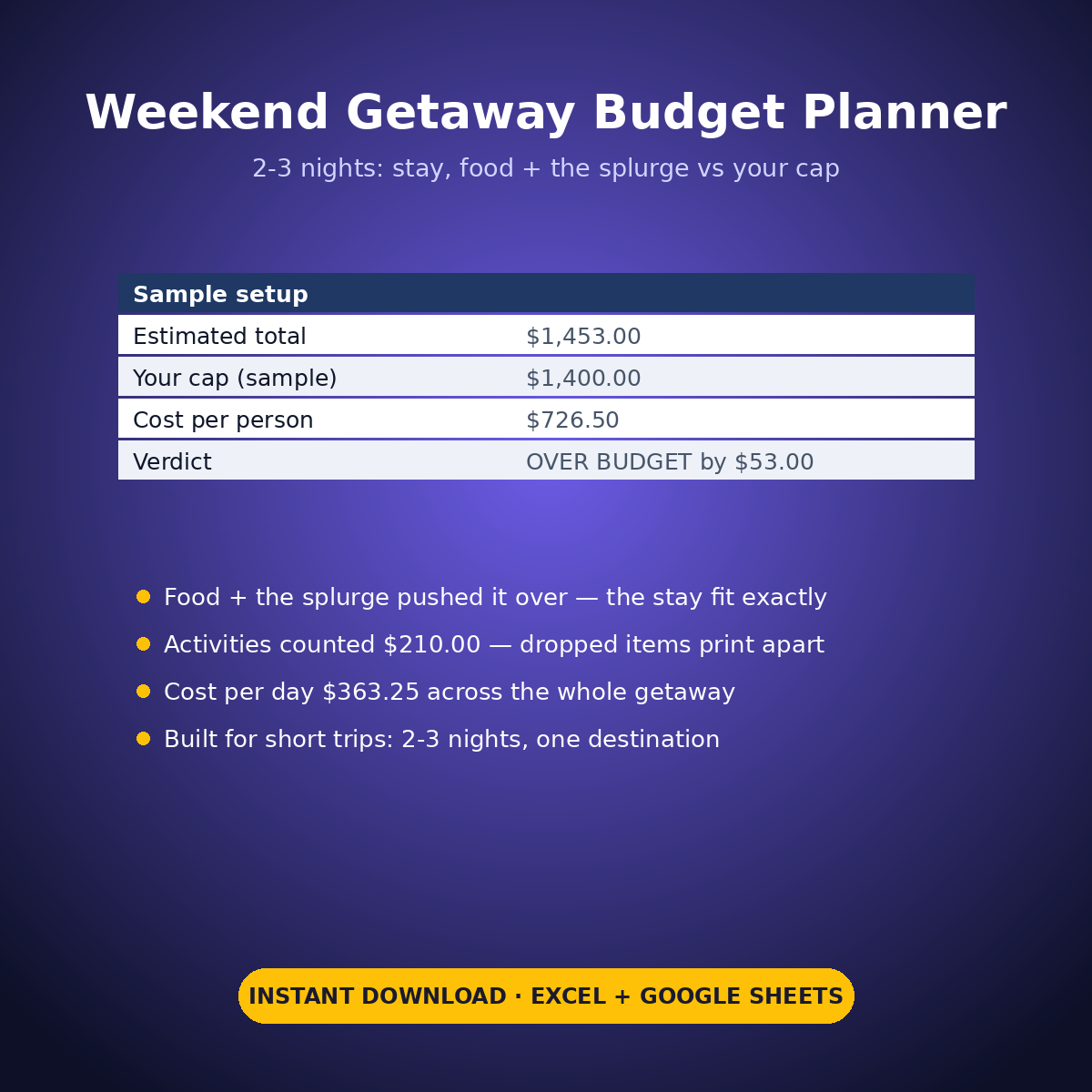
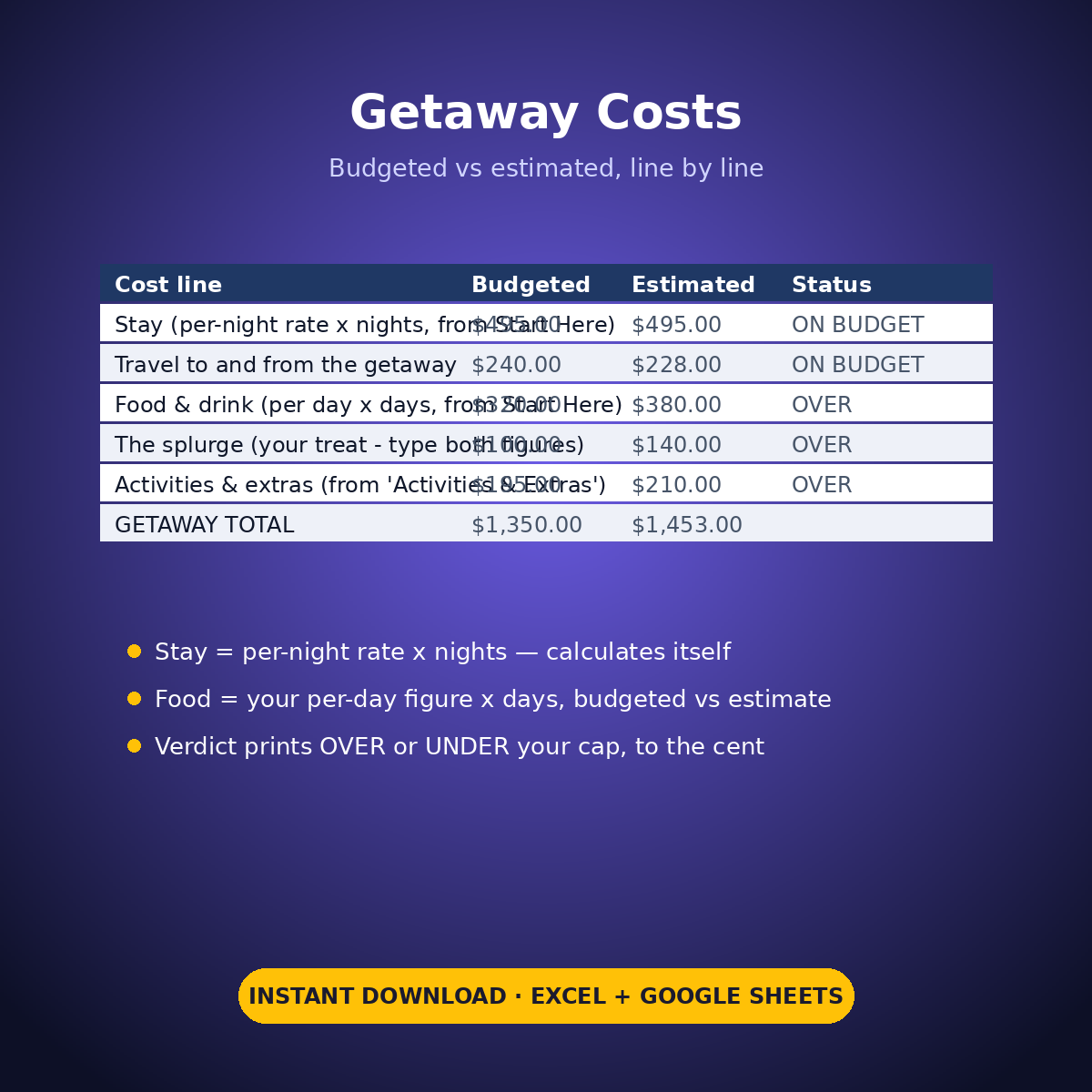
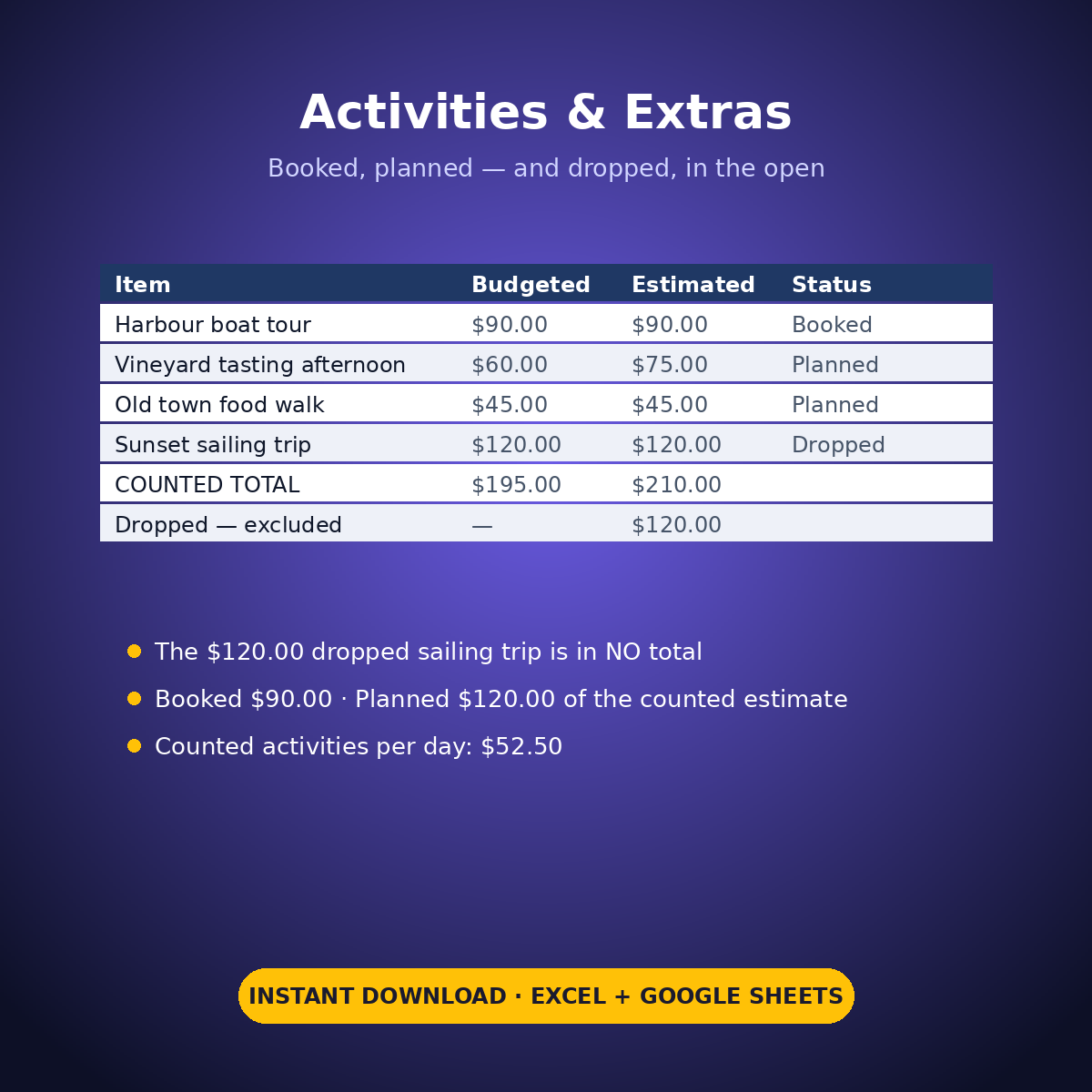
The sample is honest about how weekends drift. The stay fits exactly ($495.00 budgeted, $495.00 estimated for 3 nights), but the food estimate ($380.00 against $320.00 budgeted) and the splurge ($140.00 against $100.00) push the estimated total to $1,453.00 — OVER the $1,400.00 cap by $53.00, printed on the verdict line. One planned activity, the $120.00 sunset sailing trip, is marked Dropped: it appears in no total anywhere, and its price sits on a dropped line so the saving is visible instead of imaginary.
HOW IT WORKS
– ‘Getaway Costs’: Budgeted beside Estimated for every line, with a printed OVER / ON BUDGET status per line. The stay (per-night rate x nights) and food (per day x days) lines calculate themselves from your Start Here settings.
– ‘Activities & Extras’: what you plan to do, as typed rows with a Booked / Planned / Dropped status. Dropped items are excluded from every total and totalled separately.
– The verdict: estimated total against your own weekend cap, cost per person ($726.50 on the sample) and cost per day of the getaway ($363.25).
WHAT’S INSIDE
– A nights-based cost block built for 2-3 night trips — not a general vacation planner
– Budgeted vs estimated per line, with per-line statuses
– An activities tab with a dropped-item line — what you cut stays visible (sample: $120.00)
– A printed verdict vs your cap, plus per-person and per-day figures
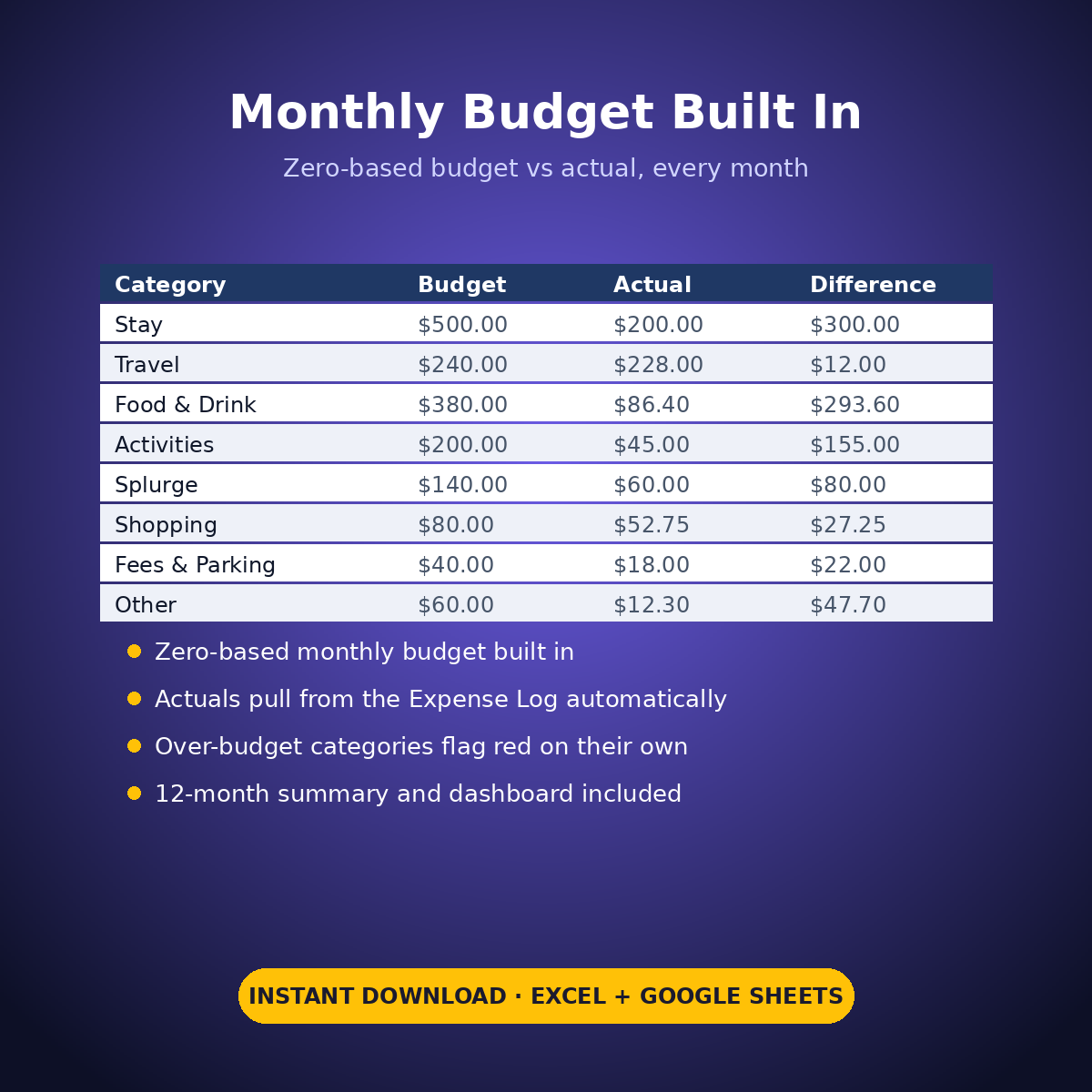
– Plus the standard Expense Log, zero-based Monthly Budget, Dashboard and Monthly Summary tabs
Every rate, price and figure in this workbook is an example setting you type — nothing here states any hotel’s, railway’s or tour’s real prices.
How it works: the seven tabs are Start Here (your settings + step-by-step), the two feature tabs, Expense Log, Monthly Budget (zero-based), Dashboard and Monthly Summary. Yellow cells are the only places you type — every yellow value is your own entry. Formula cells are locked (password: sheetdaily, disclosed on the Start Here tab) and every formula is error-wrapped, so an untouched sheet reads blank instead of showing error codes. Instant download, ready for Excel and Google Sheets.
A note on the sample data: every price and date in this workbook is example data, typed in by hand to show you how the sheet behaves. Replace it with your own.


Reviews
There are no reviews yet.