A tutoring business does not sell sessions one at a time — it sells packages, and then owes the sessions. This tracker is built around that obligation: a student roster with each student’s prepaid package, the sessions delivered against it, the sessions still remaining, and the business’s income rolled up by subject.
Our Tutor Session Income Tracker is the solo tutor’s per-session log — one row per session taught. This tracker is the business layer above it: the roster of students with prepaid packages, the sessions each package still owes, and income by subject. The two share no sample figures.
This workbook is finance only. It contains no lesson planning, no assignments and no student progress notes — that teaching content belongs in a lesson planner, not in this book.
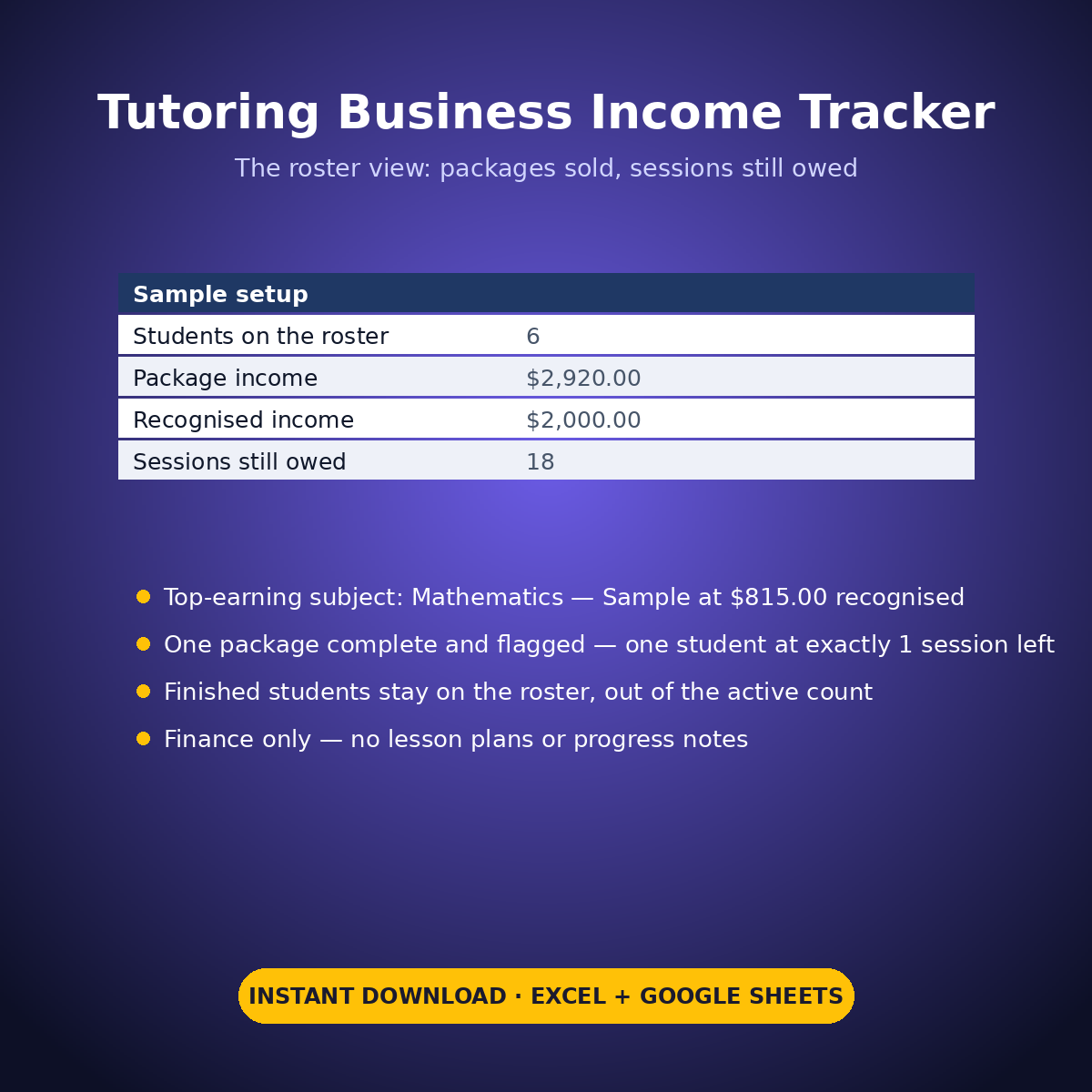
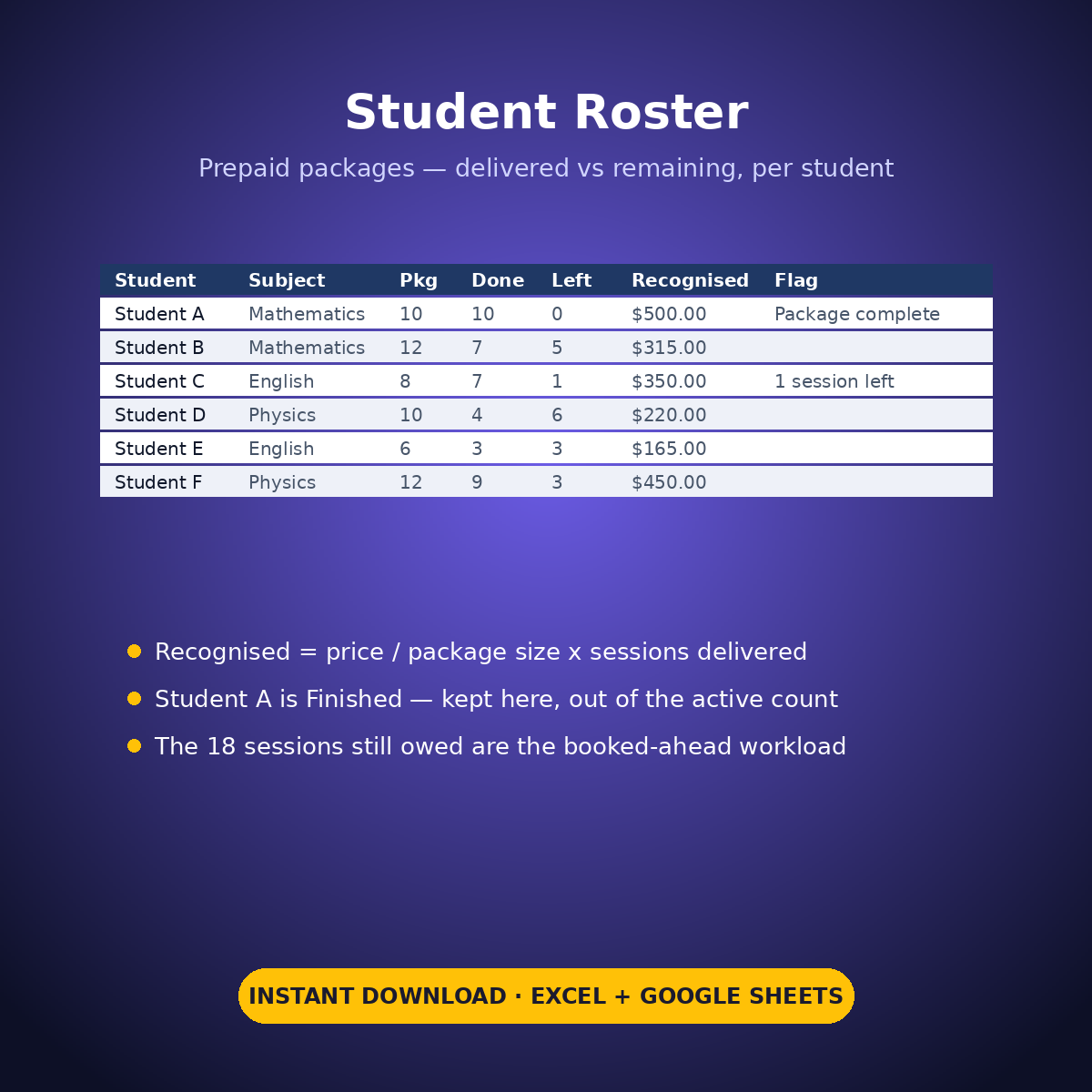
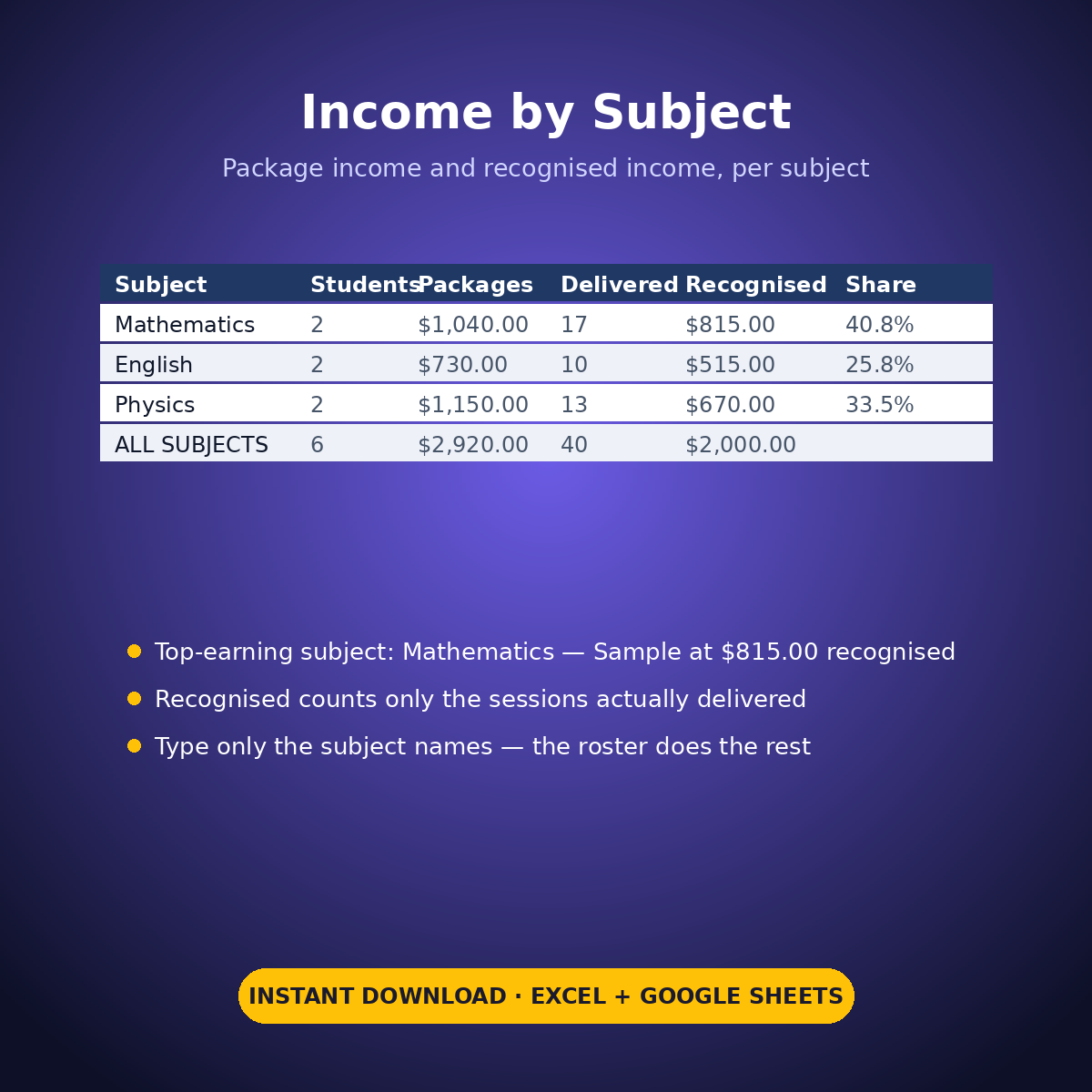
The sample roster runs 6 students across 3 subjects: $2,920.00 of packages sold, $2,000.00 of recognised income (package price / package size x sessions delivered, an example calculation labelled as such), 40 sessions delivered of 58 sold, and 18 sessions still owed across the roster — the booked-ahead workload, printed. Student A’s 10-session package is fully delivered and marked Finished: flagged ‘Package complete’, kept on the roster, and out of the active count (5 active of 6). Student C has exactly 1 session left and is flagged for it. Mathematics is the top-earning subject at $815.00 recognised (40.8%), printed from the roster’s own numbers, ahead of Physics at $670.00 and English at $515.00.
HOW IT WORKS
– ‘Student Roster’: one row per student — student and subject in your own words, package size, package price, sessions delivered, status (Active / Finished). Sessions remaining and recognised income calculate per student.
– ‘Income by Subject’: type only the subject names. Students, package income, sessions delivered and recognised income roll up per subject, with the top-earning subject printed.
– The roster-health block: active vs finished students, total sessions remaining across the roster, and the students flagged at a complete package or exactly 1 session left.
WHAT’S INSIDE
– A prepaid-package roster: sessions delivered vs remaining per student, printed
– Recognised income per student (package price / size x delivered), labelled an example calculation
– Income by subject with the top-earning subject printed (sample: Mathematics, $815.00)
– Flags for a completed package and for exactly 1 session remaining
– Finished students kept on the roster and out of the active count — no silent deletions
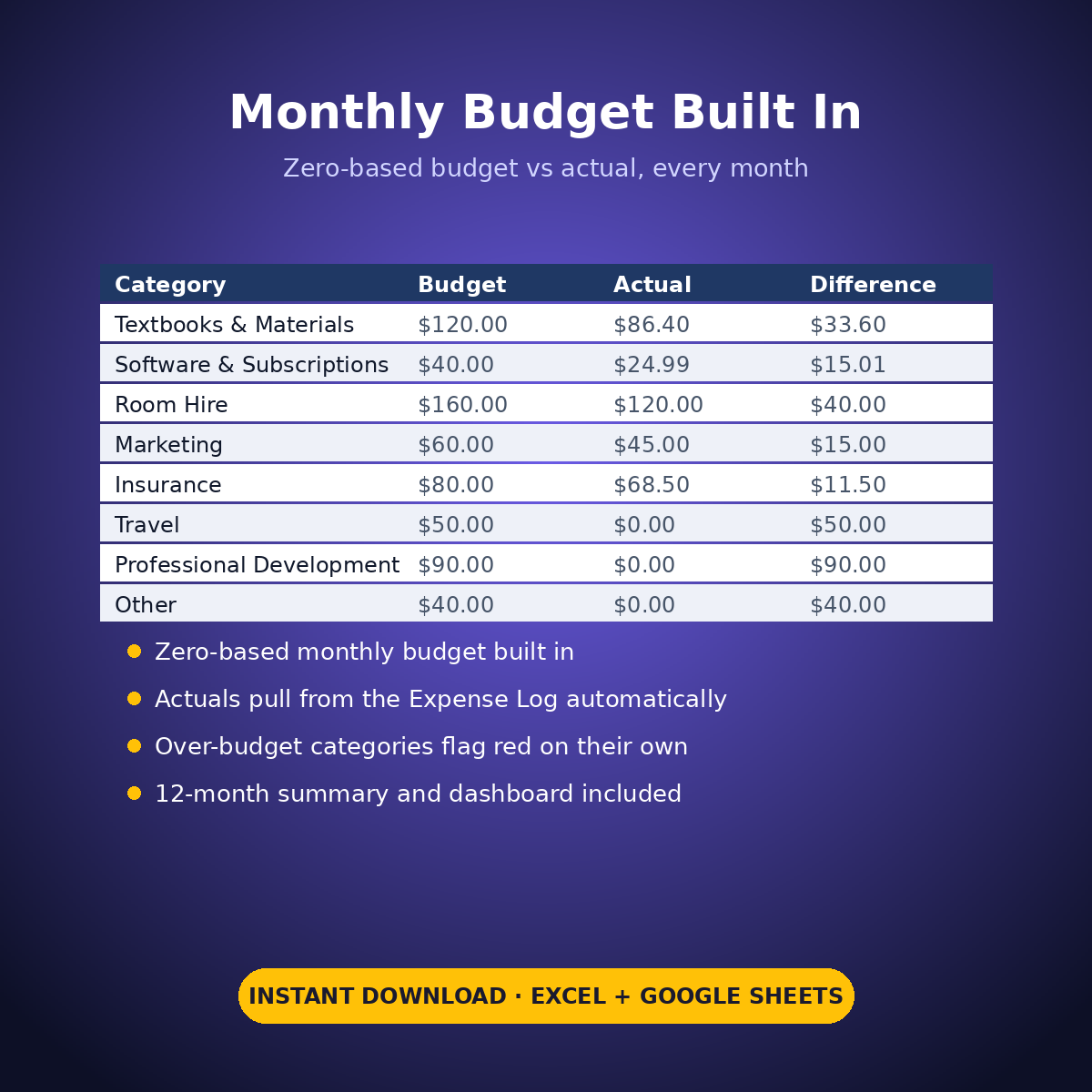
– Plus the standard Expense Log, zero-based Monthly Budget, Dashboard and Monthly Summary tabs
Every package price in this workbook is an example setting you type — the sheet sets no prices and recommends nothing.
How it works: the seven tabs are Start Here (your settings + step-by-step), the two feature tabs, Expense Log, Monthly Budget (zero-based), Dashboard and Monthly Summary. Yellow cells are the only places you type — every yellow value is your own entry. Formula cells are locked (password: sheetdaily, disclosed on the Start Here tab) and every formula is error-wrapped, so an untouched sheet reads blank instead of showing error codes. Instant download, ready for Excel and Google Sheets.
A note on the sample data: every price and date in this workbook is example data, typed in by hand to show you how the sheet behaves. Replace it with your own.


Reviews
There are no reviews yet.