Points balances rot quietly. This tracker keeps every loyalty program you hold in one inventory — the balance, what it is worth at YOUR OWN cents-per-point valuation, and when it expires if you stay inactive — so a balance never dies without you seeing it coming.
This workbook tracks the points and miles you already hold — balances, expiry dates and estimated value; it does not score credit cards (that is the separate Travel Hacking Credit Card ROI Tracker).
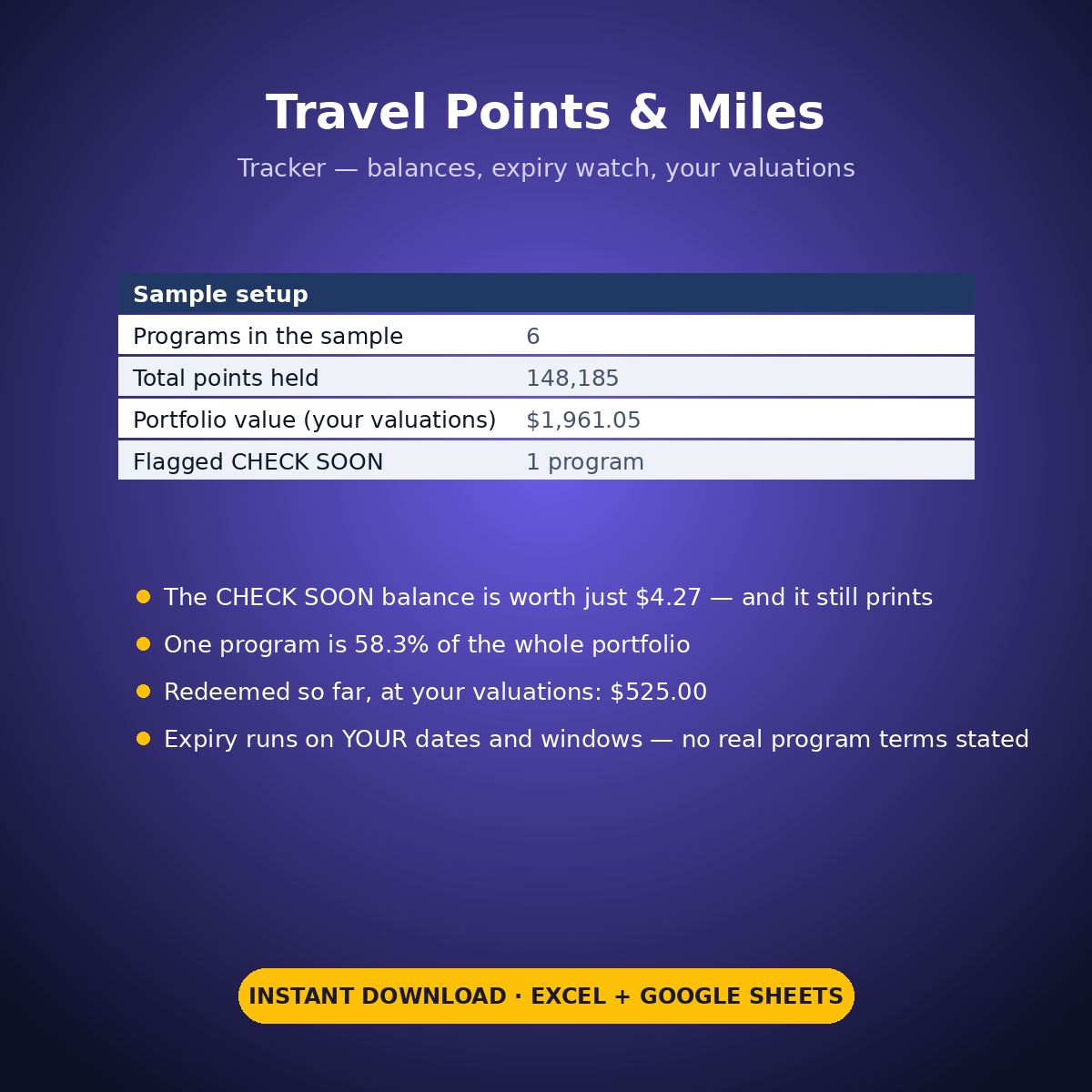
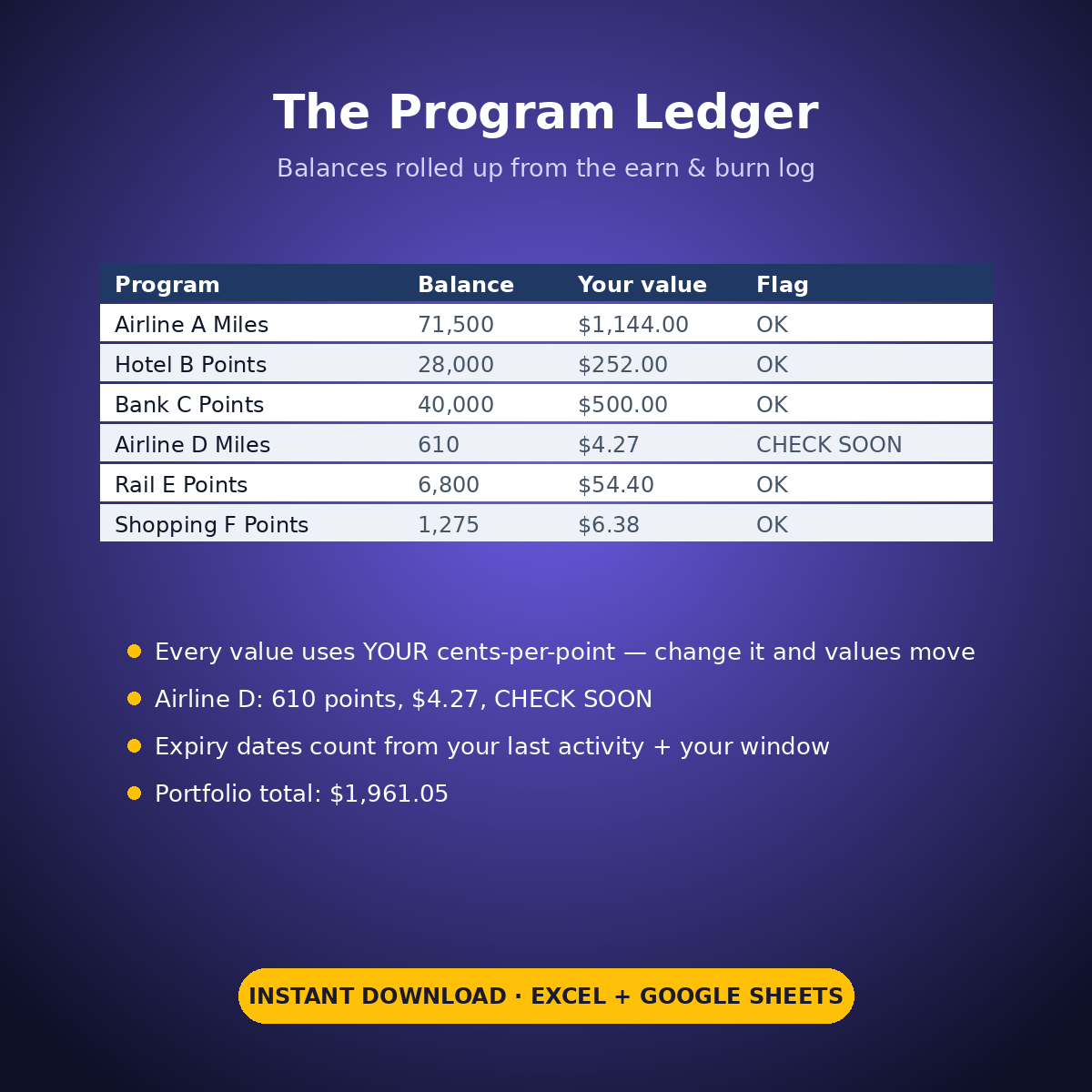
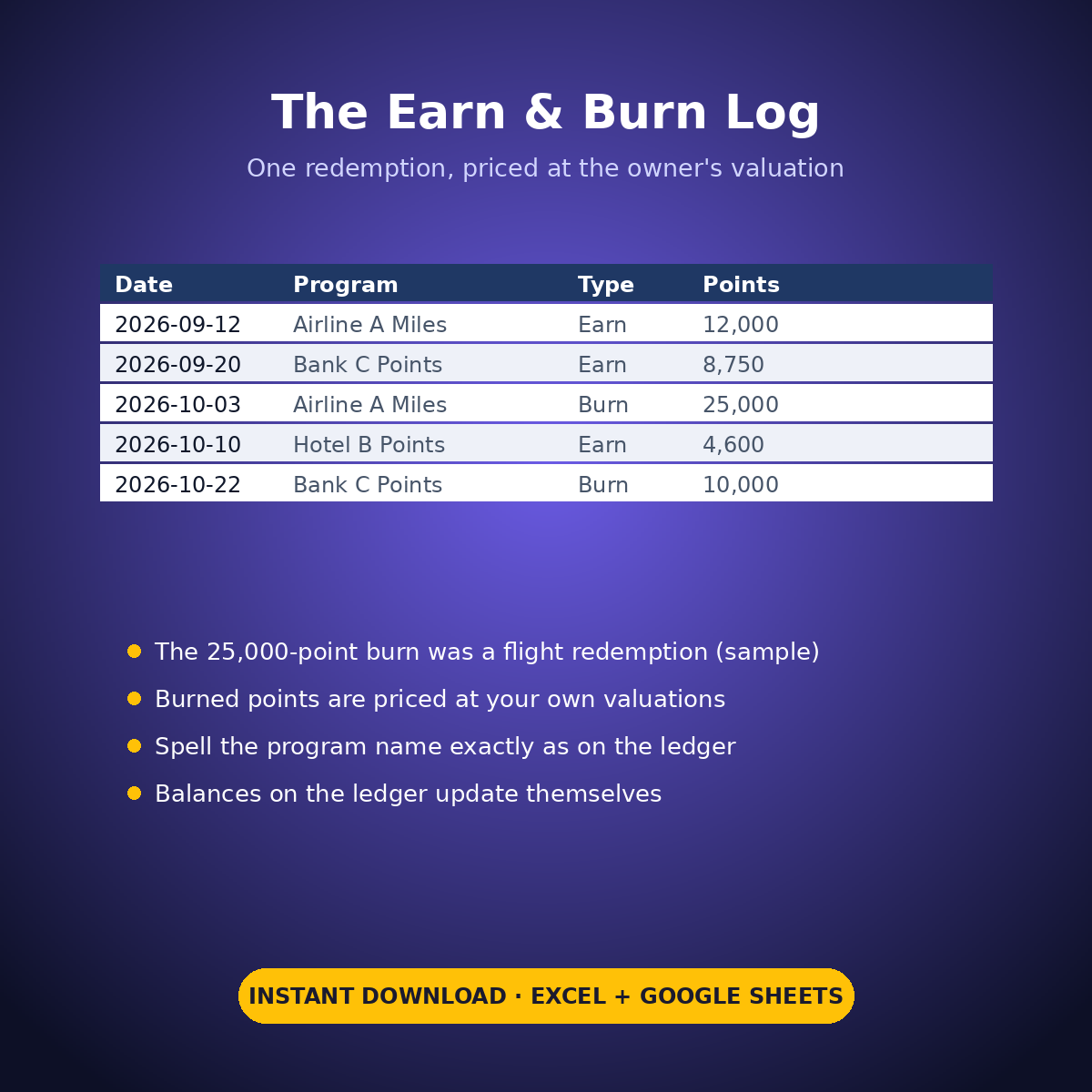
The sample portfolio is honest about all three failure modes. One small program — 610 points worth just $4.27 at the sample valuation — is flagged CHECK SOON with 1.1 months left before its typed inactivity window runs out: small balances expire just as finally as big ones. One redemption of 25,000 points is logged and priced at the owner’s own valuation. And a single program holds $1,144.00 of the $1,961.05 portfolio — 58.3% — with the concentration printed on the Dashboard, not buried.
HOW IT WORKS
– ‘Program Ledger’: one row per program — name in your words, opening balance, and your cents-per-point valuation. Earned and burned points roll in from the log; estimated value and portfolio totals calculate themselves.
– ‘Earn & Burn Log’: date, program, Earn or Burn, points — balances update automatically, and the redeemed-value line prices everything you burned at your own valuations ($525.00 on the sample).
– The expiry watch runs on your entries only: last activity date + the inactivity window in months that YOU type, measured against a check date that YOU type. Inside 3 months the flag prints CHECK SOON. No program’s real terms are stated anywhere in this workbook — the windows are yours to enter.
WHAT’S INSIDE
– Program ledger for up to 12 programs with balances, valuations and a portfolio total (sample: 148,185 points, $1,961.05)
– Expiry watch with CHECK SOON flags driven by your own dates and windows
– Earn & burn log that rolls into balances, with a priced redeemed-value line
– A concentration warning that prints: one program is 58.3% of the sample portfolio
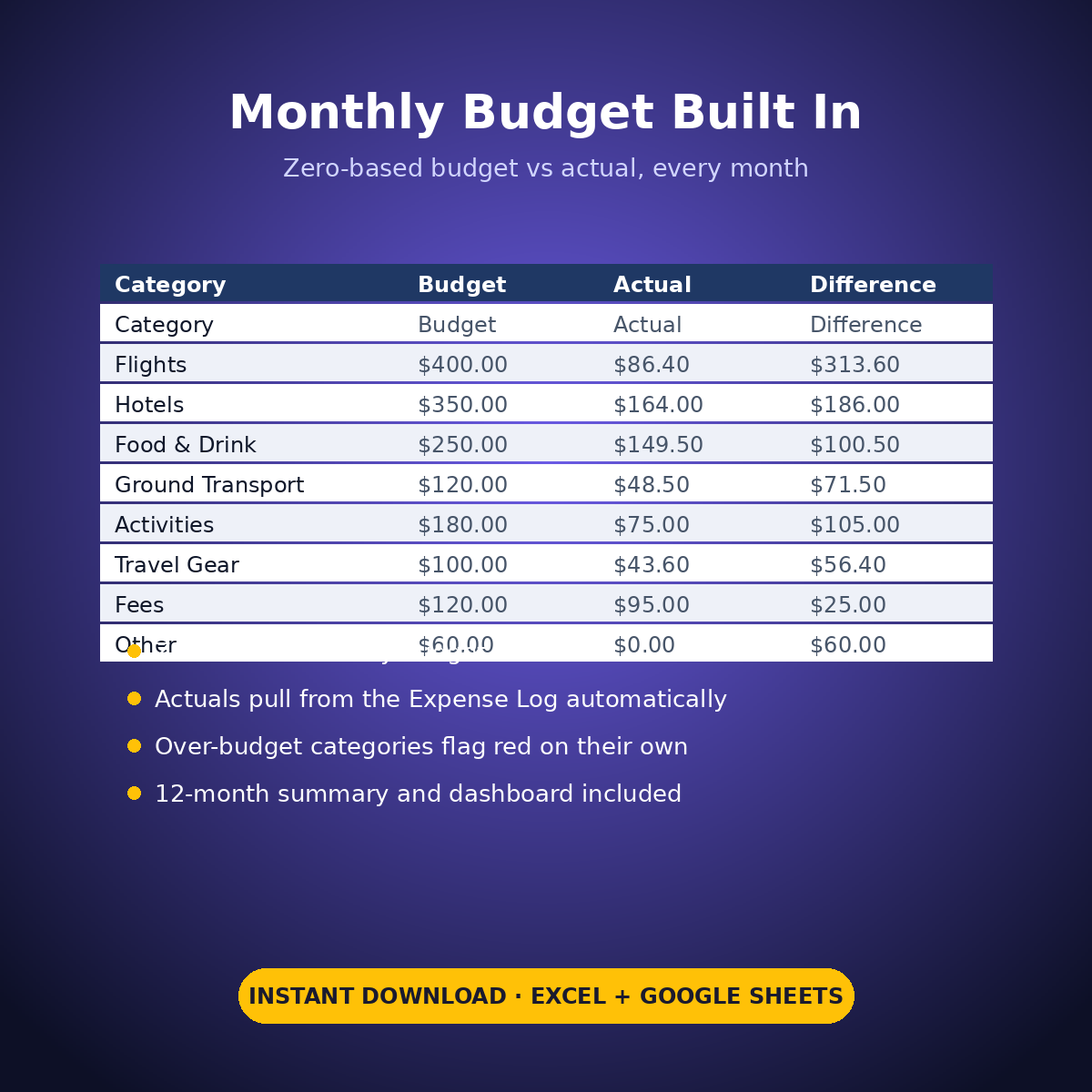
– Plus the standard Expense Log, zero-based Monthly Budget, Dashboard and Monthly Summary tabs
Your programs, your valuations, your dates — the sheet just keeps them where you can see them.
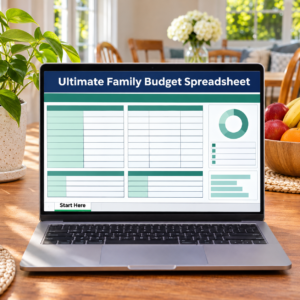
How it works: the seven tabs are Start Here (your settings + step-by-step), the two feature tabs, Expense Log, Monthly Budget (zero-based), Dashboard and Monthly Summary. Yellow cells are the only places you type — every yellow value is your own entry. Formula cells are locked (password: sheetdaily, disclosed on the Start Here tab) and every formula is error-wrapped, so an untouched sheet reads blank instead of showing error codes. Instant download, ready for Excel and Google Sheets.
A note on the sample data: every price and date in this workbook is example data, typed in by hand to show you how the sheet behaves. Replace it with your own.



Reviews
There are no reviews yet.