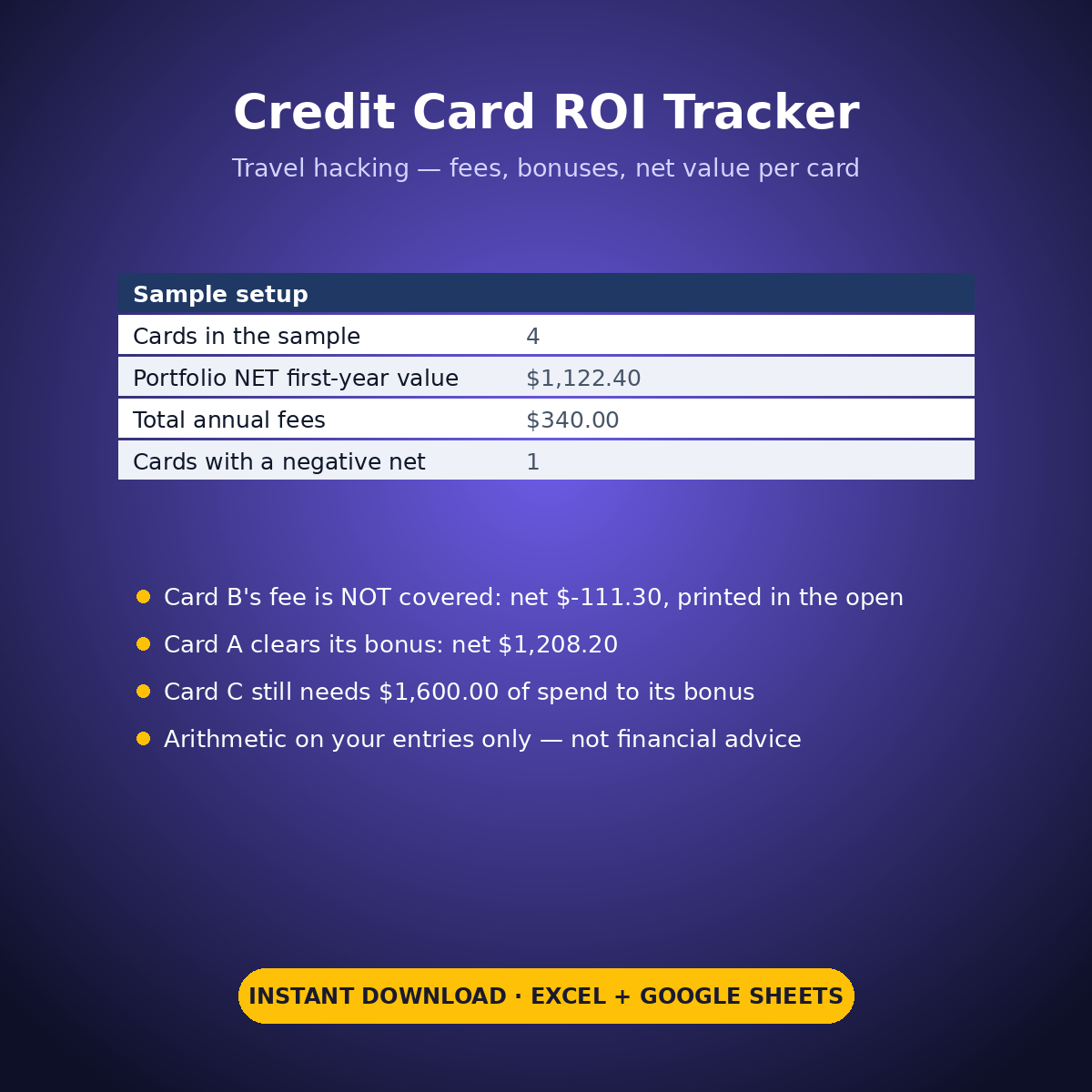
An annual fee lands whether you remember it or not. This tracker puts every rewards card you hold through the same honest arithmetic — what the fee costs, what your spend actually earned, whether the sign-up bonus threshold is met — and prints a net first-year value per card, in the open, even when it is negative.
This workbook scores the cards themselves — fees, bonuses and net value per card; it does not track the points balances sitting in your loyalty programs (that is the separate Travel Points & Miles Tracker). It does arithmetic on your entries only: it is not financial advice, it recommends nothing, and no real card offer is stated anywhere in it — card names are free text and every fee, bonus and rate is a figure you type from your own statements and the terms you signed up under.
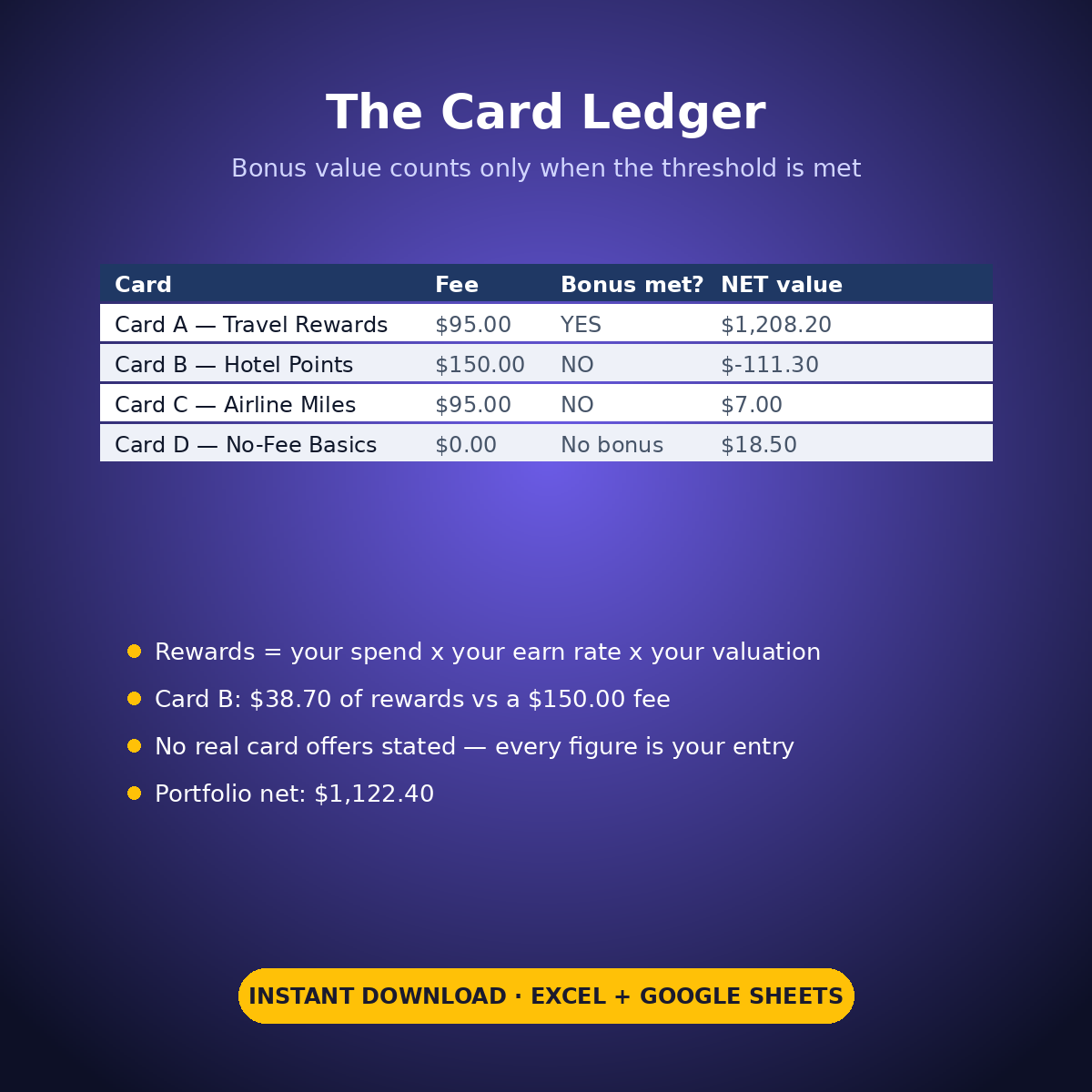
The sample is honest in both directions. Card A clears its bonus and nets +$1,208.20. Card B’s fee is NOT covered — $38.70 of rewards against a $150.00 fee prints as a NET of -$111.30, flagged red, not averaged away. Card C is part-way to its bonus with $1,600.00 of spend still needed, printed as a break-even line. The portfolio nets +$1,122.40 on the sample entries — because of one strong card, and the sheet shows that too.
HOW IT WORKS
– ‘Card Ledger’: one row per card — annual fee, opened date, bonus points, minimum spend and window, your spend so far, your earn rate, your cents-per-point valuation. Rewards from spend = spend x earn rate x your valuation; bonus value counts only if your spend has reached the minimum you typed; gross minus fee = NET first-year value.
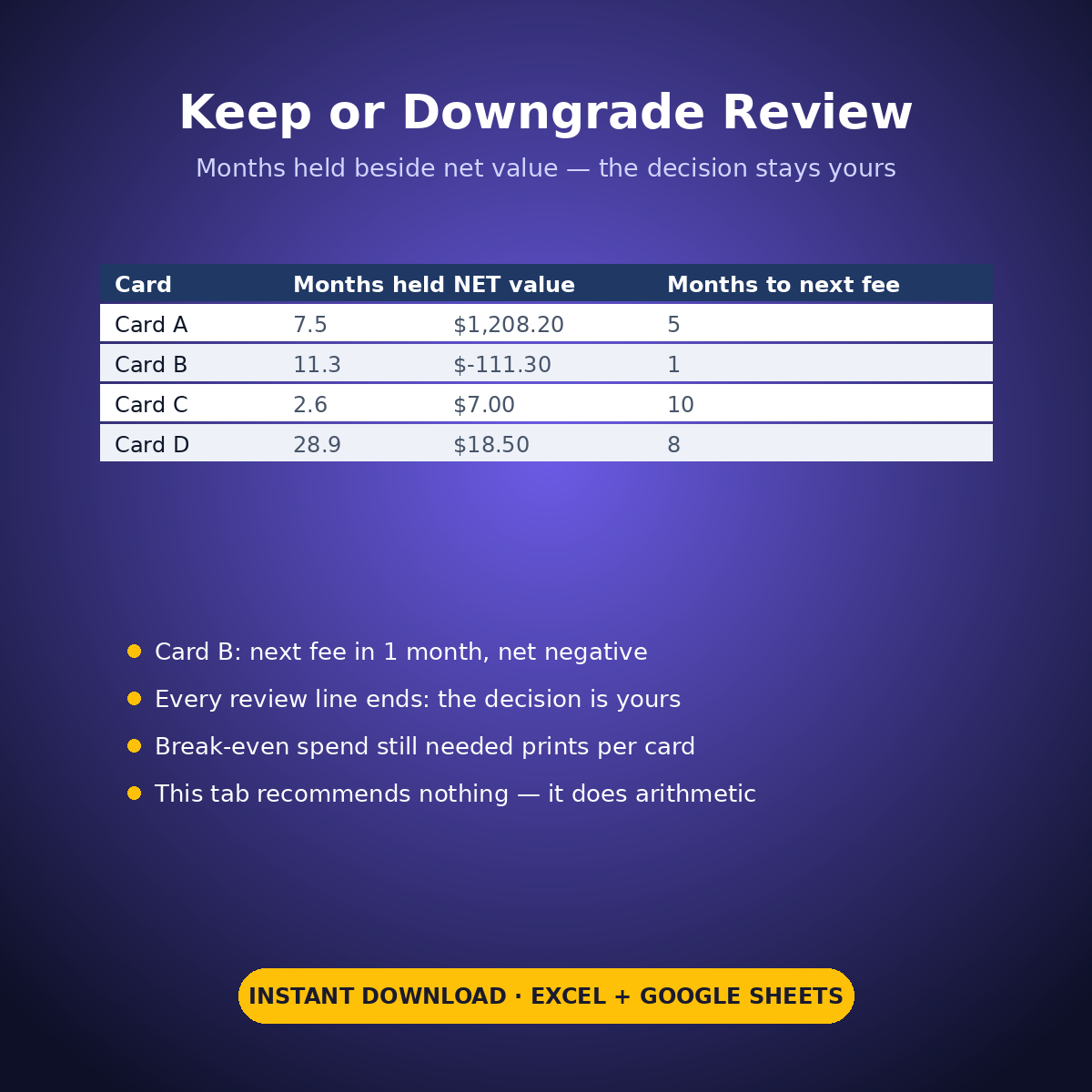
– ‘Keep or Downgrade Review’: months held beside net value, with the months until the next anniversary fee, so no fee sneaks up. Every review line ends the same way: the decision is yours.
– A break-even line per card shows the spend still needed to reach each bonus at your typed check date.
WHAT’S INSIDE
– Card-by-card ROI ledger for up to 8 cards (sample: 4 cards, portfolio net +$1,122.40)
– A negative net printed plainly: Card B at -$111.30, flagged red
– Bonus thresholds tracked honestly — value counts only when your spend actually reaches them
– Keep-or-downgrade review with months held and months to the next fee
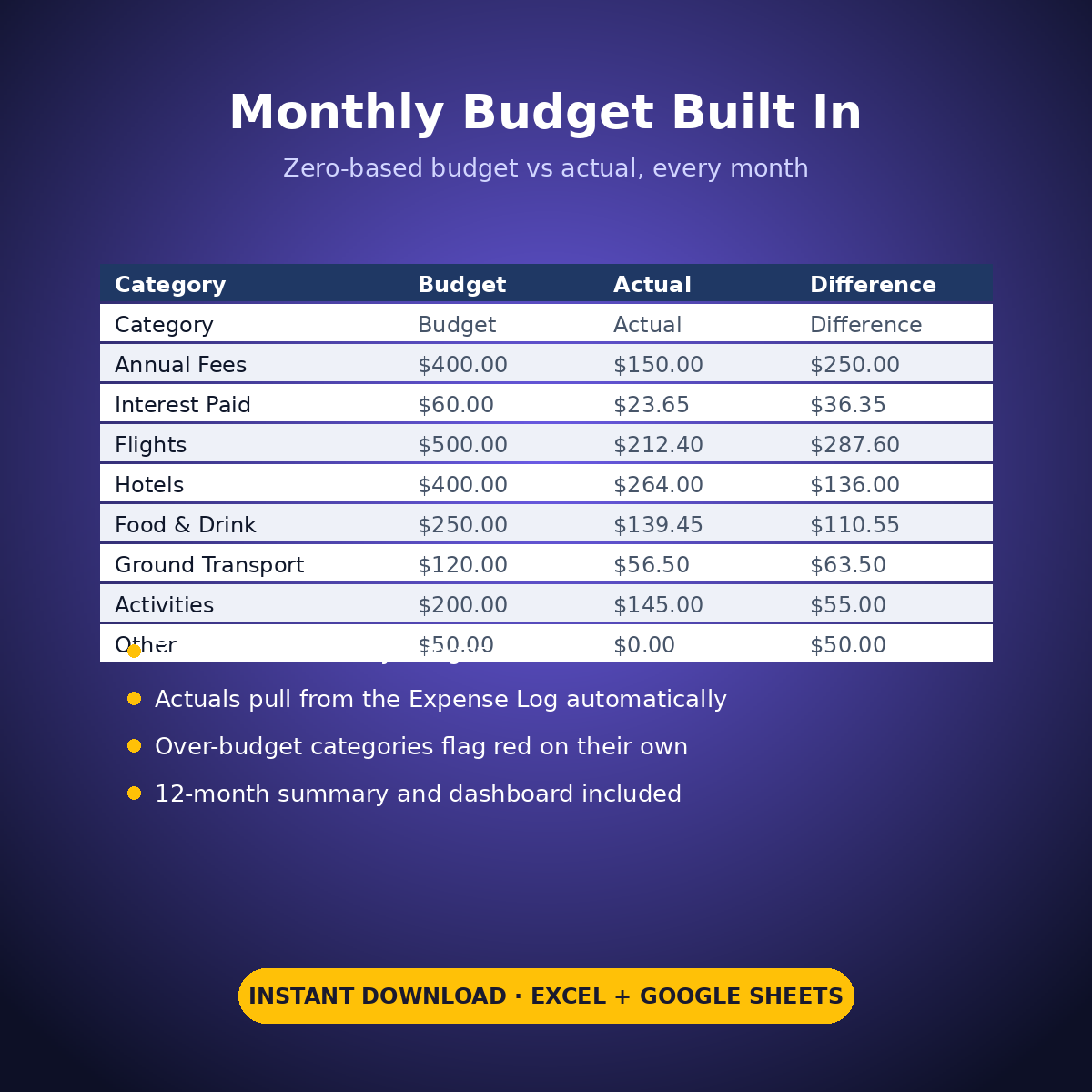
– Plus the standard Expense Log, zero-based Monthly Budget, Dashboard and Monthly Summary tabs
Your cards, your statements, your numbers — the sheet just refuses to let a fee hide.
How it works: the seven tabs are Start Here (your settings + step-by-step), the two feature tabs, Expense Log, Monthly Budget (zero-based), Dashboard and Monthly Summary. Yellow cells are the only places you type — every yellow value is your own entry. Formula cells are locked (password: sheetdaily, disclosed on the Start Here tab) and every formula is error-wrapped, so an untouched sheet reads blank instead of showing error codes. Instant download, ready for Excel and Google Sheets.
A note on the sample data: every price and date in this workbook is example data, typed in by hand to show you how the sheet behaves. Replace it with your own.


Reviews
There are no reviews yet.