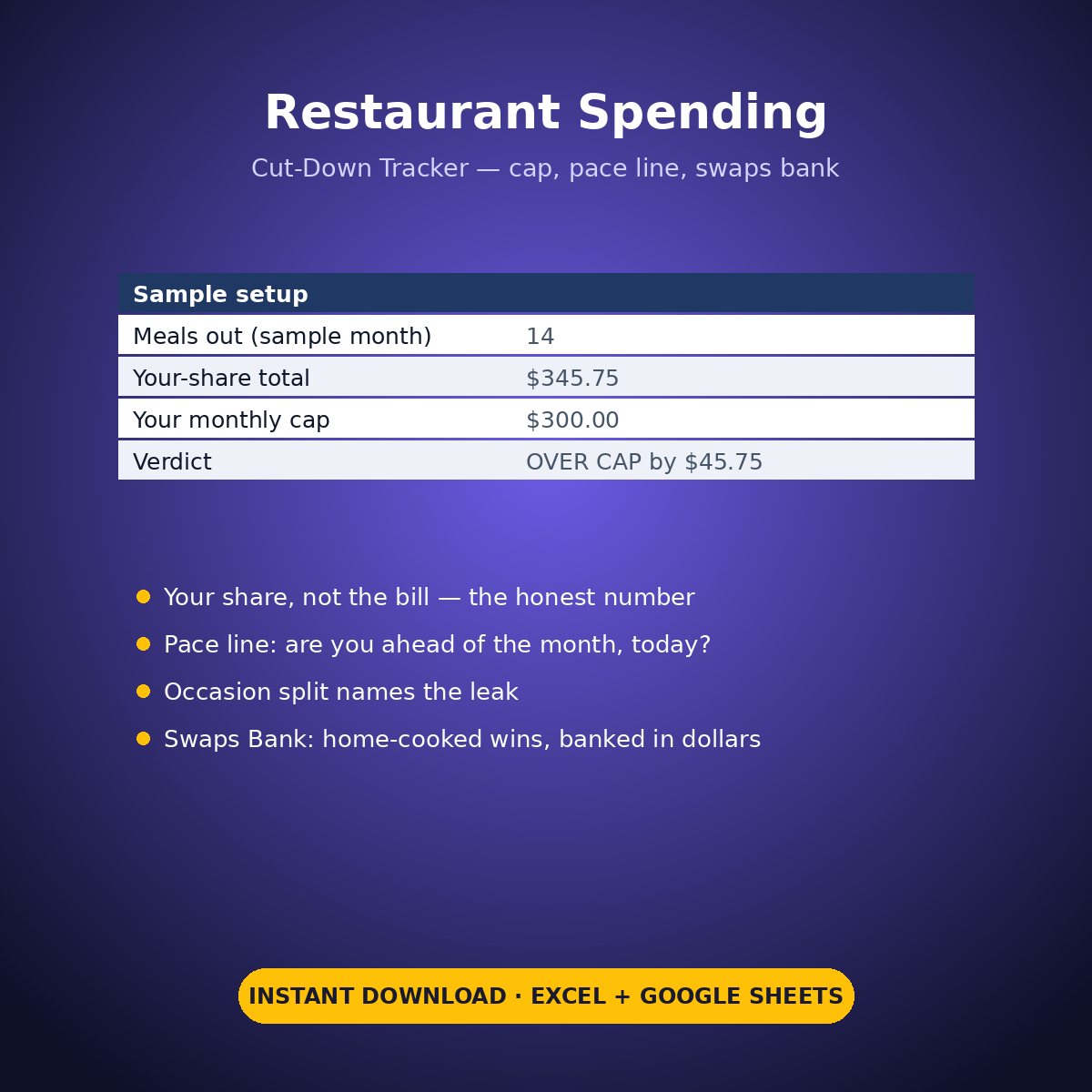
“Cutting back on eating out” fails for one boring reason: nobody can see the month while they’re still inside it. This tracker shows you the month — against YOUR cap, at today’s pace, split by the occasions that actually drain you.
HOW IT WORKS
Set your monthly dining-out cap (yours — the sample uses $300). Log each meal out: the place, the party size, the total bill and YOUR share, because the bill and your share are different numbers and only one of them is your money. Tag the occasion — Work, Social, Date, Family or Convenience. The Cut-Down Engine does the rest: is the month over the cap, are you ahead of the pace line for today’s date, which occasion is the leak, and what your home-cooked swaps have banked so far.
WHAT’S INSIDE
– Dining-Out Log (28 rows): date, month (calculated), place, party size, total bill, your share, occasion — sample month holds 14 October meals out
– The verdict, printed plainly: your-share total $345.75 against a $300 cap — OVER CAP by $45.75. No softening, no “approximately fine”
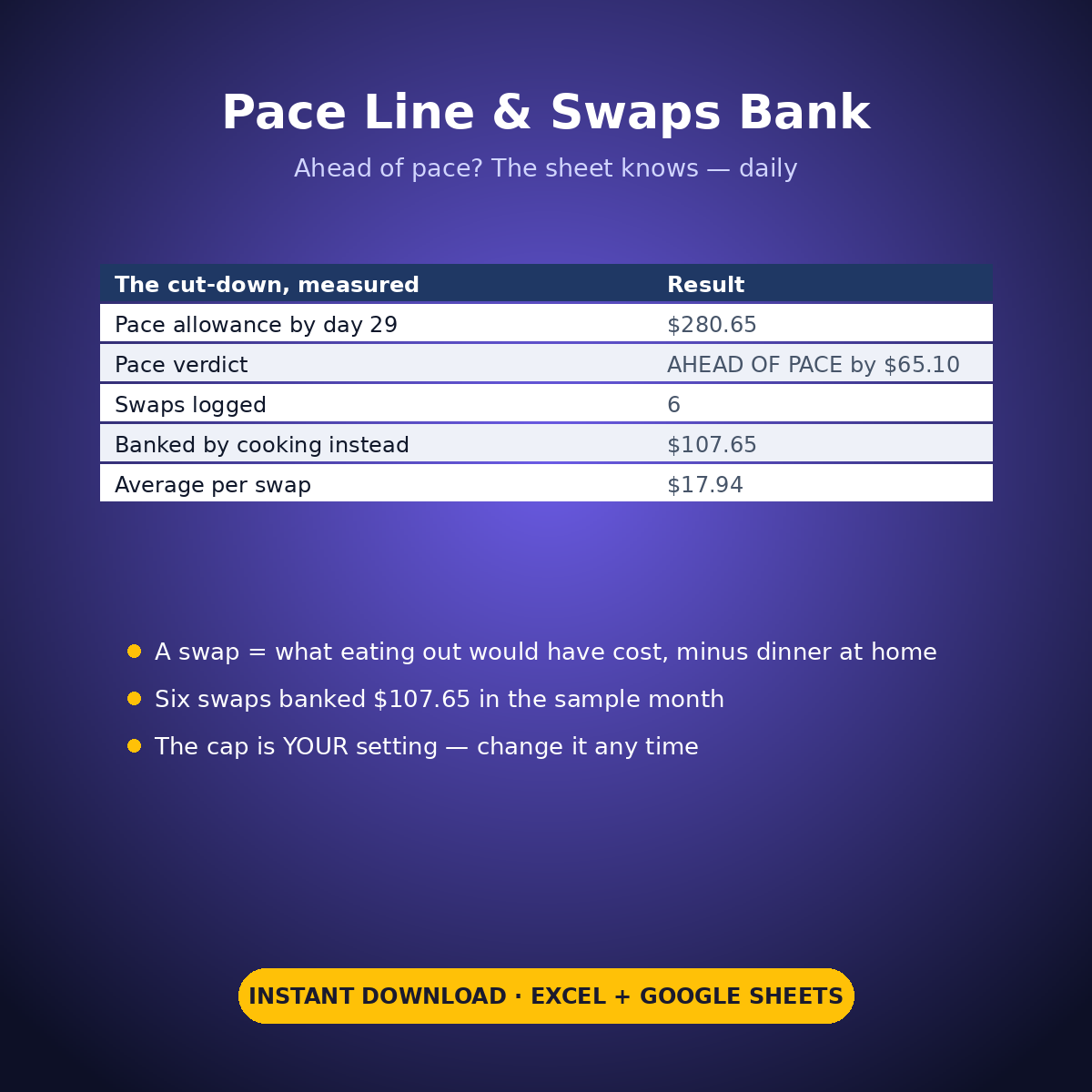
– The pace line: by day 29 of 31 you could have spent $280.65 and stayed on pace — you’re AHEAD OF PACE by $65.10, which is the number that tells you whether to fix it this week or next month
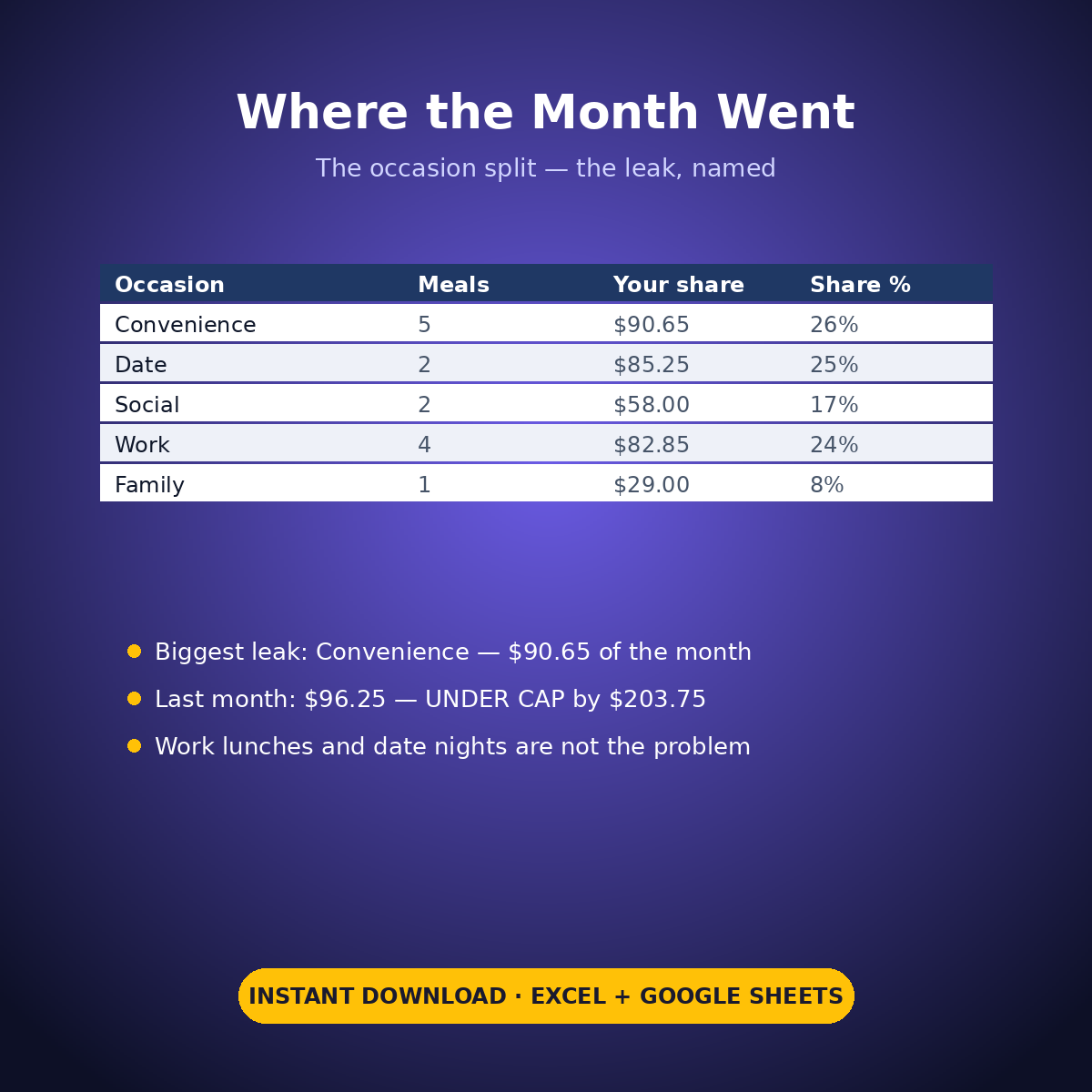
– The occasion split: Convenience is the biggest leak at $90.65 across 5 meals — bigger than Date nights ($85.25) — followed by Work $82.85, Social $58.00, Family $29.00
– The comparison that keeps you honest: last month was $96.25, UNDER CAP by $203.75 — same person, same cap, very different month
– The Swaps Bank: 6 logged swaps (cook-at-home versions of meals you’d have bought) banked $107.65, $17.94 a swap
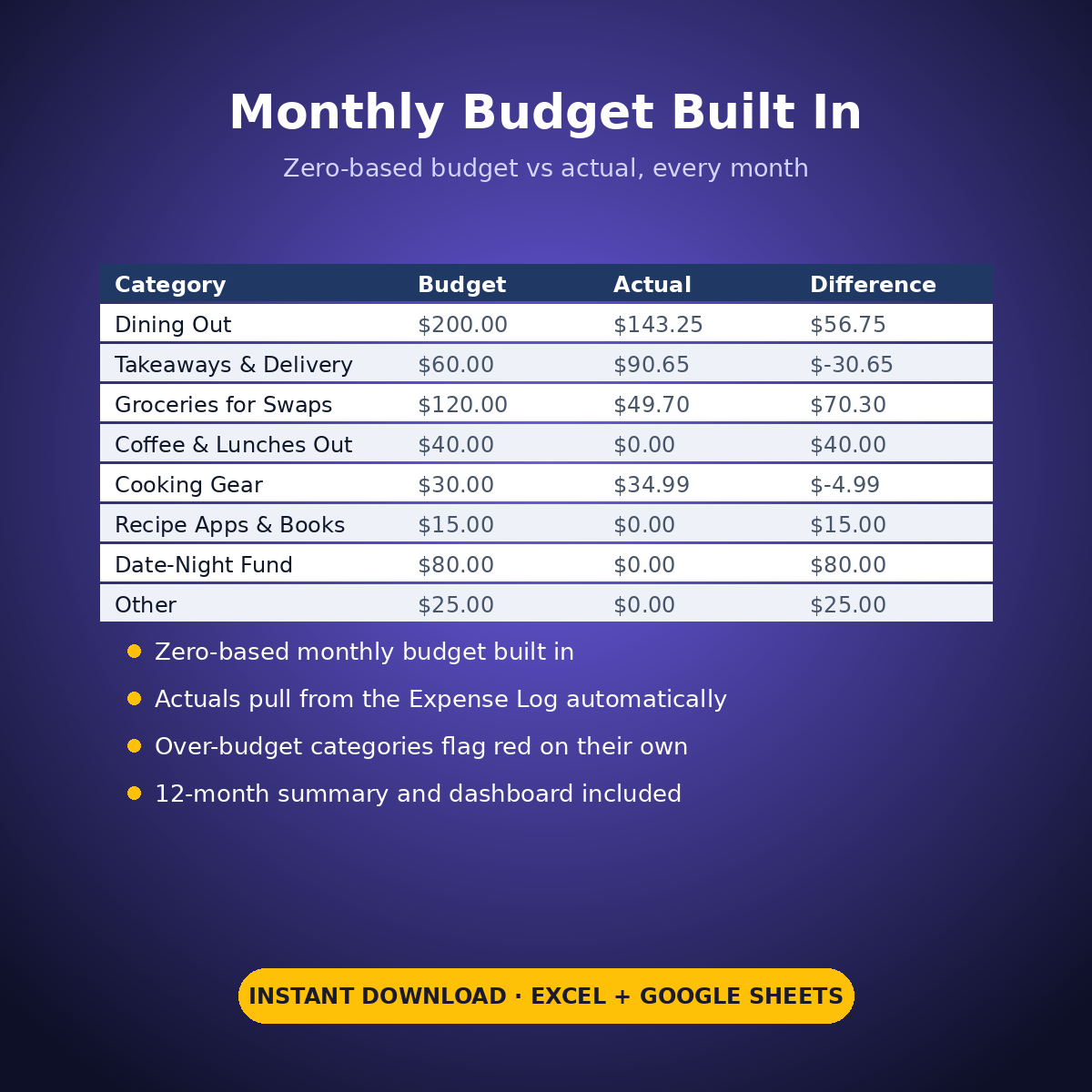
– Expense Log + zero-based Monthly Budget ($570 across 8 food-spending categories), Dashboard and Monthly Summary
The cap is your setting, the sample month is deliberately over it, and the sheet prints both facts without flinching. Seeing the leak named — Convenience, $90.65 — is what makes next month different.
How it works: the seven tabs are Start Here (your settings + step-by-step), the two feature tabs, Expense Log, Monthly Budget (zero-based), Dashboard and Monthly Summary. Yellow cells are the only places you type — every yellow value is your own entry. Formula cells are locked (password: sheetdaily, disclosed on the Start Here tab) and every formula is error-wrapped, so an untouched sheet reads blank instead of showing error codes. Instant download, ready for Excel and Google Sheets.
A note on the sample data: every price and date in this workbook is example data, typed in by hand to show you how the sheet behaves. Replace it with your own.


Reviews
There are no reviews yet.