A quote is a guess until the job is costed. This sheet costs every landscaping job the honest way: the quote you typed beside what the job actually consumed — crew hours at the rates you type, materials row by row, equipment and fuel row by row — and prints the profit and the margin per job, including the jobs that lost money.
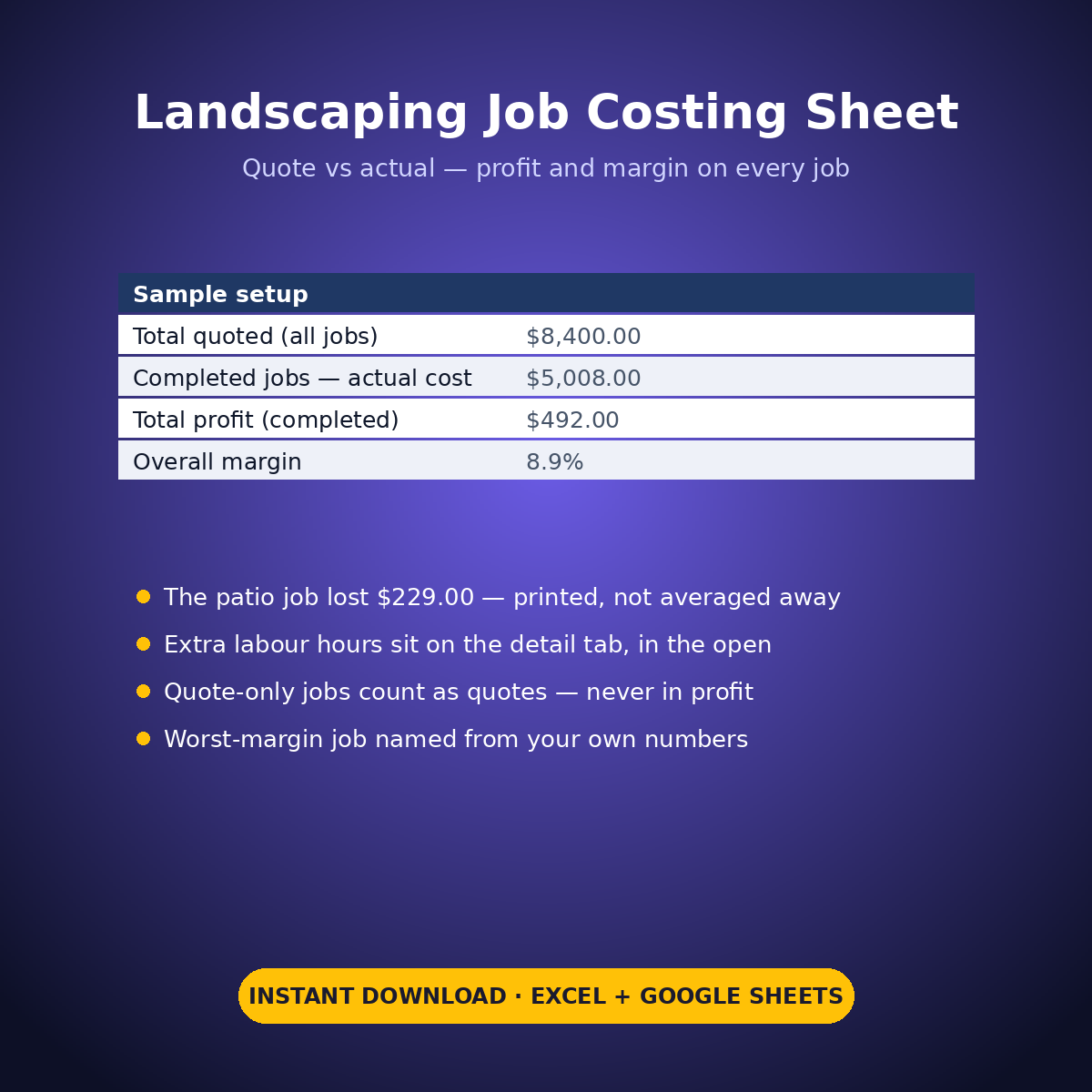
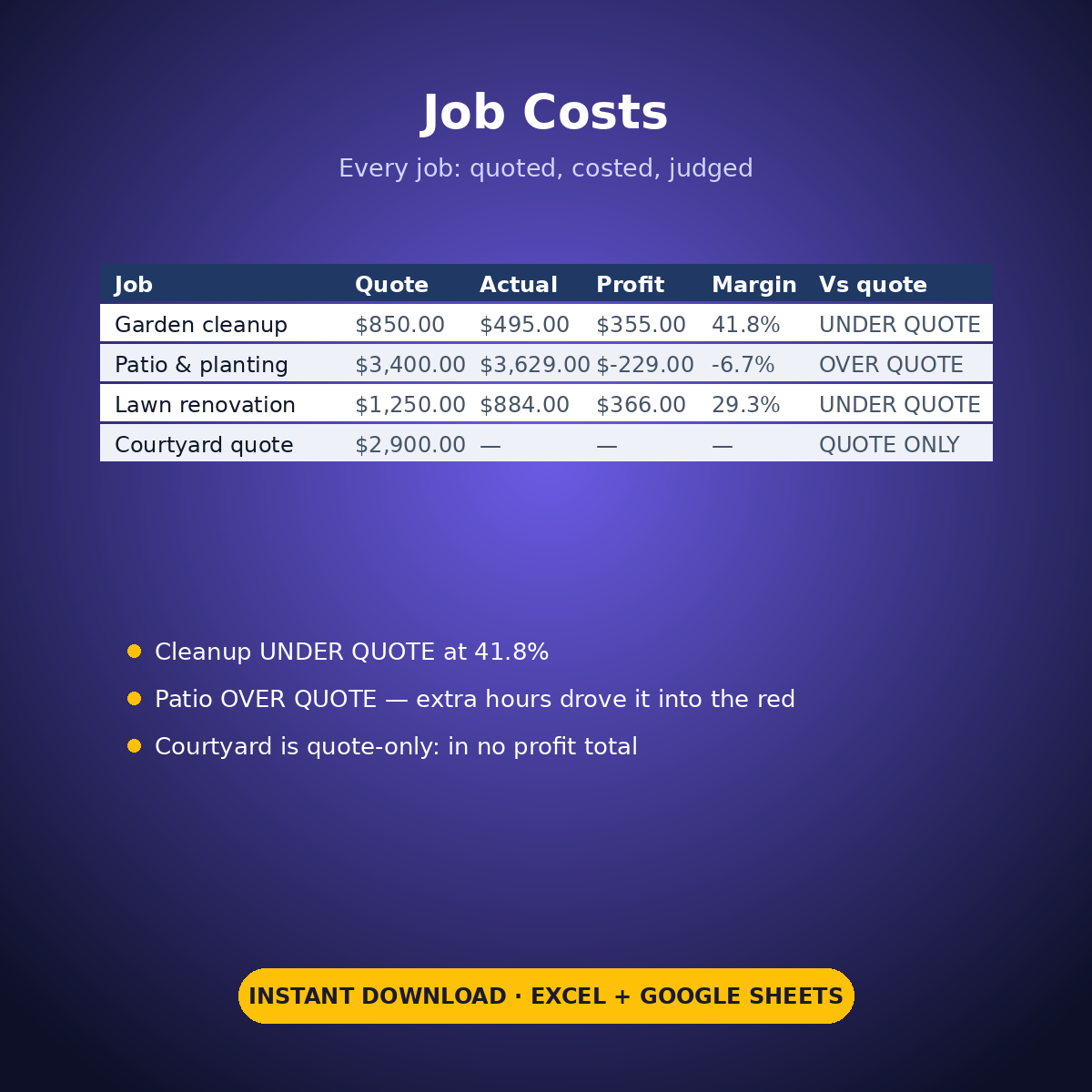
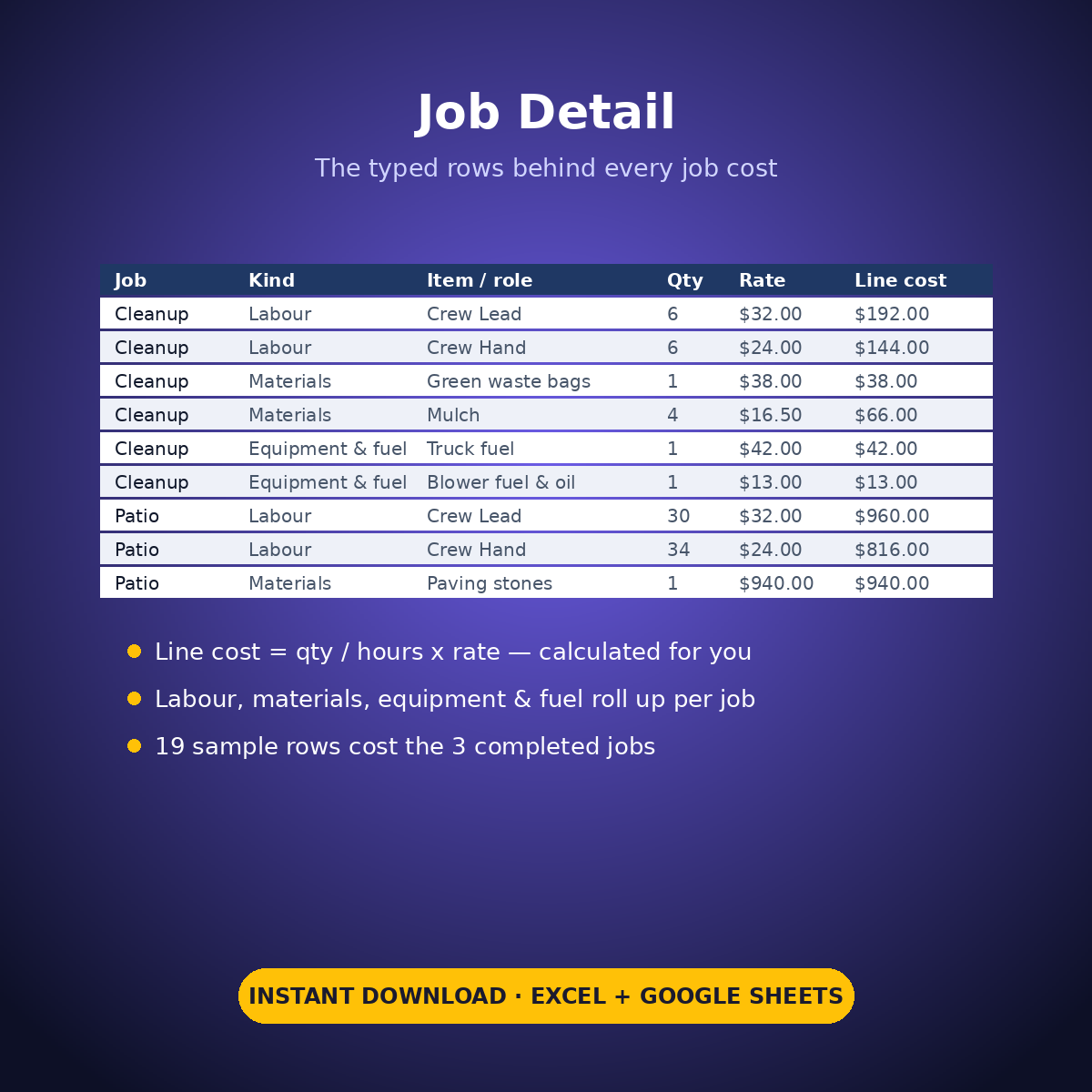
The sample runs four jobs and hides nothing. The garden cleanup finishes UNDER its $850.00 quote at $495.00 of cost — a $355.00 profit, 41.8% margin. The lawn renovation makes $366.00 at 29.3%. The patio job runs OVER its $3,400.00 quote and loses $229.00, and the sheet shows exactly why: the extra labour hours (30 crew-lead hours and 34 crew-hand hours, typed in the open on the detail tab) pushed its cost to $3,629.00 for a -6.7% margin — printed plainly, not averaged away. The fourth job is quote-only: it counts in the quoted totals and is excluded from every profit total. Across the three completed jobs the roll-up prints $492.00 of profit on $5,500.00 of quotes, and names the patio job as the worst margin from the sample’s own numbers.
HOW IT WORKS
– ‘Job Costs’: one row per job — job and client in your own words, status (Quoted / Completed), and your quoted price. Labour, materials and equipment & fuel roll up from the detail tab.
– ‘Job Detail’: the typed cost rows behind every job — job name, cost kind (Labour / Materials / Equipment & fuel), item or role, qty or hours, rate or unit cost. Line cost = qty x rate, calculated for you.
– Per completed job: quote – actual cost = profit, margin % printed, and UNDER QUOTE / OVER QUOTE against the quote. The roll-up prints jobs won vs quoted, total profit, and the worst-margin job by name.
WHAT’S INSIDE
– Per-job costing built from typed detail rows — nothing buried in a single total
– Profit and margin % per job, with OVER-QUOTE losses printed plainly (sample: -$229.00)
– A roll-up: total profit across completed jobs, overall margin, worst-margin job named
– Quote-only jobs counted as quotes and excluded from every profit figure
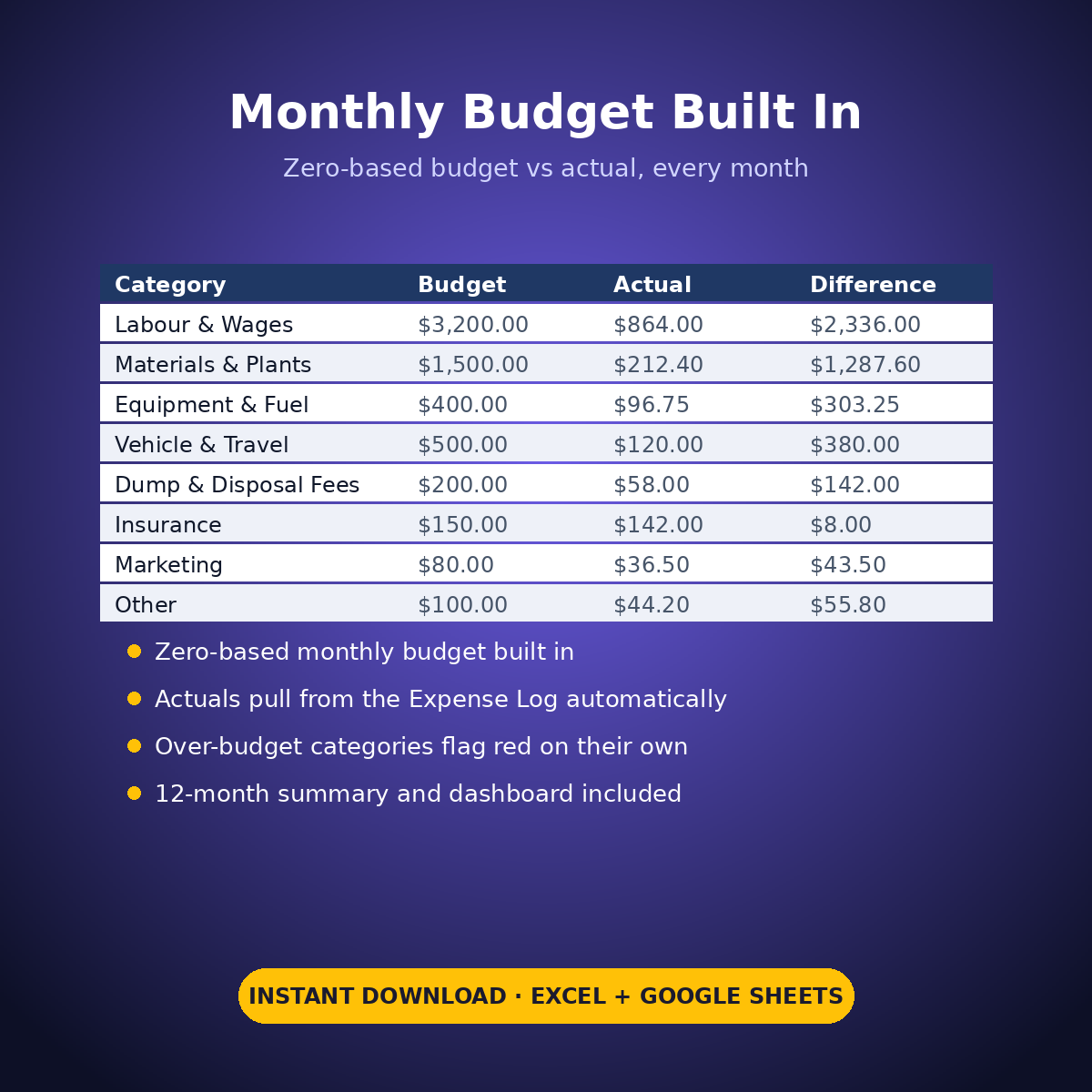
– Plus the standard Expense Log, zero-based Monthly Budget, Dashboard and Monthly Summary tabs
Every wage, rate, material price and quote in this workbook is an example setting you type — the sheet only does arithmetic on your figures.
How it works: the seven tabs are Start Here (your settings + step-by-step), the two feature tabs, Expense Log, Monthly Budget (zero-based), Dashboard and Monthly Summary. Yellow cells are the only places you type — every yellow value is your own entry. Formula cells are locked (password: sheetdaily, disclosed on the Start Here tab) and every formula is error-wrapped, so an untouched sheet reads blank instead of showing error codes. Instant download, ready for Excel and Google Sheets.
A note on the sample data: every price and date in this workbook is example data, typed in by hand to show you how the sheet behaves. Replace it with your own.


Reviews
There are no reviews yet.