A finished piece carries two costs a maker feels separately — the beads and findings on the bench, and the minutes at the bench — and a price set from only one of them quietly gives the other away. This calculator builds both into one full cost per piece: typed component rows give the materials cost, your typed labour minutes at your typed labour rate give the labour cost, and your typed markup % applied to that full cost prints a price worked out by arithmetic on your own settings.
The inputs are jewellery inputs only — beads, findings, wire and metal, clasps, costed per piece. A bake is costed in the Home Bakery Cost Calculator — Cottage Food from its ingredients and yield, a batch of soap in the Soap Maker Batch Cost Calculator from oils and fats per batch, and a candle in the Handmade Candle Business Cost Calculator — each craft’s cost stack gets its own workbook, and this one holds none of theirs. The sheet does arithmetic on the component costs you type; it says nothing about any stone or metal beyond the cost you enter for it.
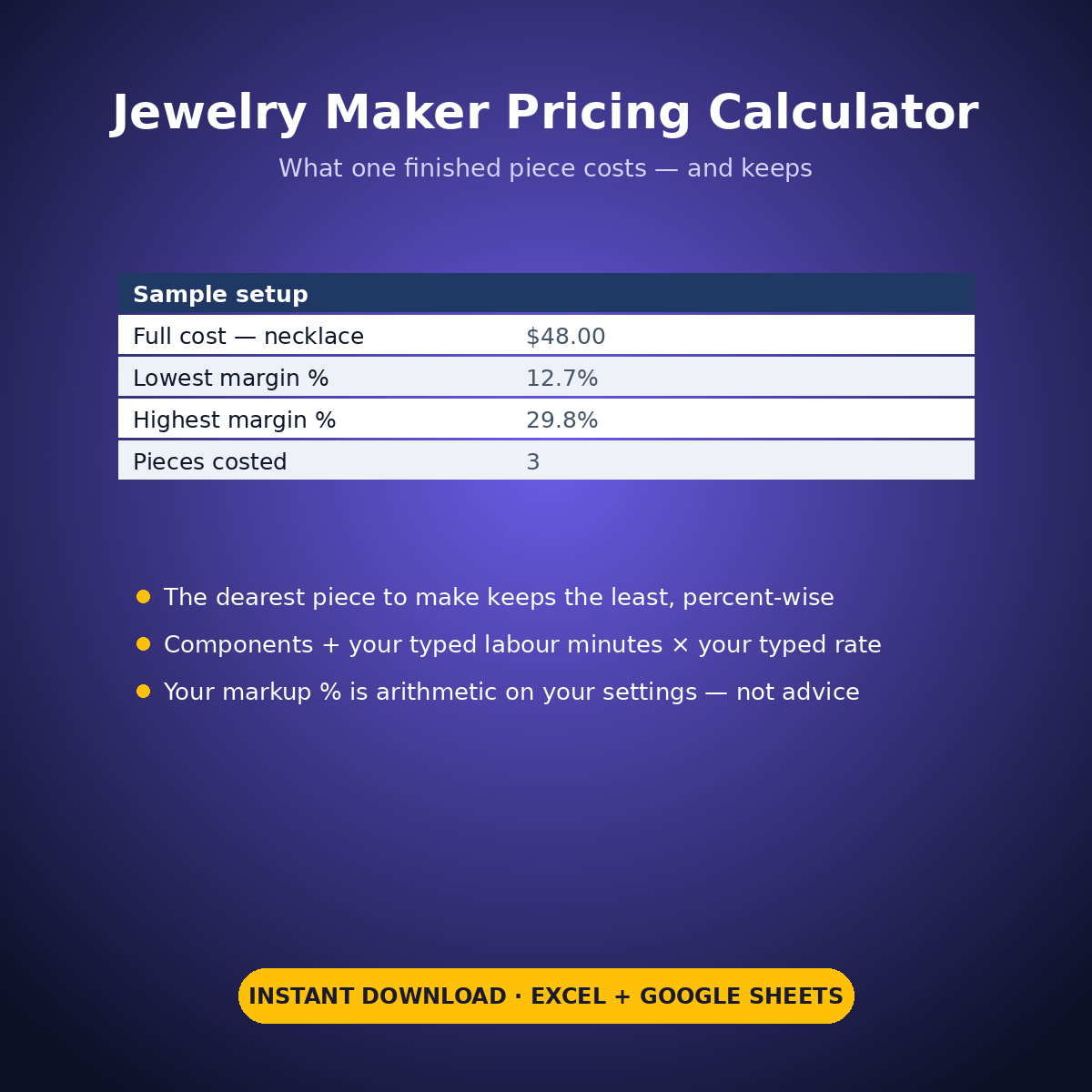
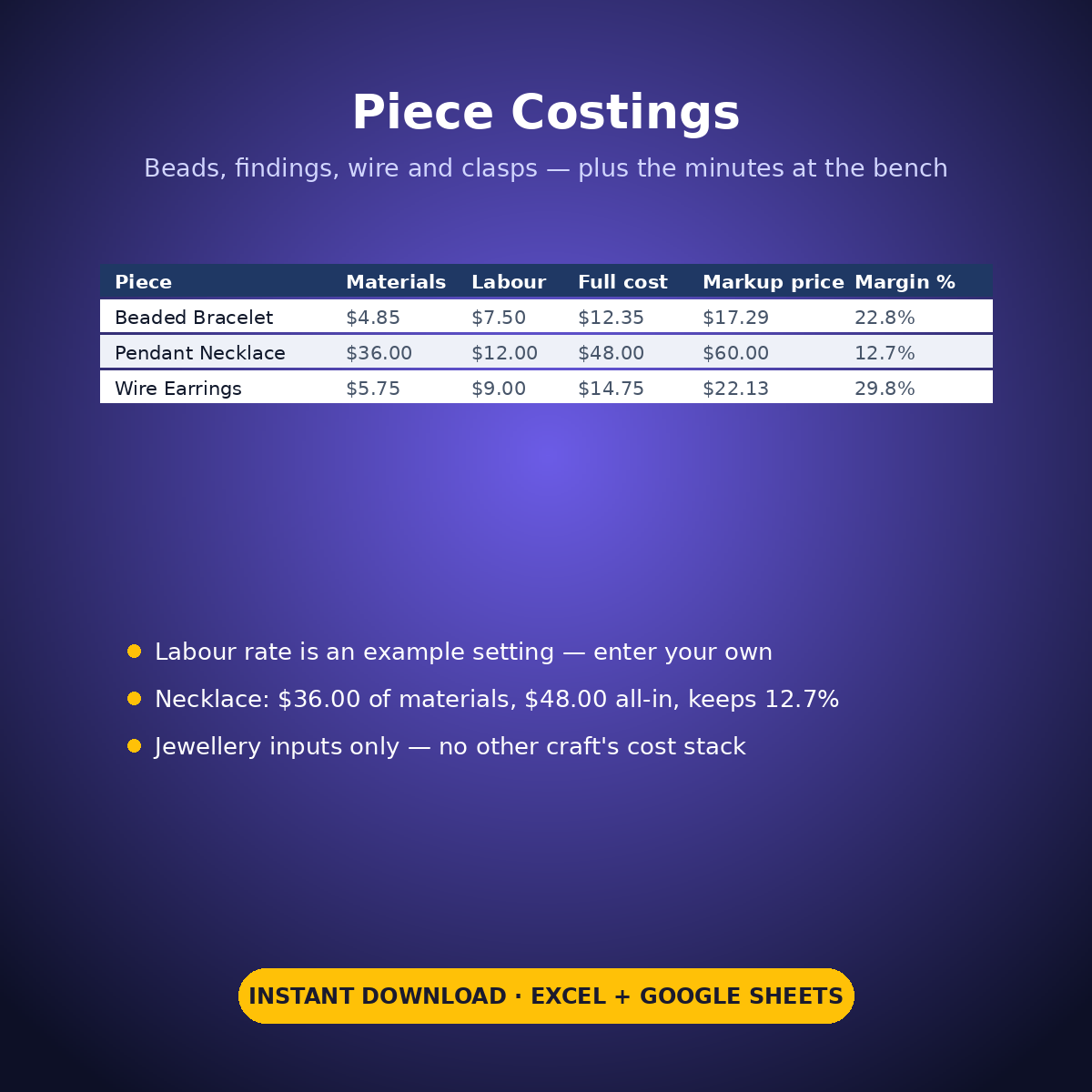
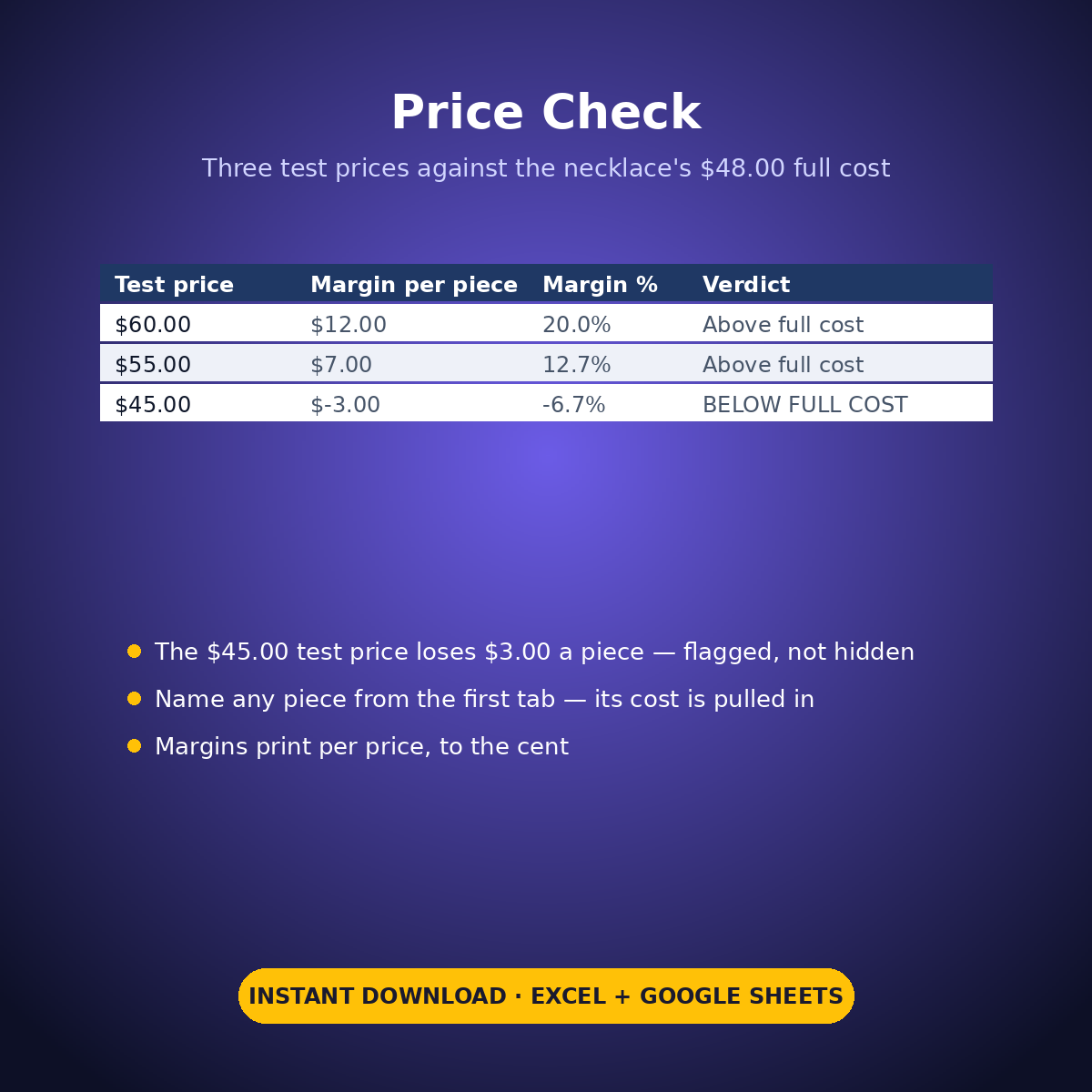
The sample costs three pieces. The Beaded Stretch Bracelet carries $4.85 of materials and 25 minutes of labour — $12.35 all-in, a 40% typed markup printing $17.29 by arithmetic, and at its typed $16.00 selling price it keeps $3.65 (22.8%). The Sterling Pendant Necklace carries the most materials on the tab, $36.00, and the biggest full cost, $48.00 — and at its typed $55.00 price it keeps $7.00, which is 12.7%, the LOWEST margin % of the three: the dearest piece to make is not the best earner, and the sheet prints that. The Wire-Wrapped Earrings cost $14.75 all-in and keep 29.8%, the most. The Price Check tests the necklace at $60.00 (keeps $12.00), $55.00 (keeps $7.00) and $45.00 — which loses $3.00 a piece, flagged BELOW FULL COST in the open.
HOW IT WORKS
– ‘Piece Costings’: type each piece’s component rows (component in your own words, cost per piece). Materials total per piece in the summary block.
– The price build: materials + typed labour minutes × your typed hourly rate = full cost; your typed markup % applied to the full cost prints the arithmetic price. Type the price you actually sell at and margin and margin % print beside it.
– ‘Price Check’: name one piece and test up to three of your own selling prices against its full cost — margin per price, with any price below full cost flagged.
WHAT’S INSIDE
– A per-piece component build: beads, findings, wire and metal, clasps — costed per piece, nothing else
– Labour costed from your typed minutes and your typed hourly rate (example setting)
– A markup % (example setting) applied by explicit arithmetic — a calculation on your settings, never a recommendation
– The honest split, printed: the highest-materials piece ($36.00) keeps the LOWEST margin % (12.7%)
– A three-price check with a below-full-cost price flagged plainly (sample: $45.00, -$3.00)
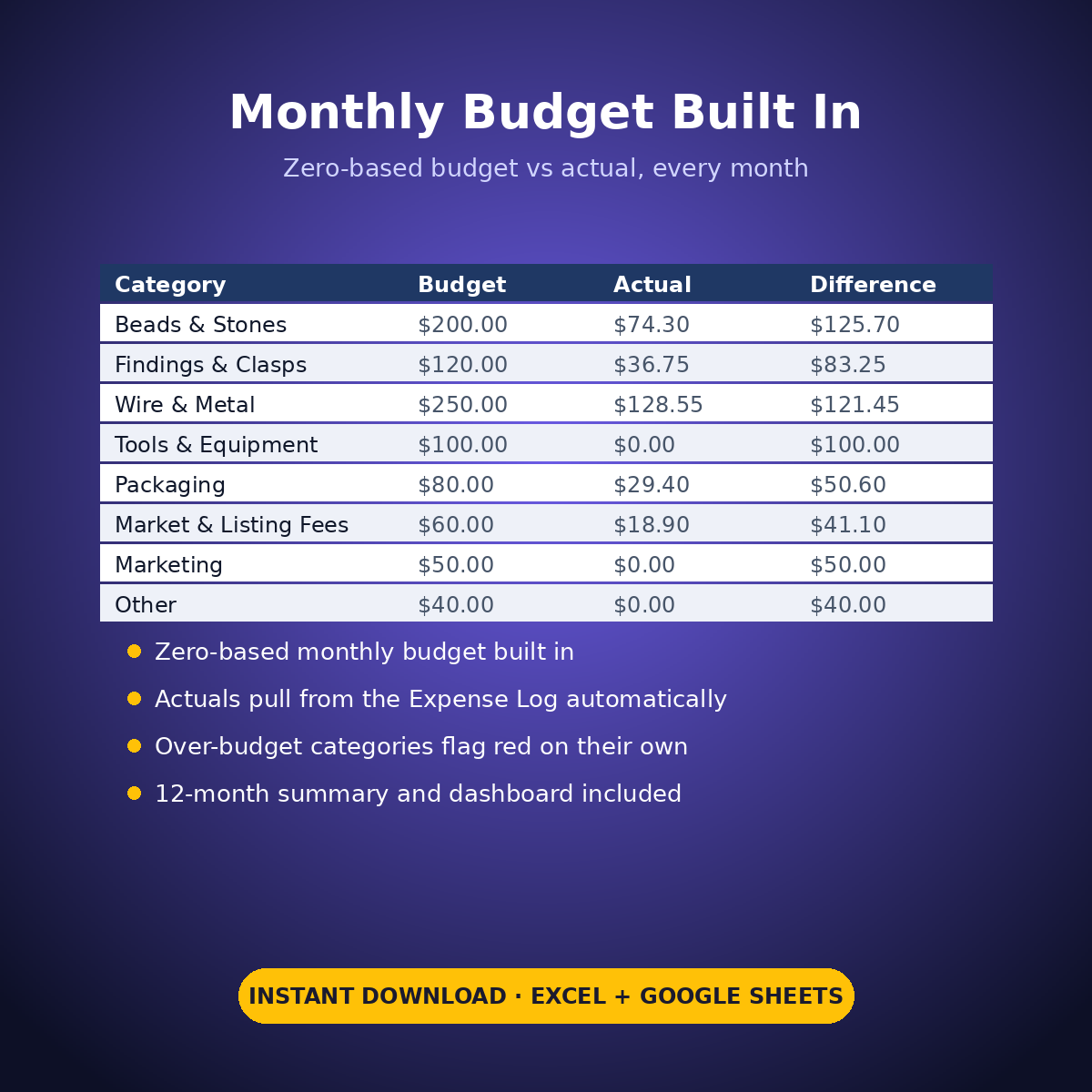
– Plus the standard Expense Log, zero-based Monthly Budget, Dashboard and Monthly Summary tabs
Every component cost, minute count, labour rate, markup % and price in this workbook is an example setting you type — the sheet does arithmetic on your figures only, and never tells you what to charge.
How it works: the seven tabs are Start Here (your settings + step-by-step), the two feature tabs, Expense Log, Monthly Budget (zero-based), Dashboard and Monthly Summary. Yellow cells are the only places you type — every yellow value is your own entry. Formula cells are locked (password: sheetdaily, disclosed on the Start Here tab) and every formula is error-wrapped, so an untouched sheet reads blank instead of showing error codes. Instant download, ready for Excel and Google Sheets.
A note on the sample data: every price and date in this workbook is example data, typed in by hand to show you how the sheet behaves. Replace it with your own.



Reviews
There are no reviews yet.