ISA allowance is the harshest number in UK saving: whatever you do not use by 5 April is gone — not carried forward, not banked, gone. Most people find out what they left on the table after the year has closed. This tracker keeps the running verdict in front of you while there is still time to act on it.
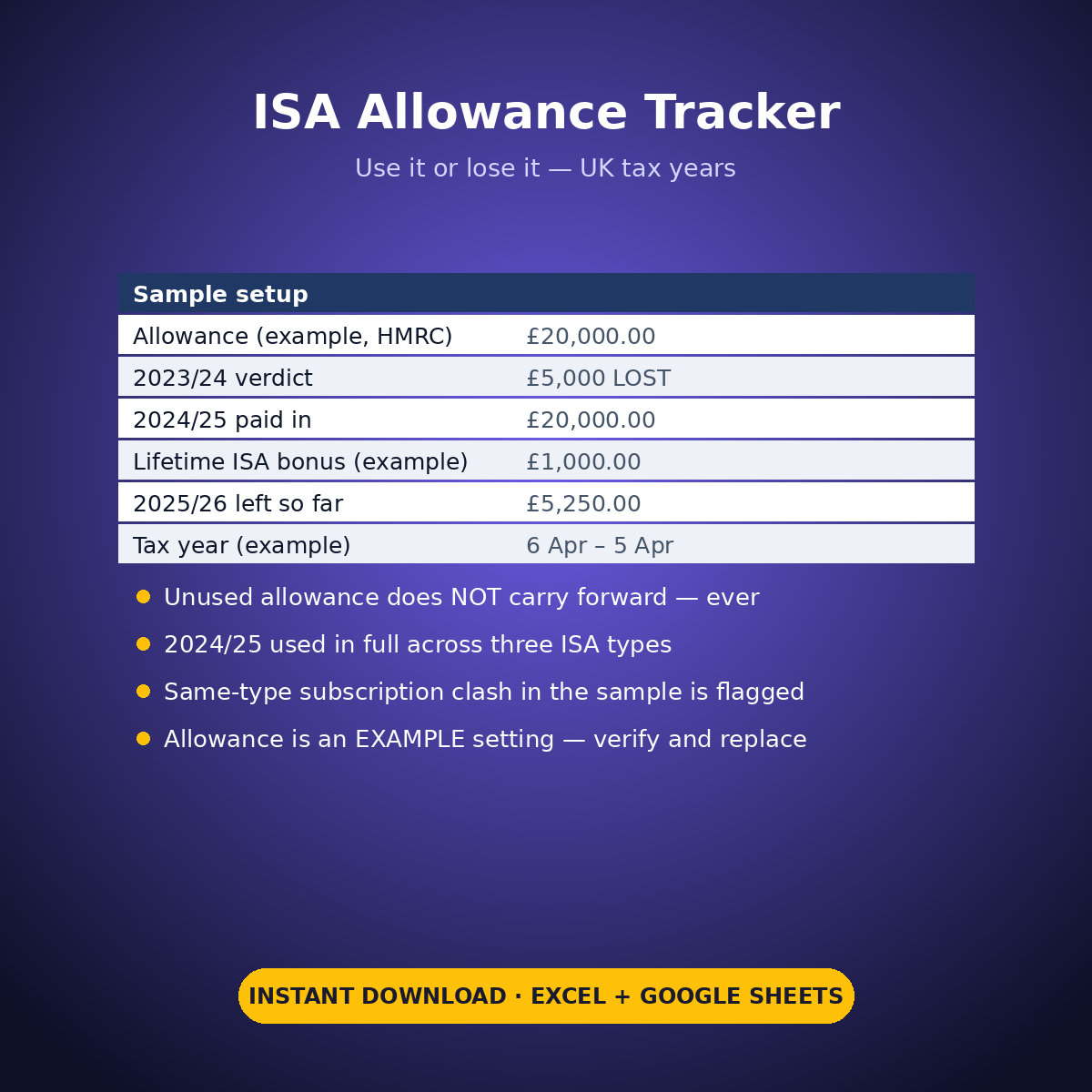
You log every subscription in your own words — date, tax year, type, provider, amount — and the Allowance Ledger totals the log by tax year and ISA type automatically. The allowance itself is an EXAMPLE setting pre-filled at £20,000, the HMRC published figure for the year named on Start Here; verify yours and replace it, and every verdict recomputes.
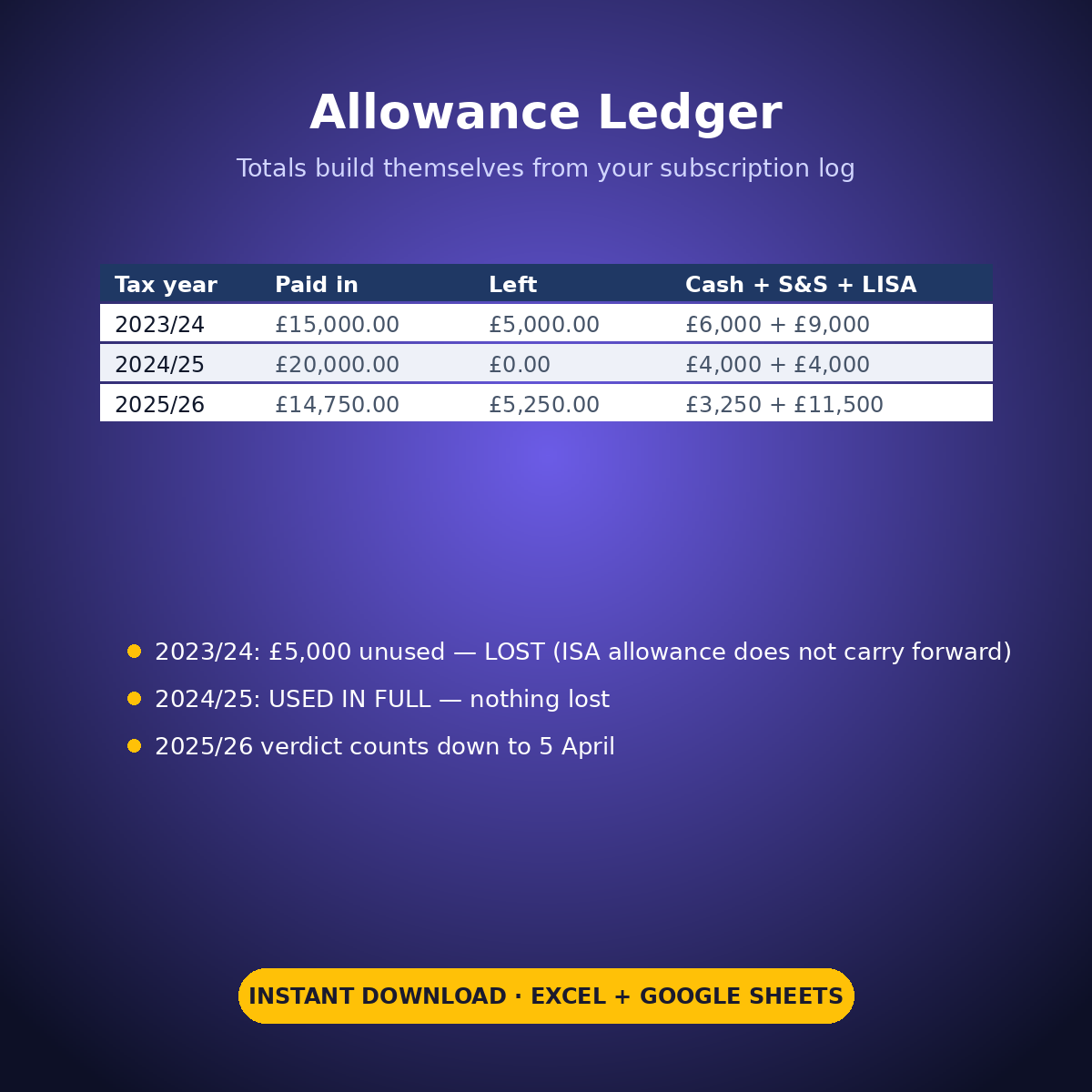
The sample’s three years tell the whole story. 2023/24: £15,000 paid in across Cash and Stocks & Shares — and the Verdict column prints “£5,000 unused — LOST”, because it was. 2024/25: the full £20,000 used, split £4,000 Cash, £4,000 Lifetime ISA and £12,000 Stocks & Shares — “USED IN FULL — nothing lost”. 2025/26, still open: £14,750 in, £5,250 left, with the verdict counting it down to the 5 April deadline.
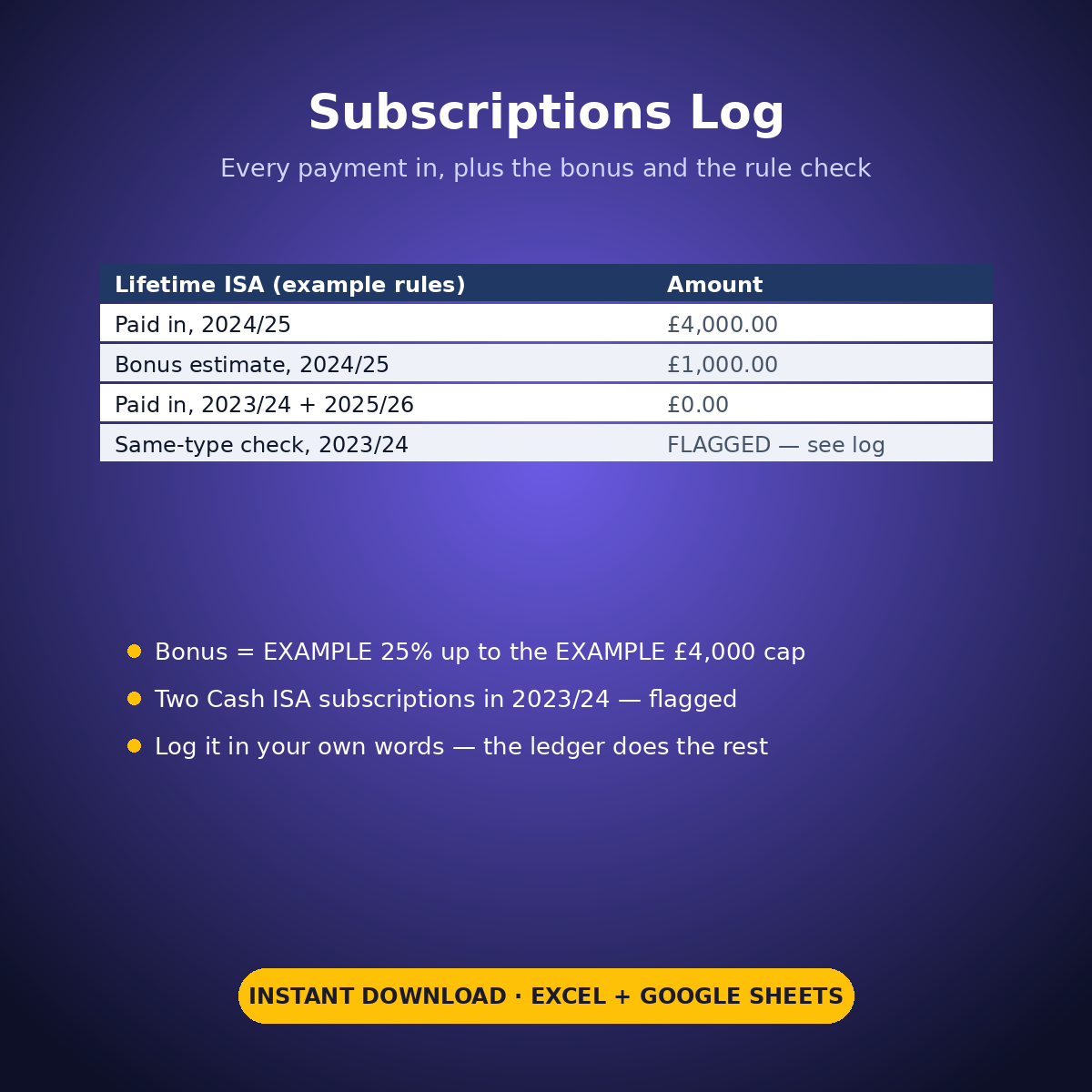
The details that bite are watched too. The Lifetime ISA bonus is estimated at the EXAMPLE 25% up to the EXAMPLE £4,000 cap — £1,000.00 on the sample’s 2024/25 subscription — and a same-type check flags the sample’s two Cash ISA subscriptions in 2023/24 against the EXAMPLE one-subscription-per-type-per-year rule note, so you verify your own position instead of discovering it later.
What it does for you:
– Totals a plain-language subscription log into a per-year, per-type allowance ledger automatically
– Prints the use-it-or-lose-it verdict per year — unused allowance shown as LOST, in words, not implied
– Tracks the year in progress against the 5 April deadline while action is still possible
– Estimates the Lifetime ISA bonus from EXAMPLE cap and percentage settings you can replace
– Flags multiple subscriptions into the same ISA type in one year for you to verify
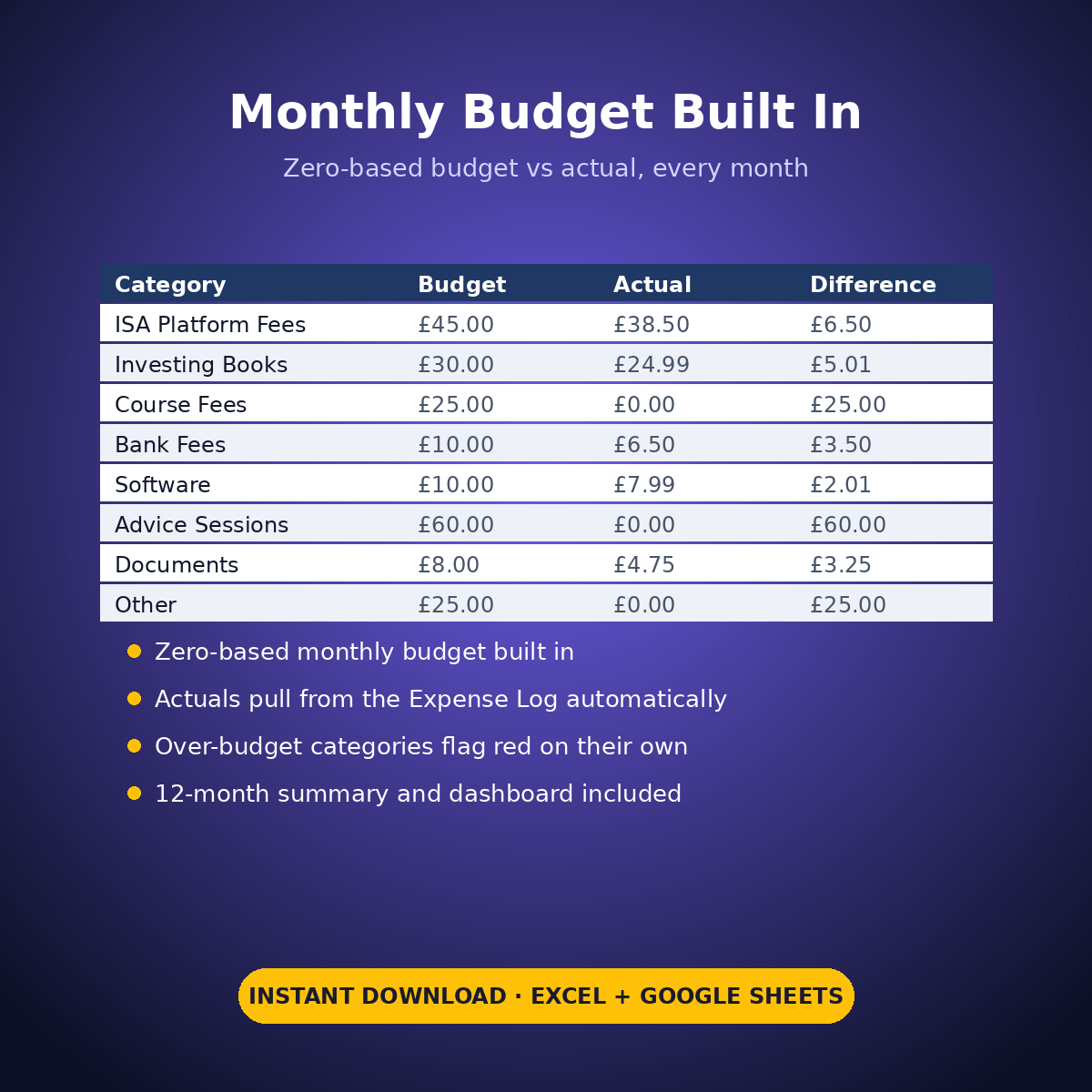
– Plus expense log, zero-based monthly budget, dashboard and monthly summary
What’s inside (.xlsx, works in Excel AND Google Sheets):
– Start Here — setup steps and the EXAMPLE settings (allowance, Lifetime ISA cap and bonus %, HMRC published figures for the named year)
– Allowance Ledger — three tax years pre-filled: one LOST year, one full year, one in progress
– Subscriptions Log — every payment in, plus the bonus estimates and the same-type check
– Expense Log, Monthly Budget, Dashboard, Monthly Summary
Instant download. Type only in the yellow cells — formula cells are locked (password: sheetdaily, disclosed on the Start Here tab so you can unlock if you ever need to). Sample years are pre-filled so you can see exactly how it works; clear the yellow cells and type your own. Tracking tool only — not tax or financial advice; every allowance, cap and percentage here is an EXAMPLE pre-filled from published figures, to verify against HMRC and your providers.


Reviews
There are no reviews yet.