The honeymoon itself, budgeted like grown-ups and remembered like newlyweds. This tracker pairs a proper trip budget with the thing no budget app understands: the experiences wishlist — everything you dream of doing, each with a status, and an honest line between what counted, what is still a wish, and what you dropped.
Not the same product as our Honeymoon Budget + Fund Tracker (Wedding Finance): that one tracks the gift fund before the wedding — this one budgets and tracks the trip itself.
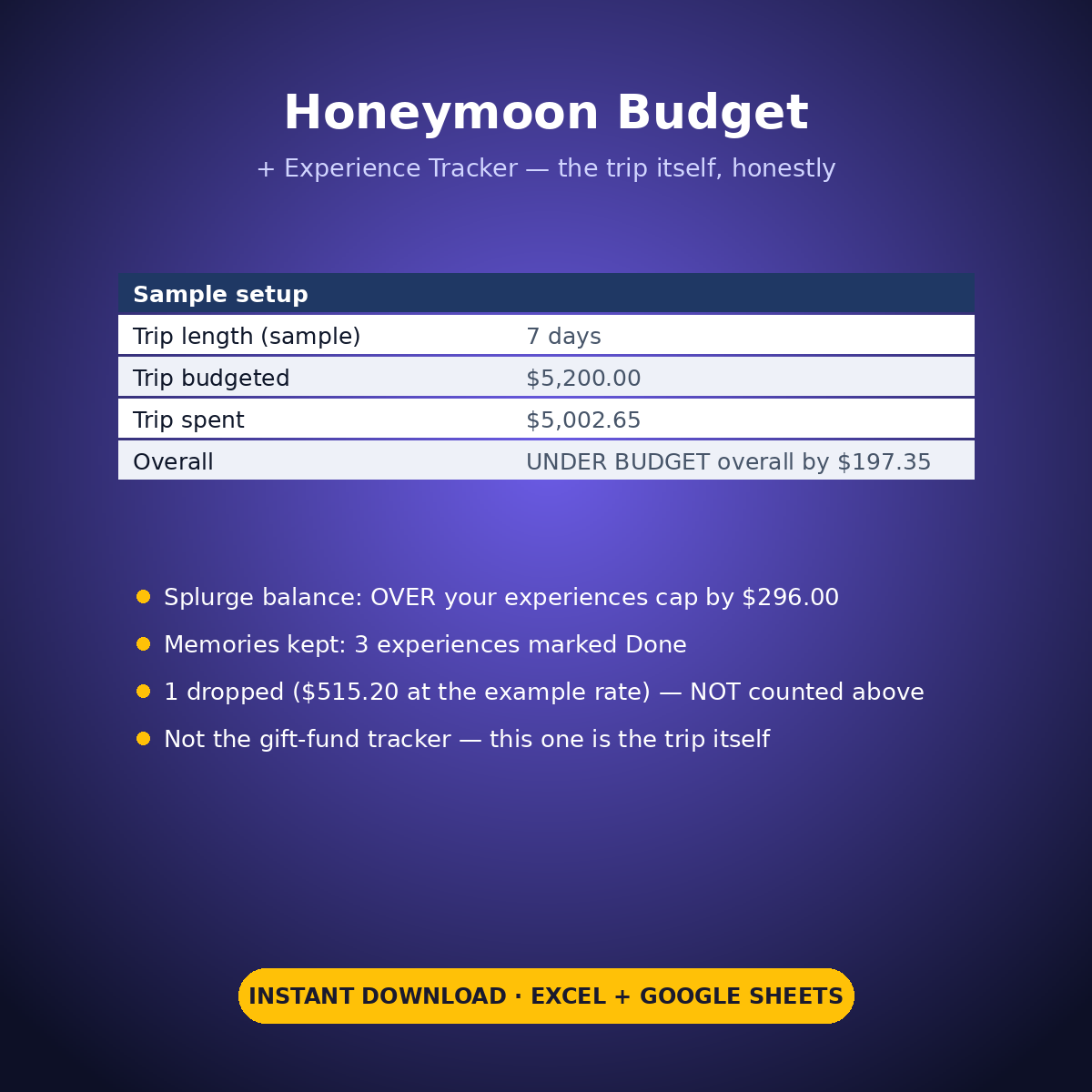
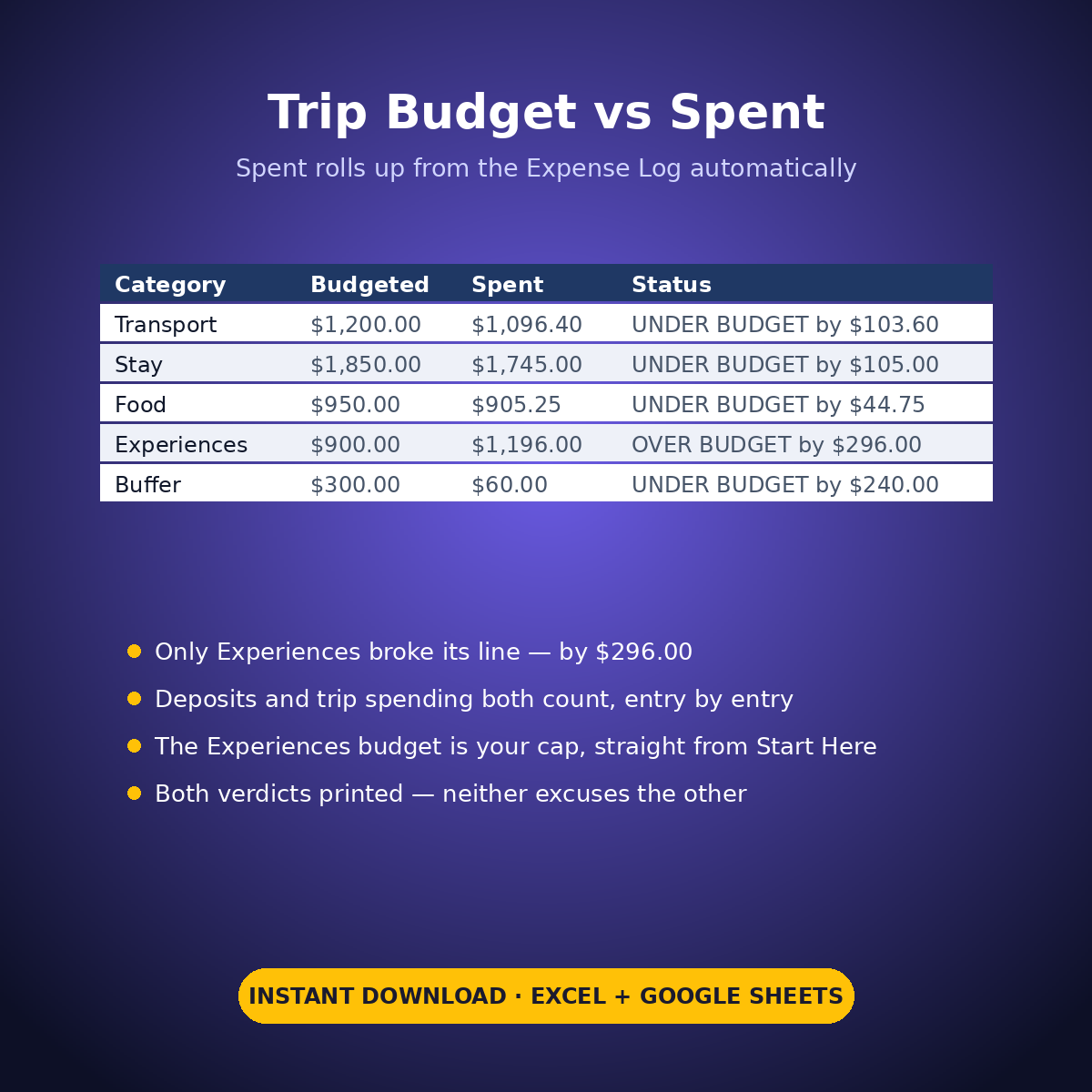
The sample (a 7-day trip, taken in October) holds both truths at once. The experiences ran OVER the couple’s own $900 cap — $1,196.00 counted — while the whole trip stayed UNDER its $5,200 budget by $197.35, and the sheet prints both. Three experiences are marked Done: the memories kept. One dawn balloon ride was dropped, and its cost appears in no total anywhere.
HOW IT WORKS
– ‘Trip Budget’: budgeted vs spent for Transport, Stay, Food, Experiences and Buffer. Spent rolls up automatically from the Expense Log — file an entry under a category name and it counts, whether it was a deposit paid months ahead or spending during the trip. The Experiences budget is your cap, pulled straight from Start Here.
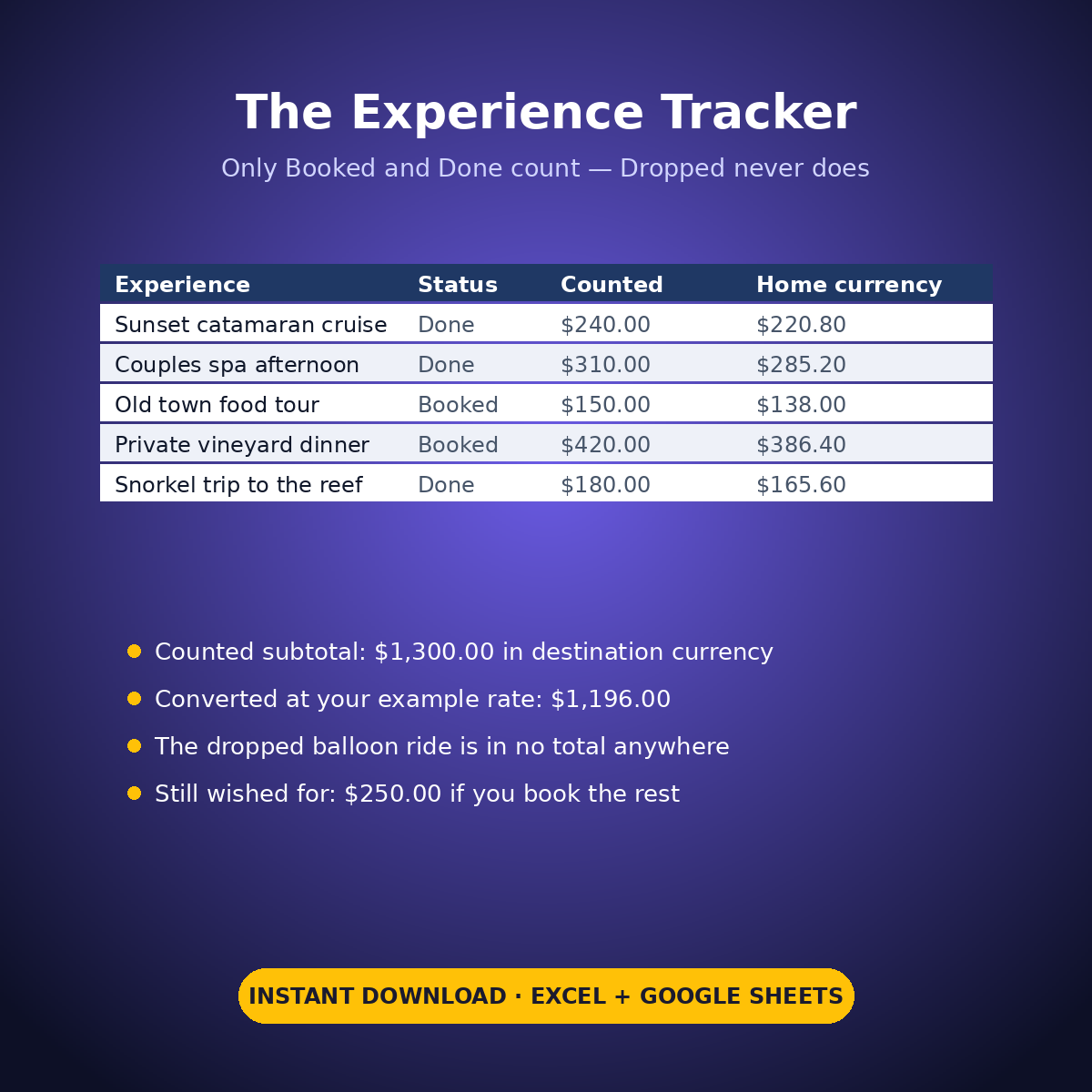
– ‘Experience Tracker’: the wishlist in destination currency — name, place, estimated cost, and a status you set: Wishlist, Booked, Done or Dropped. Only Booked and Done count as experience spend. Dropped items are printed with their cost and never counted; wishlist items show what booking everything left would still add.
– The currency block converts the counted subtotal at ONE rate — the example rate you type on Start Here, labelled an example setting. Replace it with the rate you actually got before relying on the converted figures. In the sample, 1,300 of destination currency converts at 0.92 to the $1,196.00 the Expense Log agrees with, entry by entry.
WHAT’S INSIDE
– Trip budget vs spent rolled up from the Expense Log (sample: $5,002.65 spent of $5,200 budgeted)
– An experience tracker with statuses — 5 counted, 3 Done (memories kept), 1 Dropped and honestly excluded, 2 still wished for
– A splurge-balance line against your own experiences cap (sample: OVER the cap by $296.00, printed plainly)
– A single-rate currency block with the converted and destination totals side by side
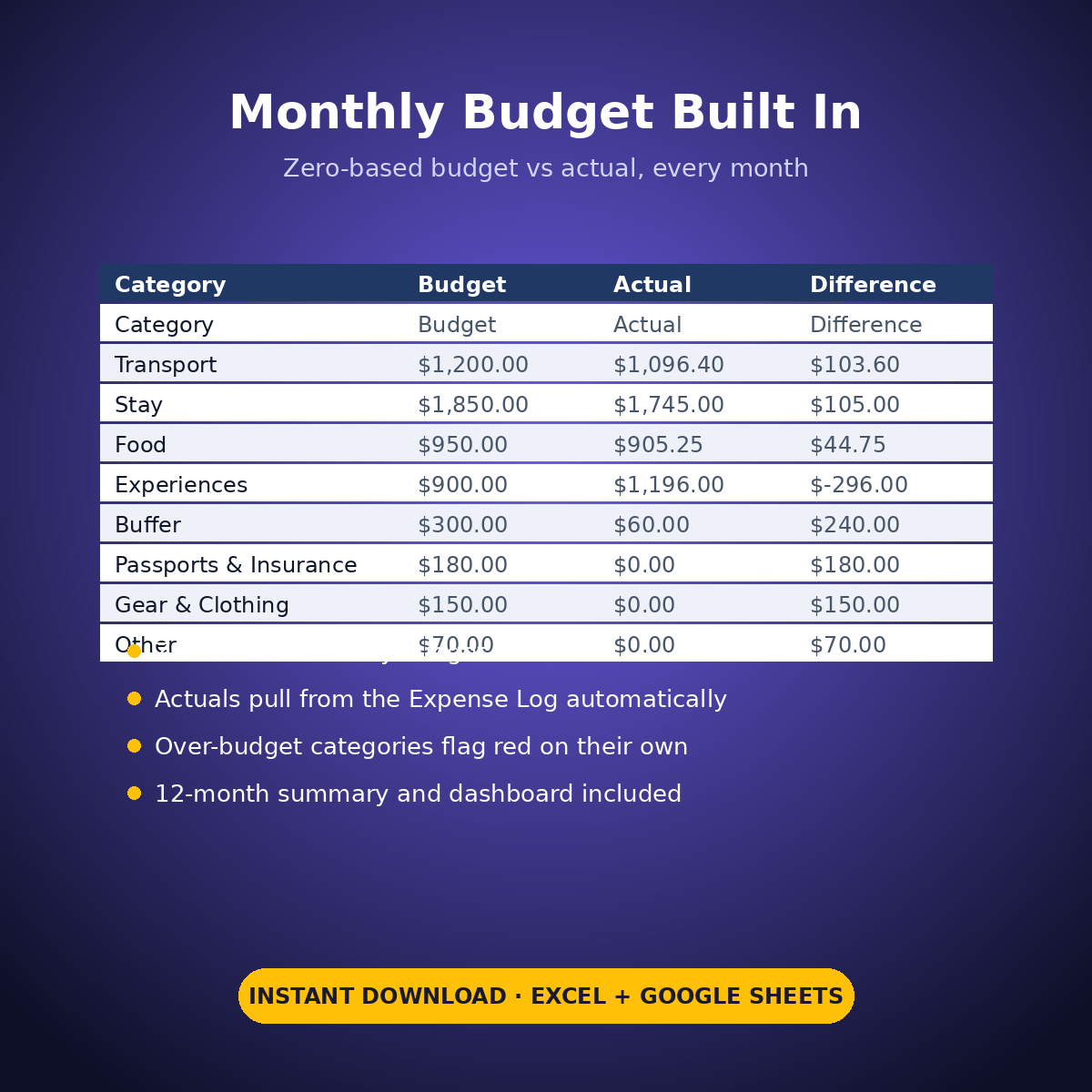
– Plus the standard Expense Log, zero-based Monthly Budget, Dashboard and Monthly Summary tabs
How it works: the seven tabs are Start Here (your settings + step-by-step), the two feature tabs, Expense Log, Monthly Budget (zero-based), Dashboard and Monthly Summary. Yellow cells are the only places you type — every yellow value is your own entry. Formula cells are locked (password: sheetdaily, disclosed on the Start Here tab) and every formula is error-wrapped, so an untouched sheet reads blank instead of showing error codes. Instant download, ready for Excel and Google Sheets.
A note on the sample data: every price and date in this workbook is example data, typed in by hand to show you how the sheet behaves. Replace it with your own.




Reviews
There are no reviews yet.