A holiday meal doesn’t blow its budget in one place — it leaks across twenty ingredients. This planner costs the meal the way the money actually leaves: ingredient by ingredient, dish by dish, course by course — for ANY big meal, not just one holiday.
HOW IT WORKS
Name the event, set the date, the guest count and your budget cap on Start Here. On Menu & Dish Costs, write the ingredient lines under each dish — the dish totals, course totals and the meal total build themselves from the lines, so changing one price moves everything it touches. Flag each line with YOUR buy timing — Buy Ahead or Fresh — Last Days — and the sheet totals the two piles into a shopping split. Then Prep Timeline & Leftovers sequences the work and, afterwards, values what came back to the fridge: the true-cost line subtracts the leftovers from what you spent.
WHAT’S INSIDE
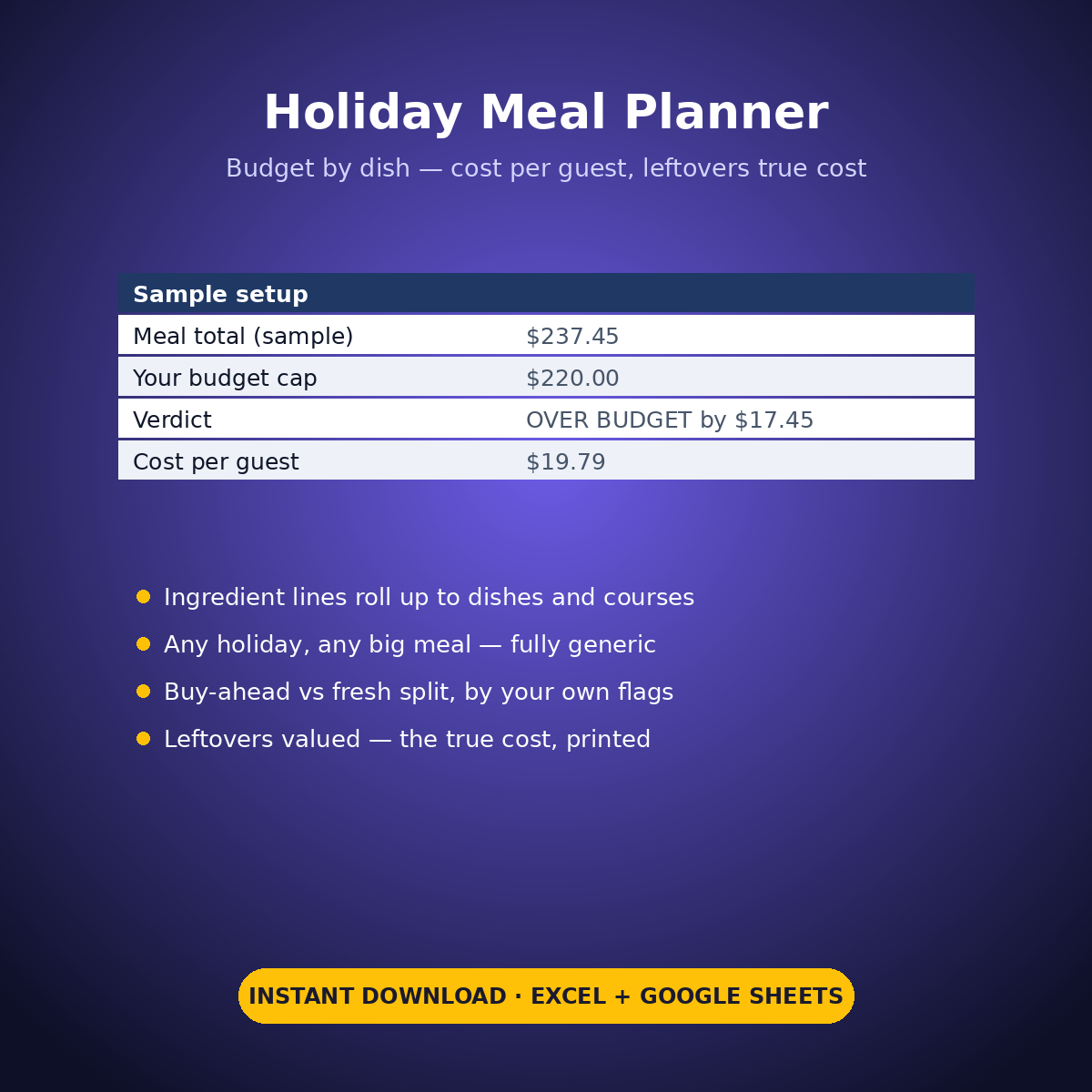
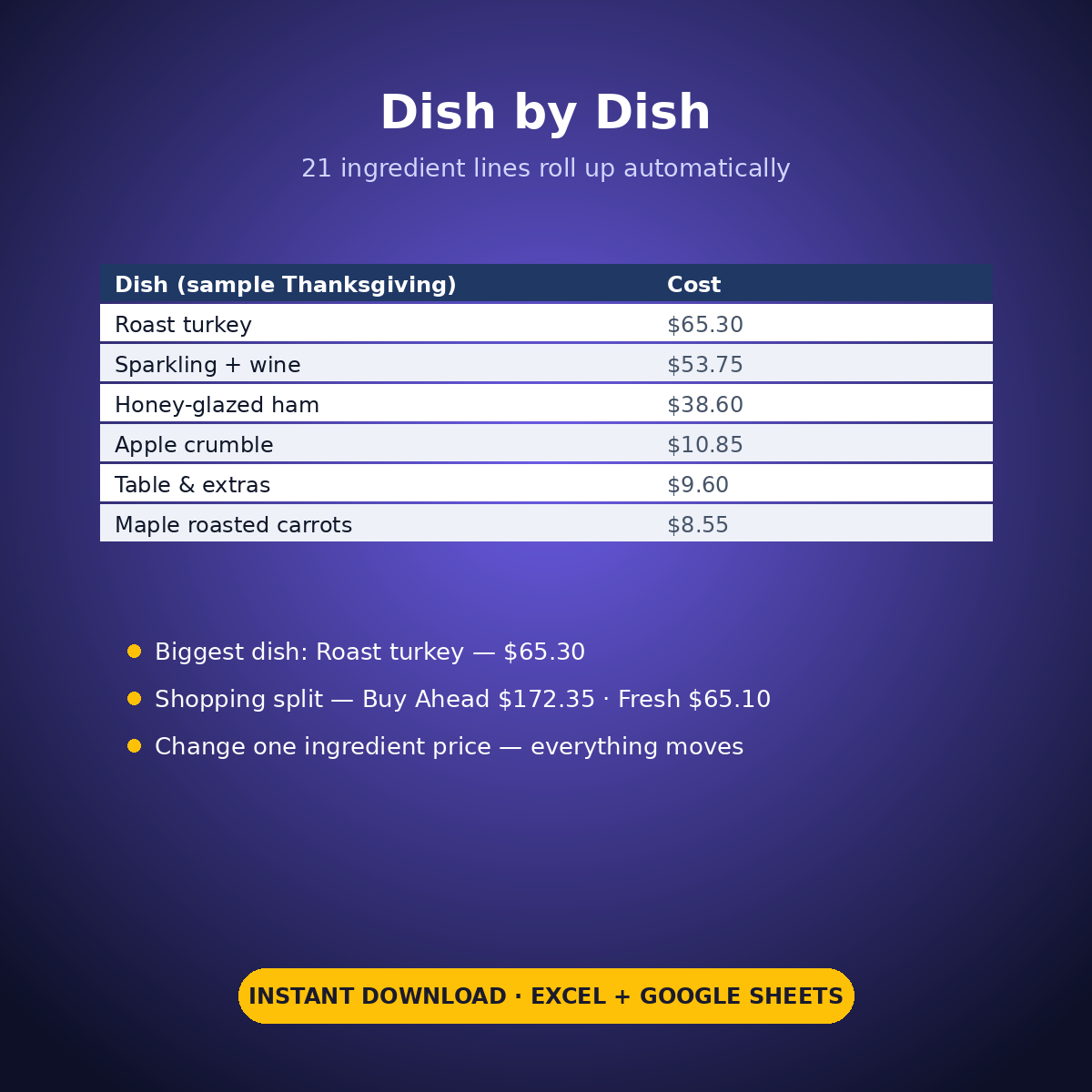
– Menu & Dish Costs: 21 ingredient lines building 11 dishes and 6 courses — the sample Thanksgiving for 12 totals $237.45 against a $220 cap: OVER BUDGET by $17.45, printed plainly
– Cost per guest $19.79, and the biggest dish named: Roast turkey — $65.30 of the meal
– The shopping split by your own flags: Buy Ahead $172.35 vs Fresh — Last Days $65.10
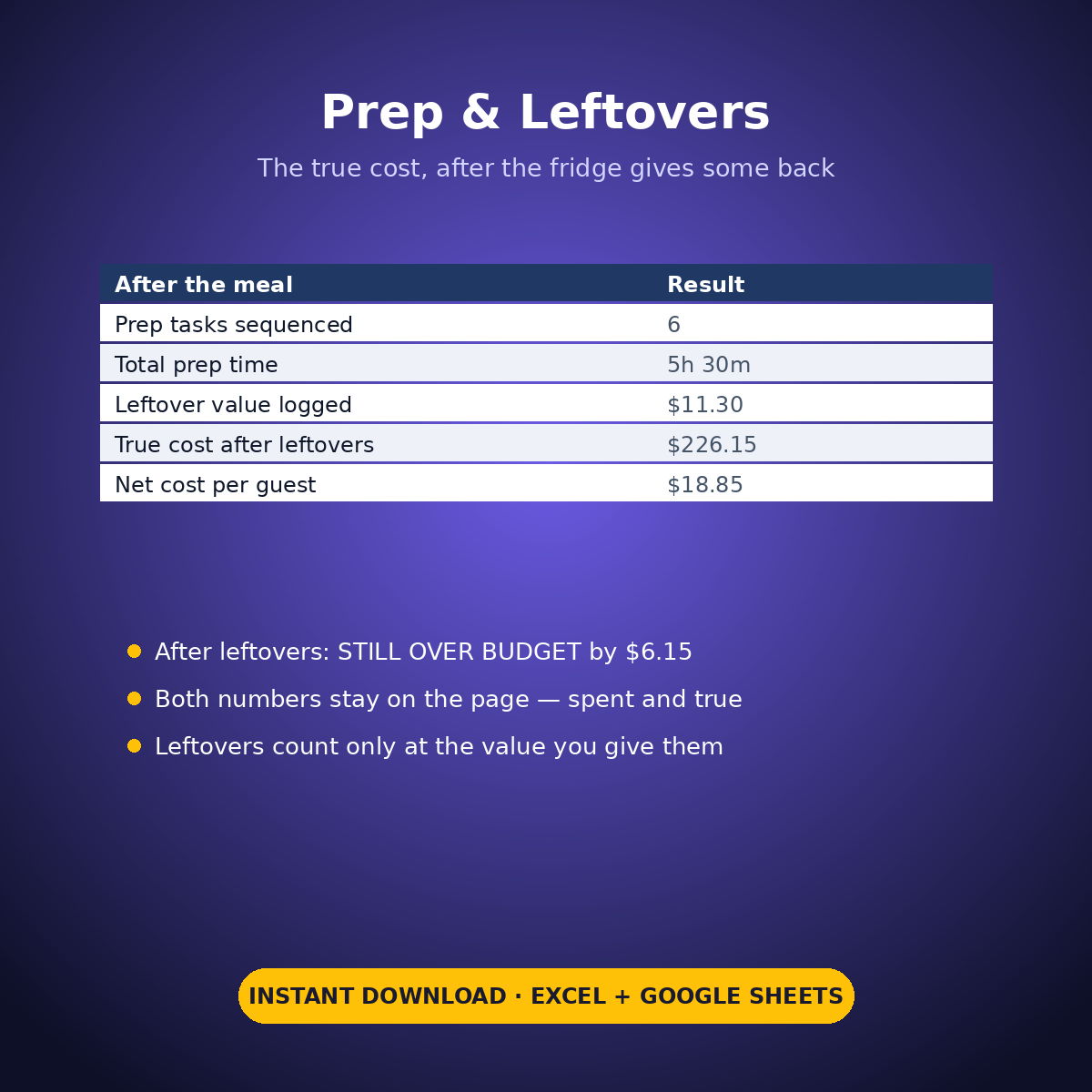
– Prep Timeline: 6 sequenced tasks, 330 minutes of work (5h 30m), from “3 days before” to “just before serving”
– The Leftovers Log and the true cost: $11.30 of leftovers logged, true cost $226.15 — STILL OVER BUDGET by $6.15, net $18.85 a guest. The sheet does not let the leftovers pretend the meal was fine
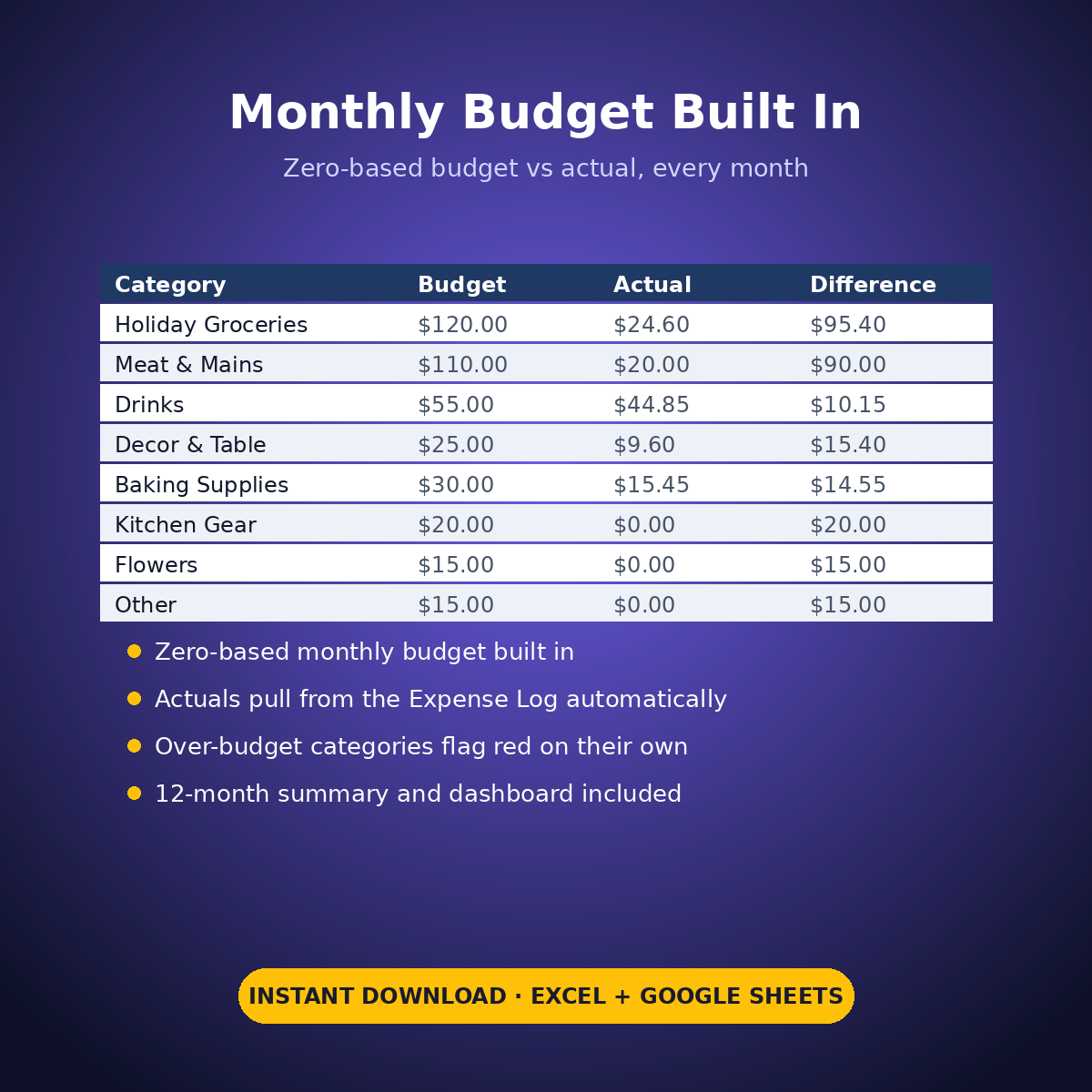
– Expense Log + zero-based Monthly Budget ($390 across 8 holiday categories), Dashboard and Monthly Summary
The buy-timing flags are your own calls, made from your own storage and shopping plans — the sheet totals the piles, it doesn’t give food advice. Generic by design: Thanksgiving, Christmas, Eid, a wedding rehearsal, any meal big enough to need a plan.
How it works: the seven tabs are Start Here (your settings + step-by-step), the two feature tabs, Expense Log, Monthly Budget (zero-based), Dashboard and Monthly Summary. Yellow cells are the only places you type — every yellow value is your own entry. Formula cells are locked (password: sheetdaily, disclosed on the Start Here tab) and every formula is error-wrapped, so an untouched sheet reads blank instead of showing error codes. Instant download, ready for Excel and Google Sheets.
A note on the sample data: every price and date in this workbook is example data, typed in by hand to show you how the sheet behaves. Replace it with your own.
Reviews
There are no reviews yet.