A grooming salon runs on its appointment book, but the book rarely answers the money questions: what did the week actually earn, which service earns it, and which day is quietly half-empty? This tracker rolls all of that up from one appointment log — you type bookings, it does the rest.
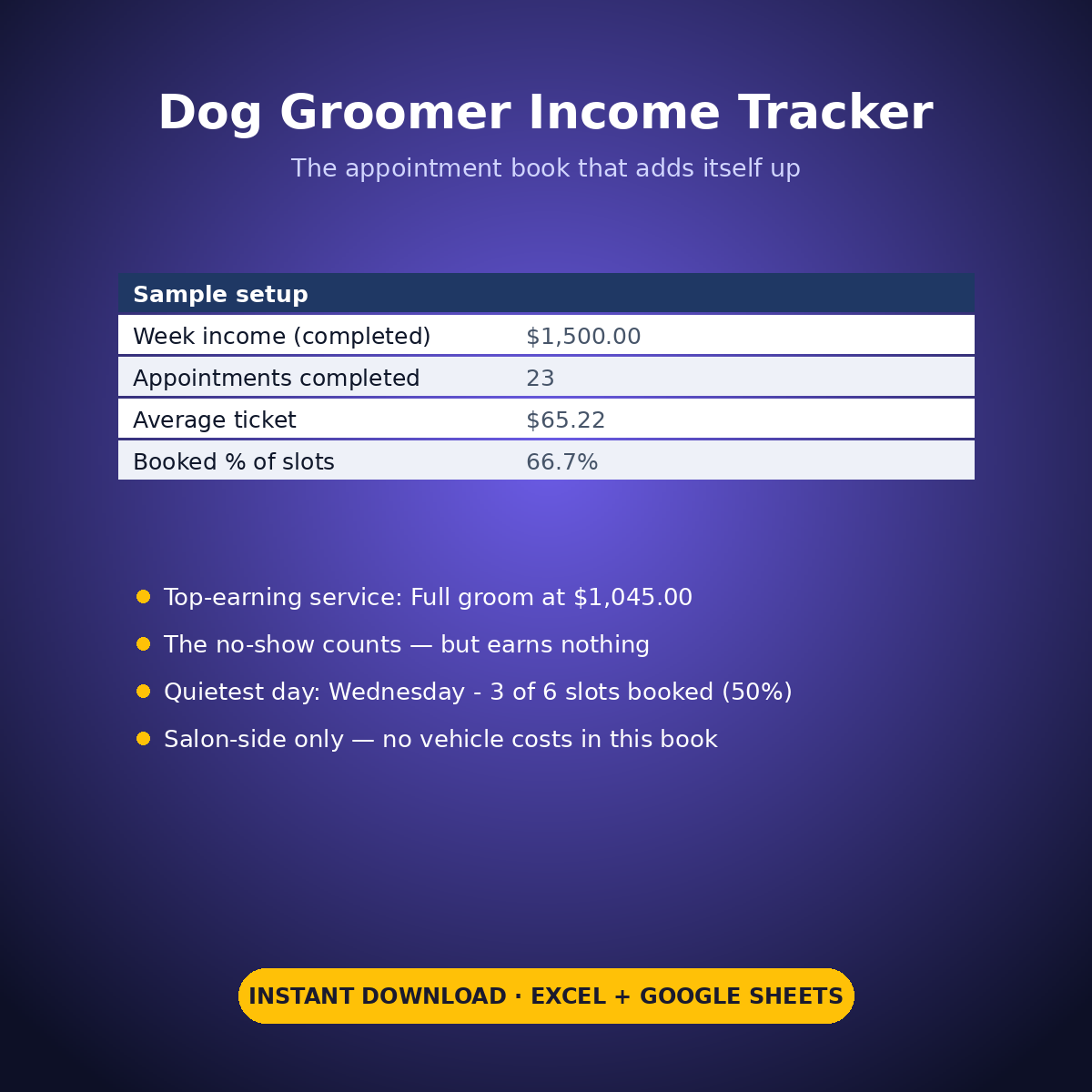
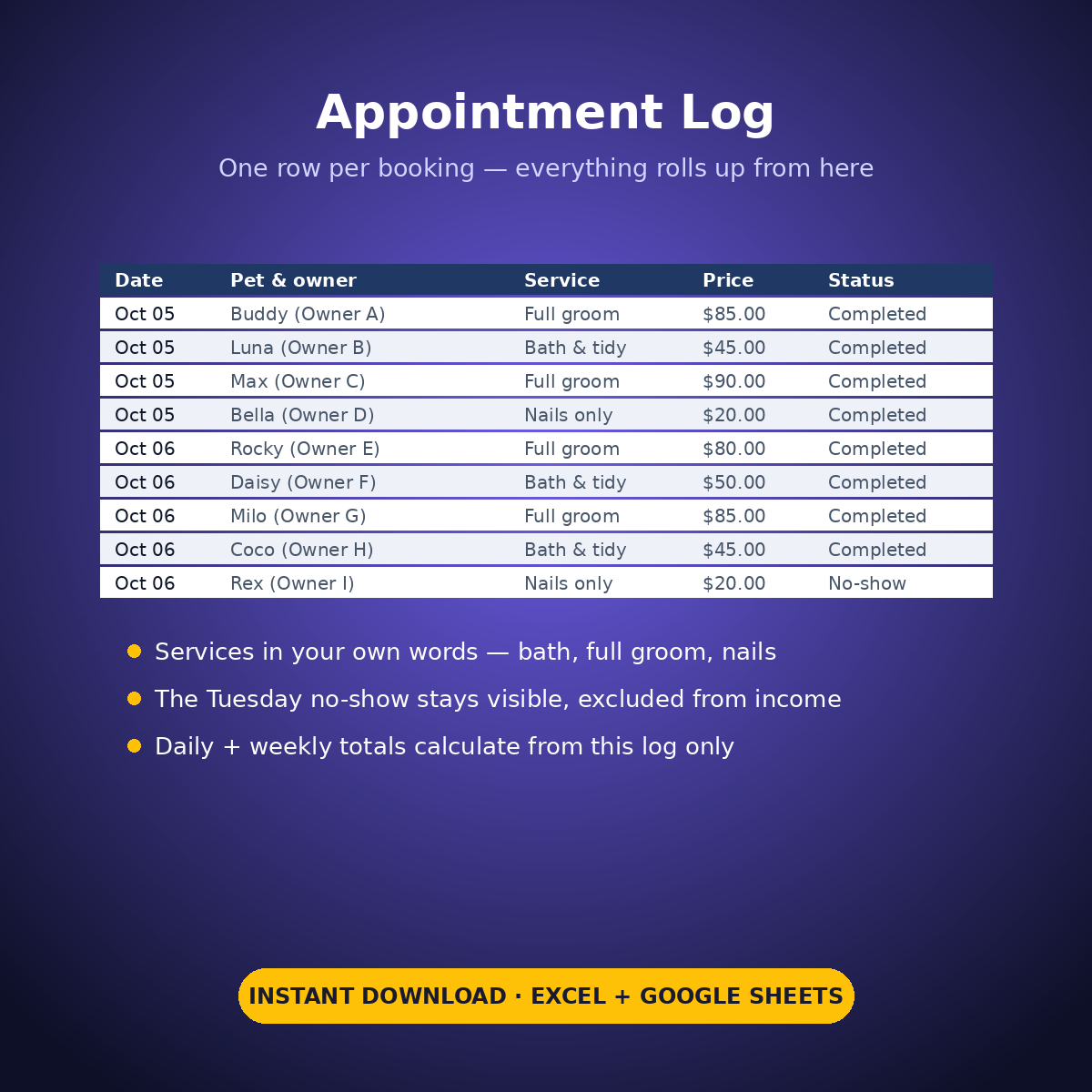
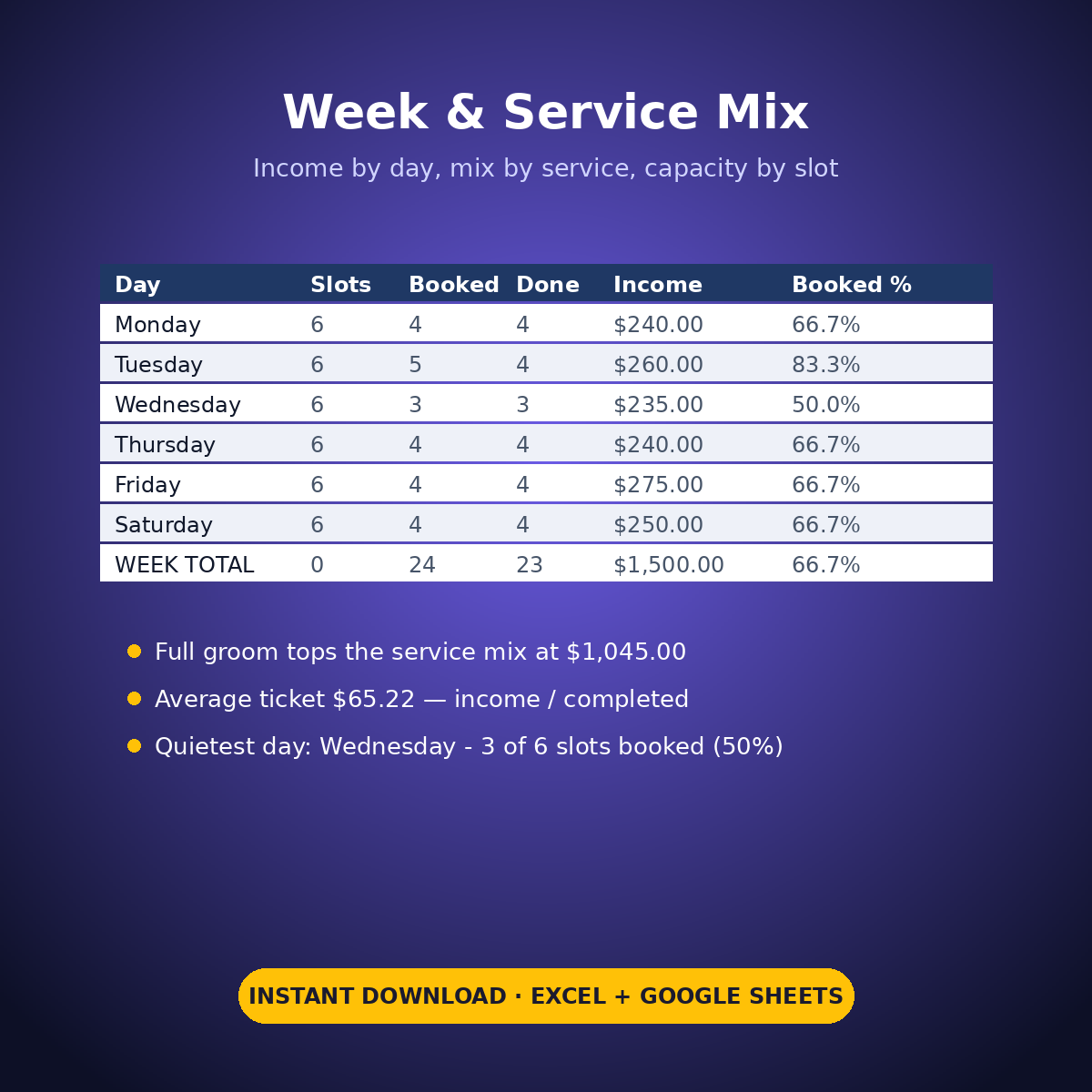
The sample week is a real-shaped week, gaps included: 24 appointments booked, 23 completed, 1 no-show, $1,500.00 of income. The service mix prints itself — Full groom is the top earner at $1,045.00 (12 grooms), Bath & tidy $390.00, Nails only $65.00 — and the average ticket works out to $65.22. The capacity lines tell the other half of the story: Wednesday is visibly under-booked at 3 of 6 slots (50%) against a 66.7% week. The no-show stays in the book, is counted in the no-show count, and is excluded from every income figure.
This is the salon-side book — appointments and income only. It deliberately carries no vehicle or van costs.
HOW IT WORKS
– ‘Appointment Log’: one row per booking — date, day, pet & owner in your own words, the service in your own words (bath / full groom / nails, however you name them), the price charged, and Completed or No-show.
– ‘Week & Service Mix’: nothing typed but the service names. Daily booked / completed / income, the week totals, appointments and income per service, the booked % per day all roll up from the log.
– The printed lines: top-earning service, average ticket (total income / completed appointments, as explicit arithmetic), week booked %, and the quietest day by name.
WHAT’S INSIDE
– An appointment log that is the single source for every figure in the workbook
– Daily and weekly income totals rolled up from the log only
– A service-mix block with the top-earning service printed from your own numbers
– A capacity block: slots per day vs slots booked, booked % per day, quietest day printed
– A no-show count that keeps no-shows visible but out of the income
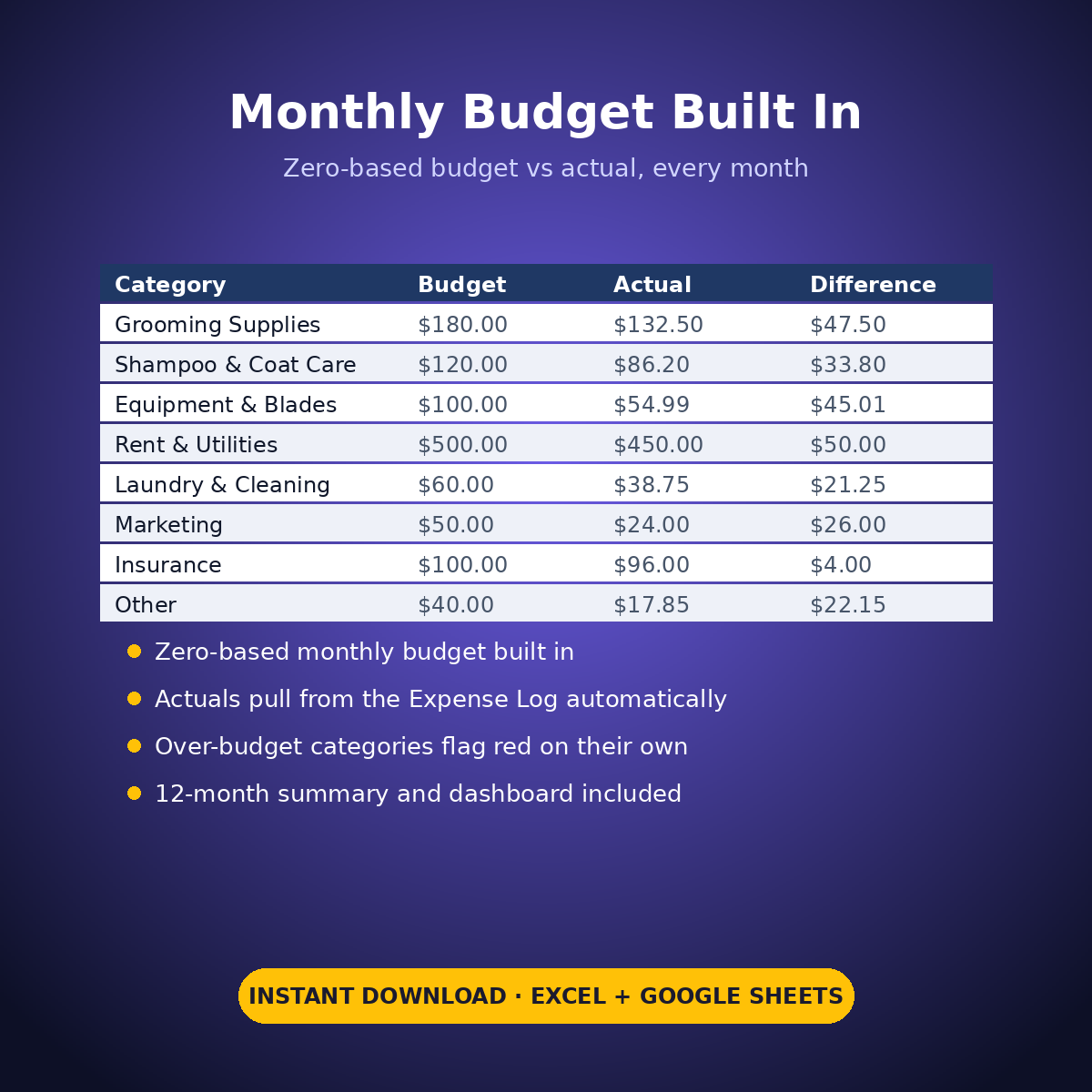
– Plus the standard Expense Log, zero-based Monthly Budget, Dashboard and Monthly Summary tabs
Every grooming price in this workbook is an example setting in your own words — the sheet sets no prices and recommends nothing.
How it works: the seven tabs are Start Here (your settings + step-by-step), the two feature tabs, Expense Log, Monthly Budget (zero-based), Dashboard and Monthly Summary. Yellow cells are the only places you type — every yellow value is your own entry. Formula cells are locked (password: sheetdaily, disclosed on the Start Here tab) and every formula is error-wrapped, so an untouched sheet reads blank instead of showing error codes. Instant download, ready for Excel and Google Sheets.
A note on the sample data: every price and date in this workbook is example data, typed in by hand to show you how the sheet behaves. Replace it with your own.

Reviews
There are no reviews yet.