The latte factor is usually preached, not measured. This tracker measures it — your actual café log, your actual gear cost, and the honest version of “brew at home”: not every café visit should die, and this sheet knows it.
HOW IT WORKS
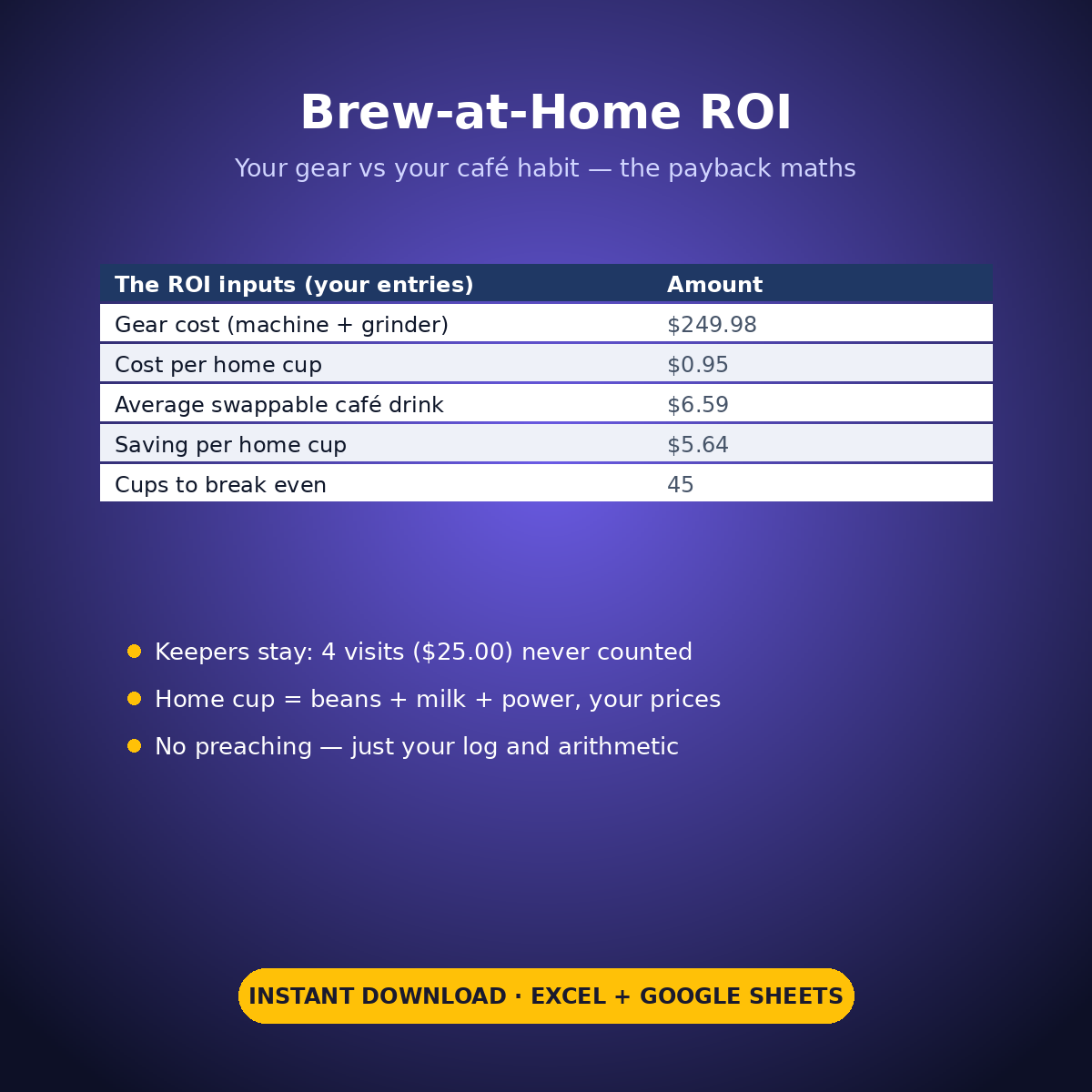
Log every coffee-shop visit: the shop, the drink, what it cost including tip — and the one question that changes the maths: Keeper? Some visits are the point (the Saturday cappuccino at the good bakery). The rest are habit. Mark the keepers, and the Brew-at-Home ROI tab runs the payback on the SWAPPABLE visits only: your gear cost (machine + grinder) against your cost per home cup (beans + milk + power), until it prints the two numbers people actually want — how many cups, and how many weeks, until the machine has paid for itself.
WHAT’S INSIDE
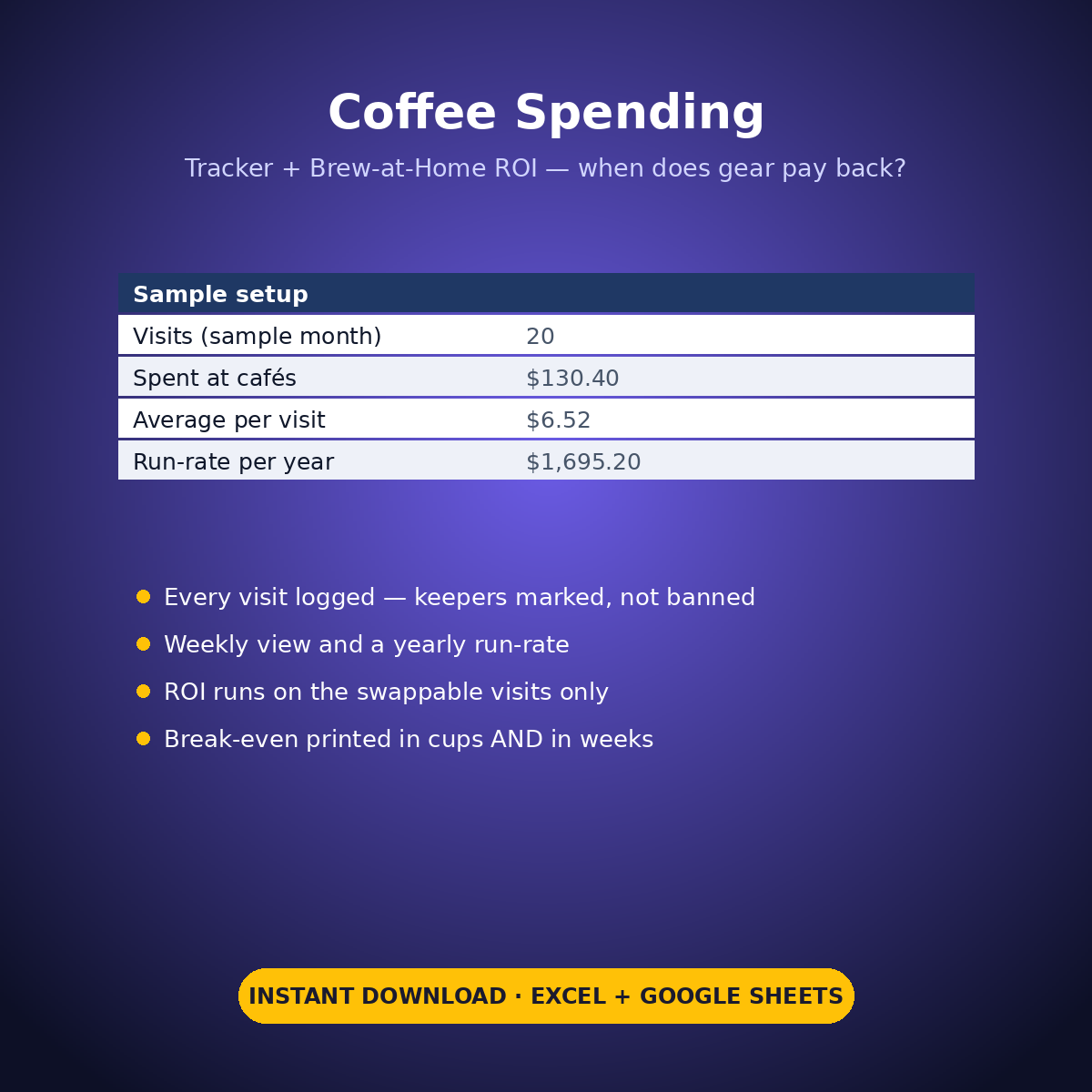
– Coffee Shop Log (32 rows): date, month and week of month (both calculated), shop, drink, cost incl. tip, Keeper? — the sample month holds 20 visits
– The month, measured: $130.40 spent, $6.52 a visit, $32.60 a week — a $1,695.20-a-year run-rate if nothing changes
– The split that makes it honest: 4 keeper visits ($25.00) stay; 16 swappable visits ($105.40) feed the ROI
– Brew-at-Home ROI: gear $249.98 (machine $189.99 + grinder $59.99), home cup $0.95 (beans $0.55 + milk $0.35 + power $0.05) vs an average swappable café drink of $6.59 — saving $5.64 a cup
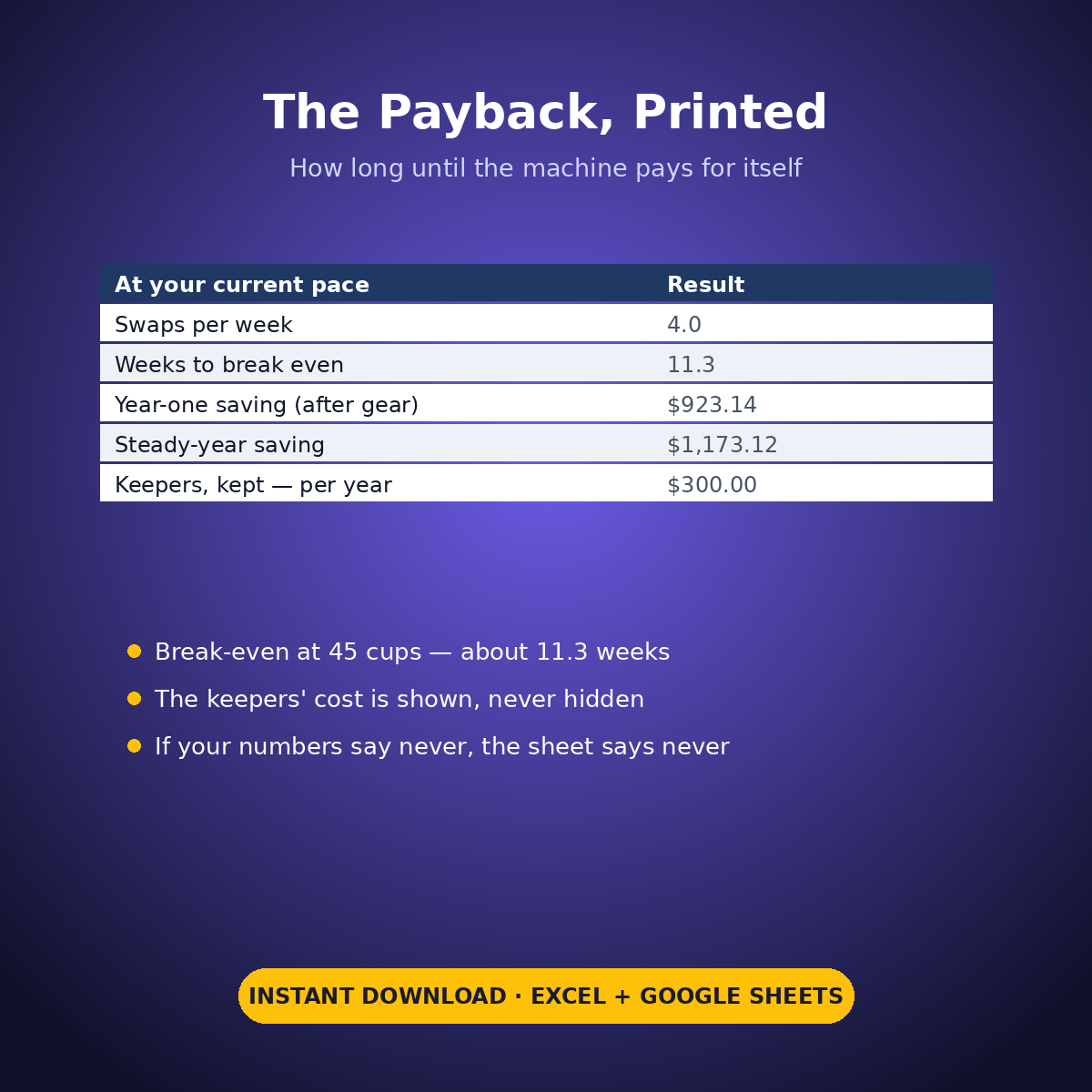
– The payback, printed: break-even at 45 cups — at 4 swaps a week, 11.3 weeks. Year one saves $923.14 after the gear; a steady year saves $1,173.12 — and the keepers still cost their honest $300.00 a year, shown, not hidden
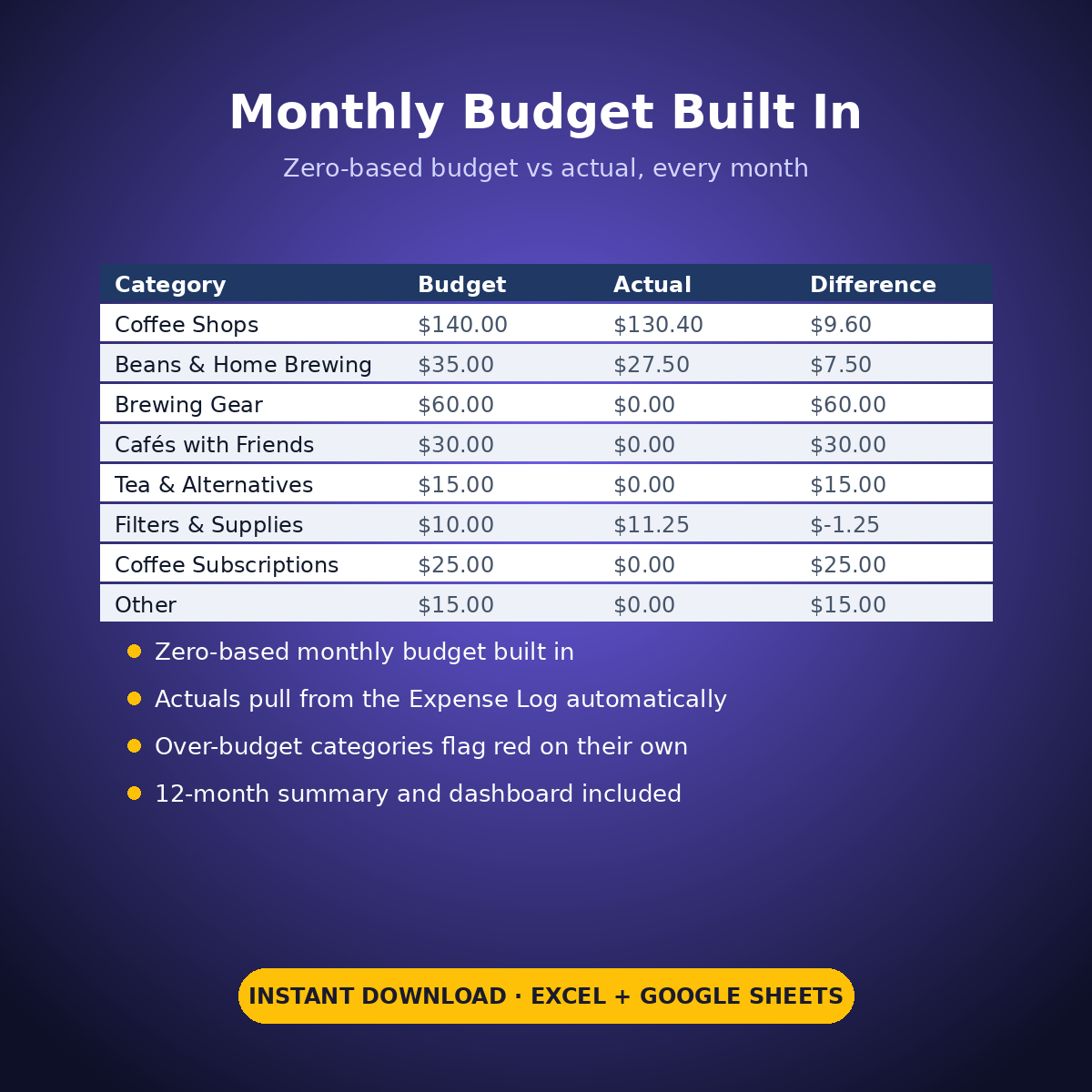
– Expense Log + zero-based Monthly Budget ($330 across 8 coffee categories), Dashboard and Monthly Summary
No guilt, no preaching — just your log, your gear, and arithmetic. If your numbers say the machine never pays back, the sheet will say that too.
How it works: the seven tabs are Start Here (your settings + step-by-step), the two feature tabs, Expense Log, Monthly Budget (zero-based), Dashboard and Monthly Summary. Yellow cells are the only places you type — every yellow value is your own entry. Formula cells are locked (password: sheetdaily, disclosed on the Start Here tab) and every formula is error-wrapped, so an untouched sheet reads blank instead of showing error codes. Instant download, ready for Excel and Google Sheets.
A note on the sample data: every price and date in this workbook is example data, typed in by hand to show you how the sheet behaves. Replace it with your own.
Reviews
There are no reviews yet.