A mobile grooming business has two halves: the work in the van, and the van itself. This tracker covers the second half only — what the van costs to run, day by day, and what that works out to per job and per mile. It is the expense side, kept deliberately on its own.
That is the mirror image of the Dog Groomer Income & Appointment Tracker, which is the salon-side book — appointments and income. This workbook contains no appointment book and no income tracker anywhere: that is the other product’s whole angle, and the two share no figures. (Pet sitting money is a third thing again — the Pet Sitter Income Tracker.) And where the Mobile Car Detailing Job Tracker is a job book that bills every job, this book never bills anything: it only spends, and adds up what the spending means.
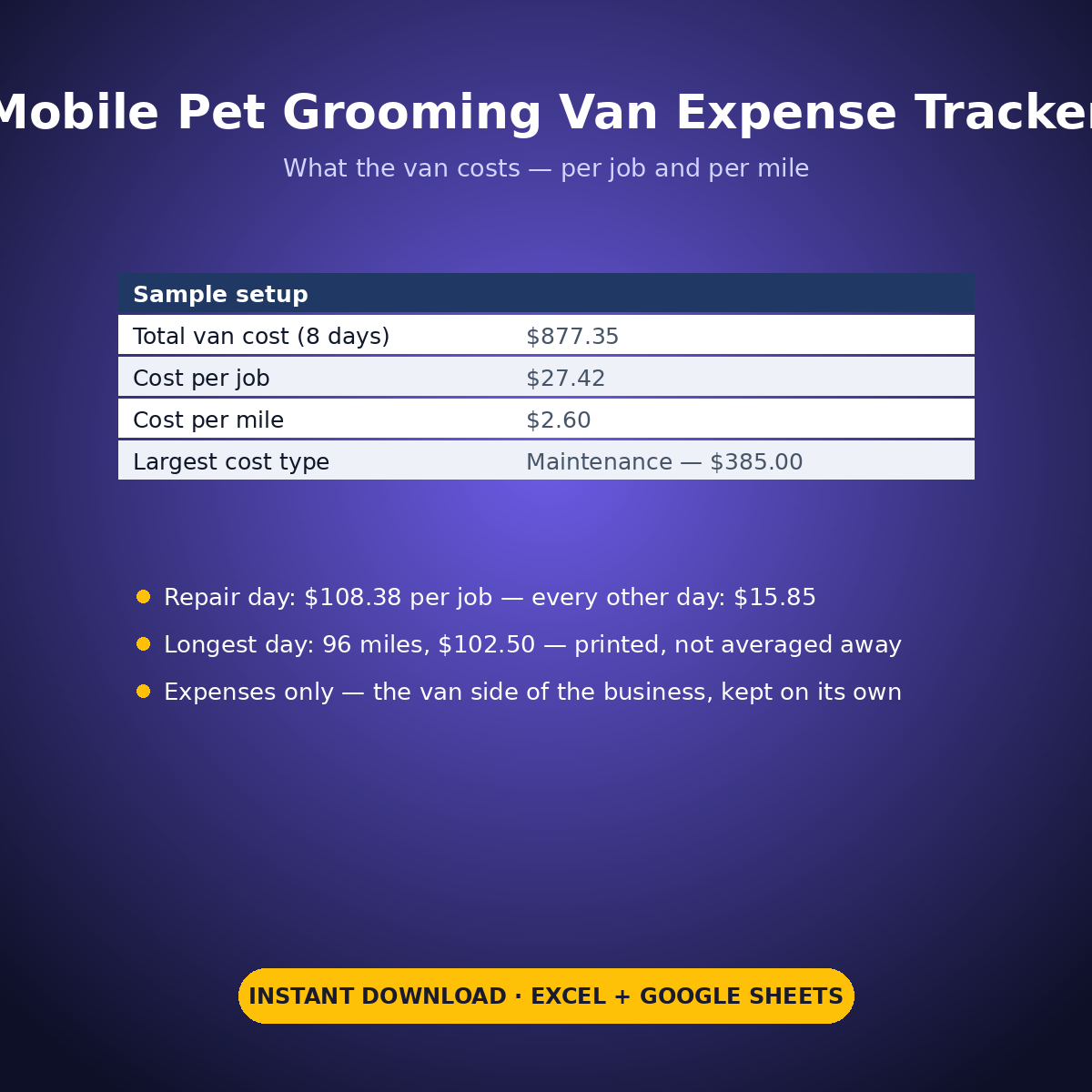
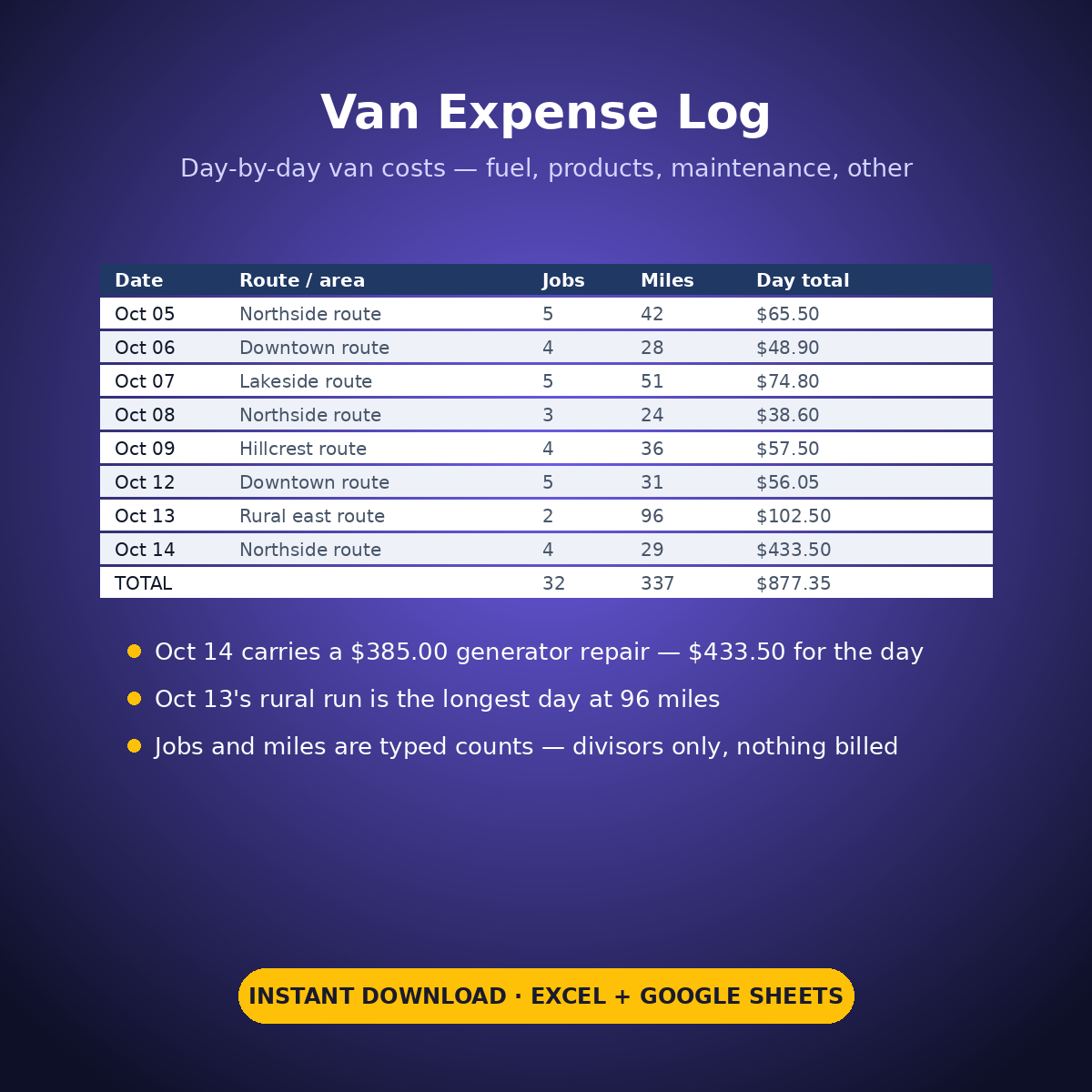
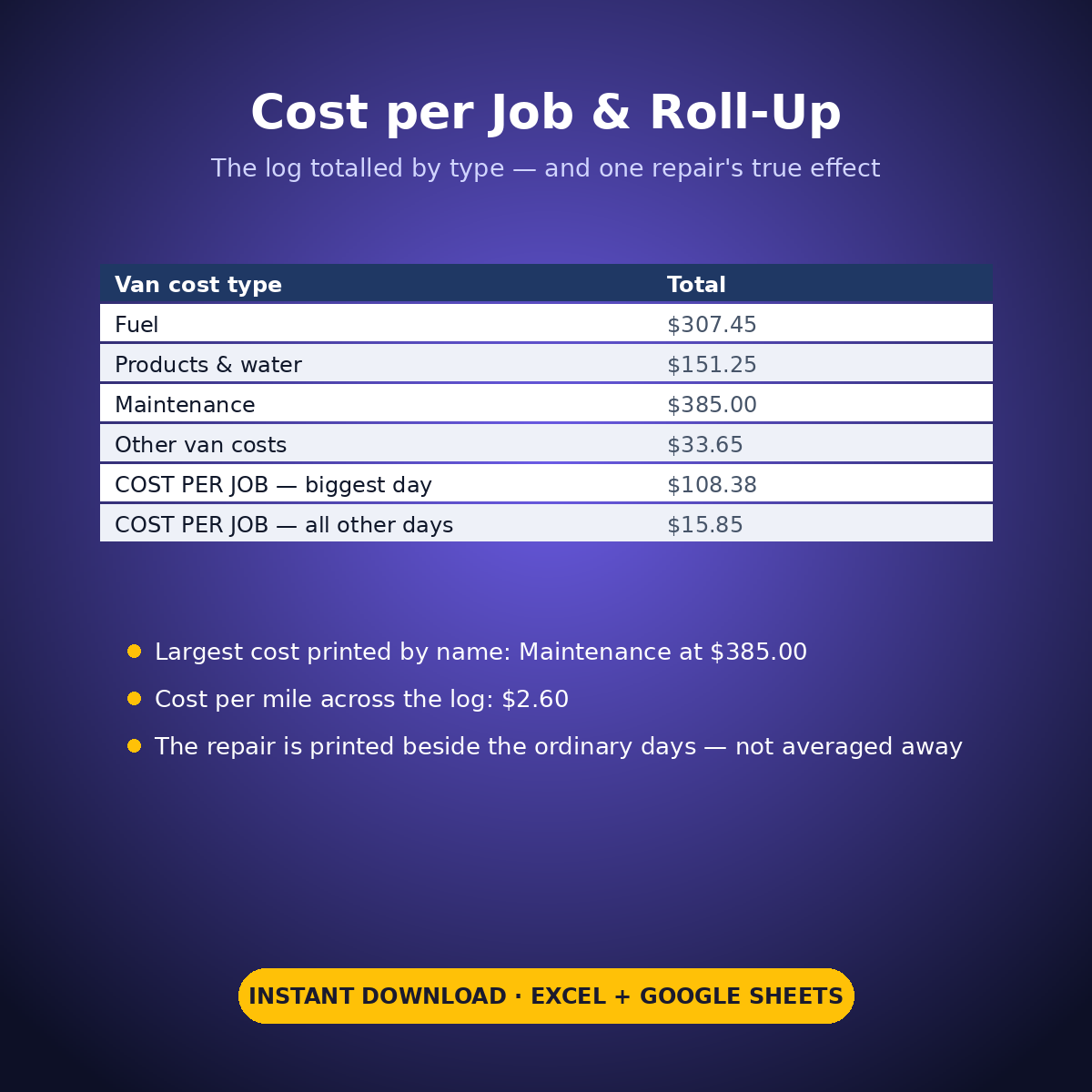
The sample log runs 8 working days: 32 jobs, 337 miles, $877.35 of van costs. Divided out, the van costs $27.42 a job and $2.60 a mile — both printed, both from the log’s own typed figures, with no rate assumed anywhere. Totalled by cost type, maintenance is the largest line at $385.00, ahead of fuel at $307.45 — and the roll-up shows why that matters. One day, October 14, carries a $385.00 generator repair inside a $433.50 day: that day’s cost per job is $108.38. Every other day in the log runs at $15.85 a job. The repair is printed beside the ordinary days, not dissolved into the average — the gap between $108.38 and $15.85 is the number a mobile groomer actually needs. The longest day, October 13’s 96-mile rural run, is the priciest ordinary day at $102.50, printed by name.
HOW IT WORKS
– ‘Van Expense Log’: one row per working day — date, route or area in your own words, jobs done and miles driven (typed counts), and the day’s fuel, products & water, maintenance and other van costs. The day’s total van cost calculates per row.
– ‘Cost per Job & Roll-Up’: the log’s totals become a cost per job and a cost per mile by explicit arithmetic — total van cost divided by your typed jobs and miles.
– The repair effect: the biggest day’s cost per job prints beside the cost per job of all other days, and the log totals by cost type with the largest type named.
WHAT’S INSIDE
– A day-level van expense log: fuel, products & water, maintenance, other — totalled per day
– Cost per job and cost per mile from your own typed counts (sample: $27.42 a job, $2.60 a mile)
– Expenses totalled by category with the largest printed by name (sample: Maintenance, $385.00)
– One repair bill’s true effect, printed: $108.38 per job on the repair day vs $15.85 on all other days
– The most expensive day and the longest day both printed from the log’s own rows
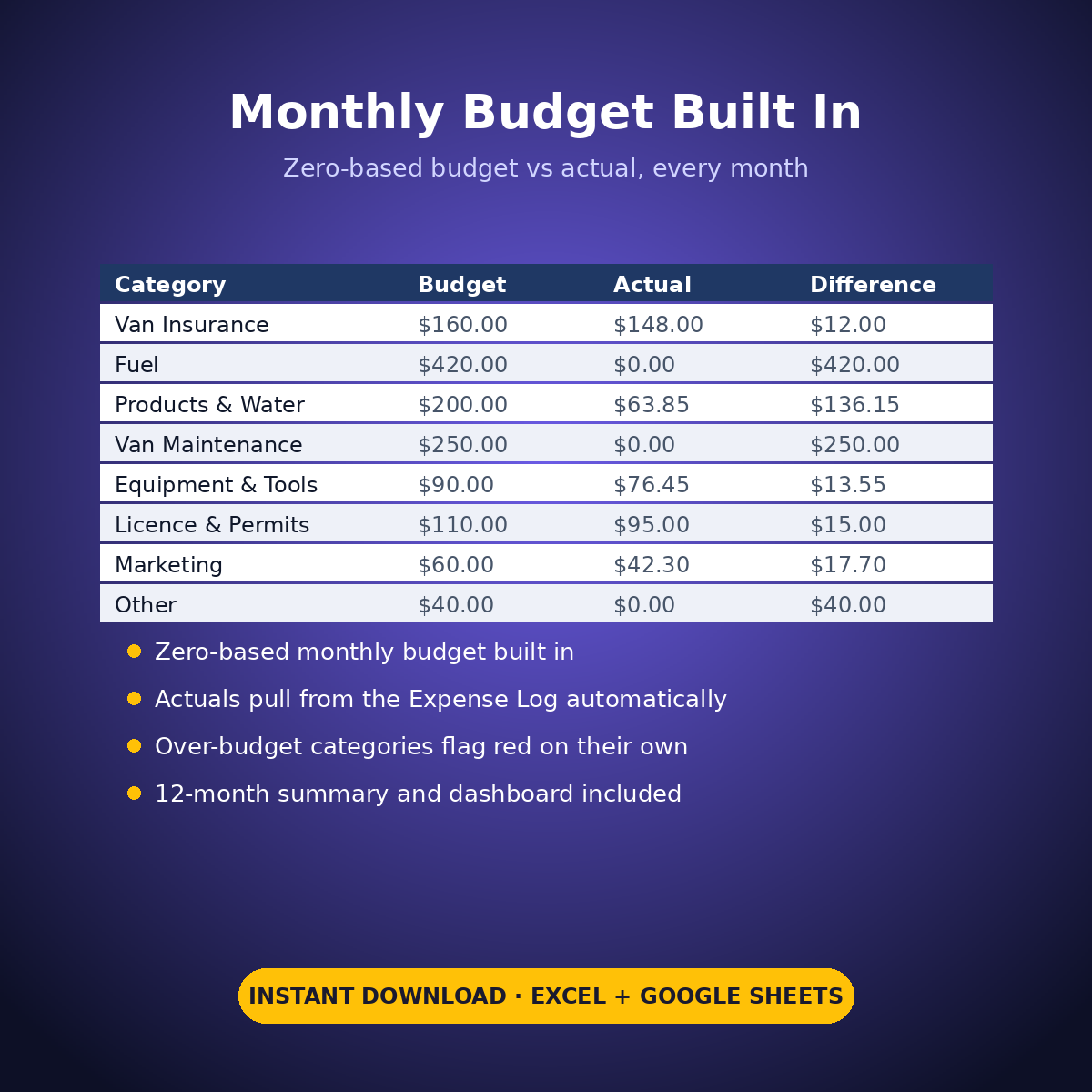
– Plus the standard Expense Log, zero-based Monthly Budget, Dashboard and Monthly Summary tabs
Every cost, mileage figure and count in this workbook is an example setting you type — the sheet does arithmetic on your figures only, assumes no rate, and nothing here is tax advice.
How it works: the seven tabs are Start Here (your settings + step-by-step), the two feature tabs, Expense Log, Monthly Budget (zero-based), Dashboard and Monthly Summary. Yellow cells are the only places you type — every yellow value is your own entry. Formula cells are locked (password: sheetdaily, disclosed on the Start Here tab) and every formula is error-wrapped, so an untouched sheet reads blank instead of showing error codes. Instant download, ready for Excel and Google Sheets.
A note on the sample data: every price and date in this workbook is example data, typed in by hand to show you how the sheet behaves. Replace it with your own.



Reviews
There are no reviews yet.