In a chair-rent barbershop, the chairs are the shop’s income: each barber rents a chair from the shop and pays a flat rent, and the owner’s bookkeeping question is simple — what does each chair owe, what has actually been collected, and what is still outstanding? This workbook is that book. It is the shop’s chair-rent ledger, kept from the collecting side.
The direction matters, so it is stated plainly: the barbers pay the shop. ‘Rent due’ is what each chair owes the shop for the period; ‘balance outstanding’ is what the shop is still waiting to collect. A renter tracking their own profit against the rent they pay needs the renter-side tracker instead (the Nail Tech Booth-Rent Profit Tracker works that side of the chair) — and a general salon bookkeeping system is a different product again (the Salon & Spa Bookkeeping Spreadsheet); this one is barbershop chair rent, specifically, kept as a ledger.
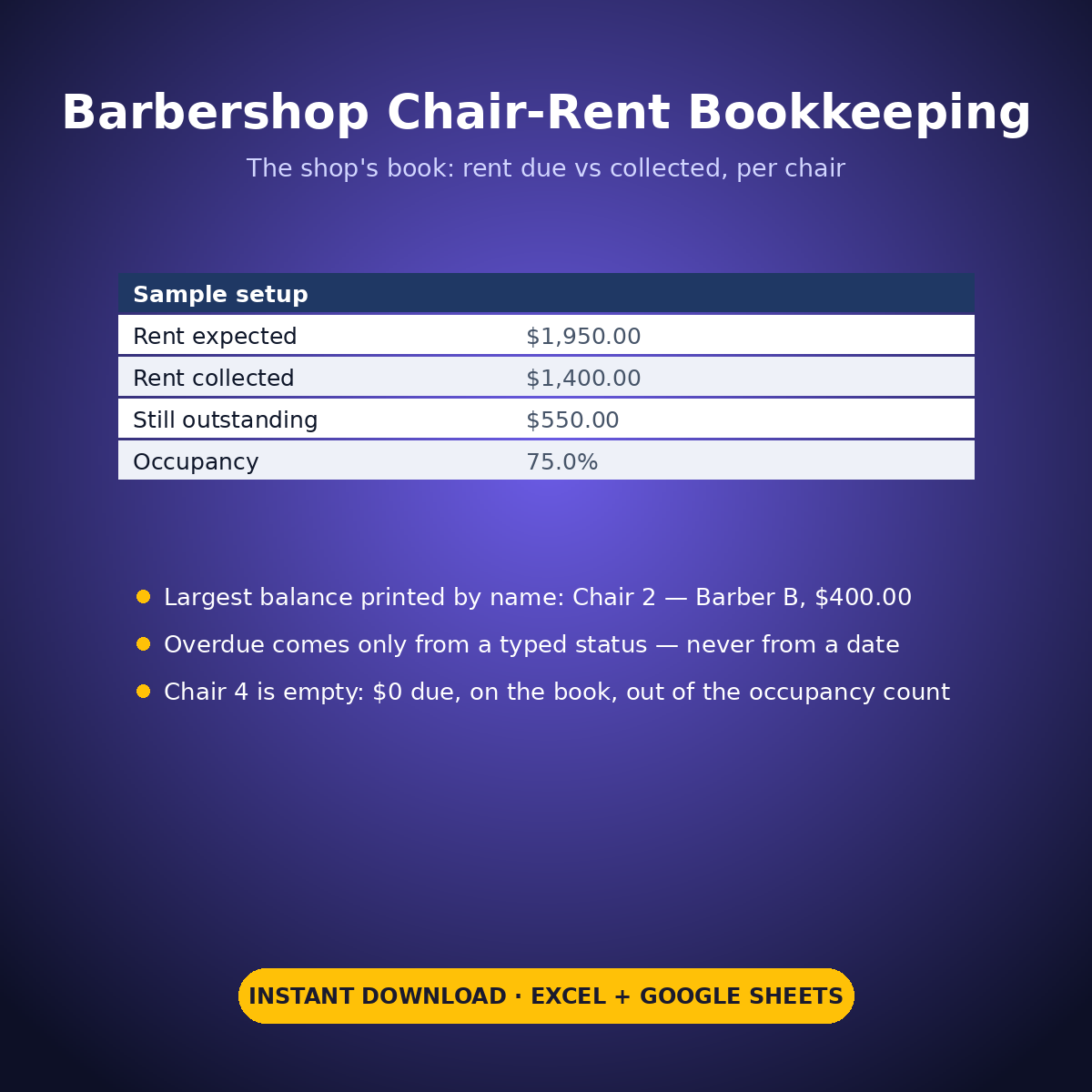
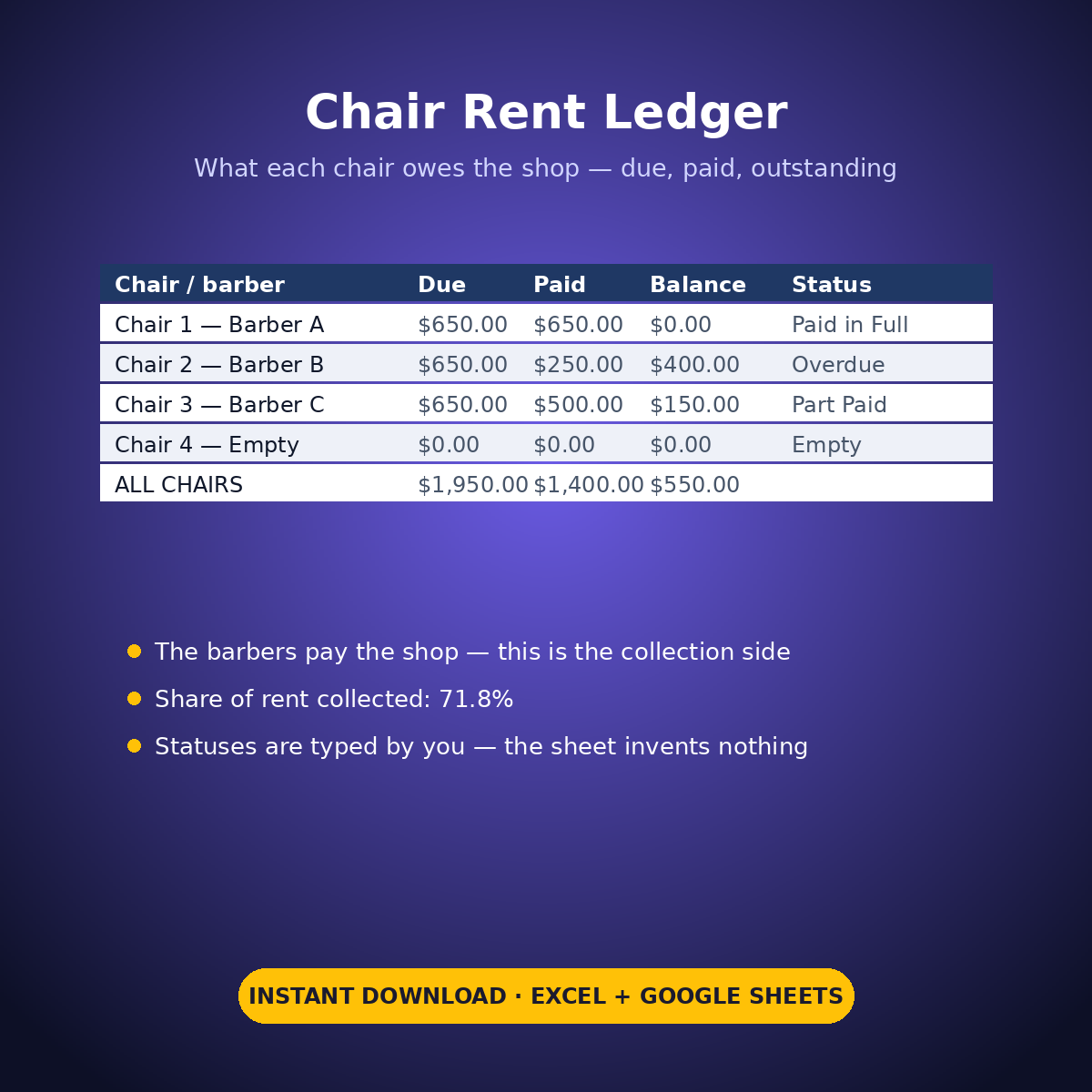
It is a ledger, not a profit calculator: it never prices a haircut, holds no commission splits, no appointment book and no client list. The sample book runs 4 chairs at $650.00 due each: $1,950.00 expected, $1,400.00 collected, $550.00 still outstanding — 71.8% of the rent in. Chair 1 is paid in full. Chair 2 — Barber B (sample) has paid $250.00, carries the largest balance at $400.00, printed by name, and shows Overdue — because that status was typed into its row. Nothing in this workbook can mark a chair late by itself: there is no date formula behind the status column, and overdue exists only where you type it. Chair 4 is empty: $0 due, kept on the book, and out of the occupancy count — 3 of 4 chairs occupied, 75.0%.
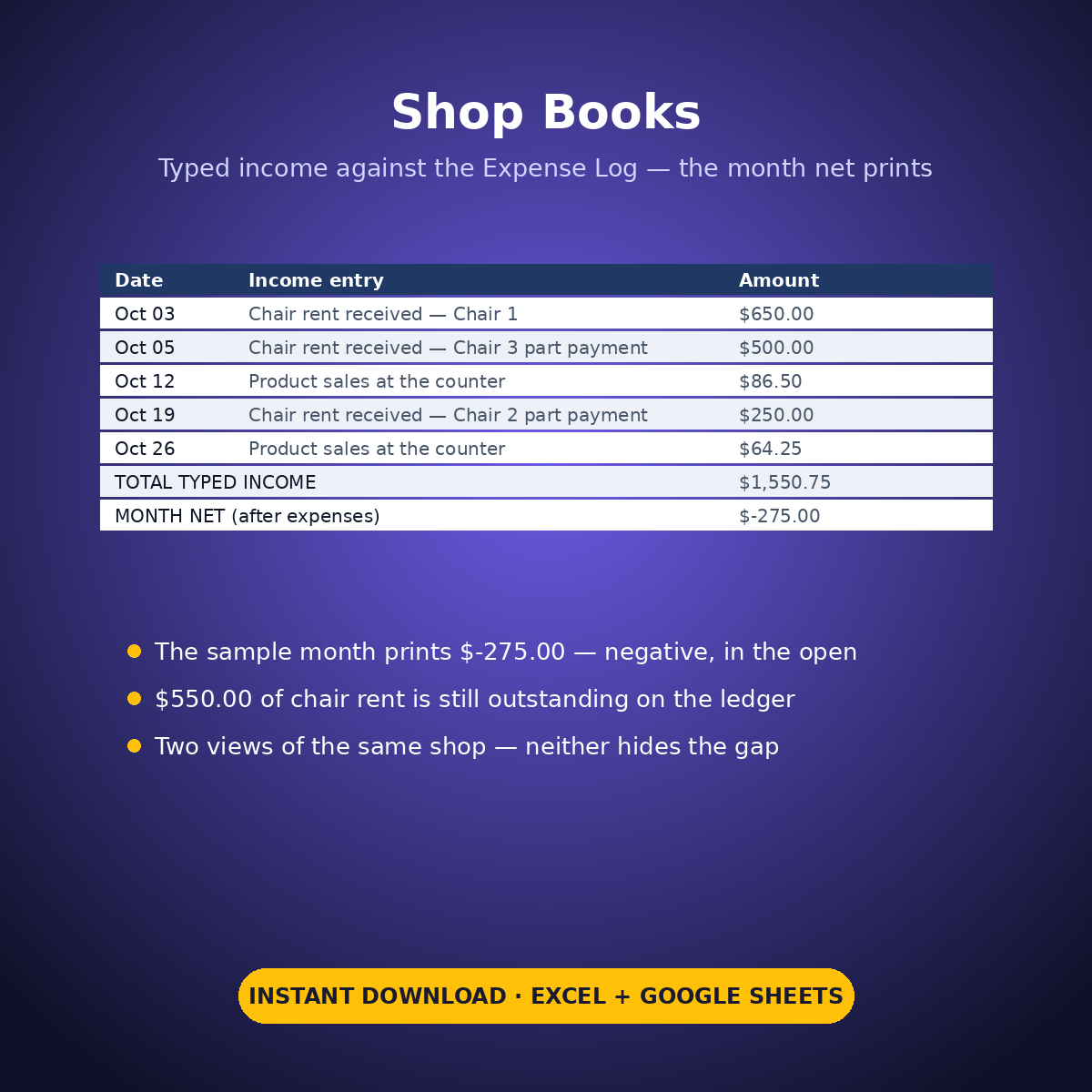
The Shop Books page totals the month’s typed income entries ($1,550.75 in the sample) against the Expense Log ($1,825.75) and prints the month net: -$275.00, negative in the open — with $550.00 of chair rent still outstanding sitting on the ledger as part of the explanation.
HOW IT WORKS
– ‘Chair Rent Ledger’: one row per chair — chair and barber in your own words, rent due, rent paid, and a payment status typed by you. The balance outstanding calculates per chair.
– The roll-up: total rent expected vs collected, the share collected, chairs occupied vs empty with occupancy %, overdue chairs counted from the typed statuses, and the largest outstanding balance printed by chair name.
– ‘Shop Books’: type the month’s income entries in your own words; the block pulls the Expense Log total and prints the month net.
WHAT’S INSIDE
– A chair-rent ledger: due vs paid vs balance outstanding, per chair
– Overdue strictly from a typed status — never from a date formula
– An empty chair handled honestly: $0 due, on the book, out of the occupancy count (sample: 75.0%)
– The largest outstanding balance printed by name (sample: Chair 2 — Barber B (sample), $400.00)
– A month net that prints NEGATIVE in the open (sample: -$275.00, with $550.00 still outstanding)
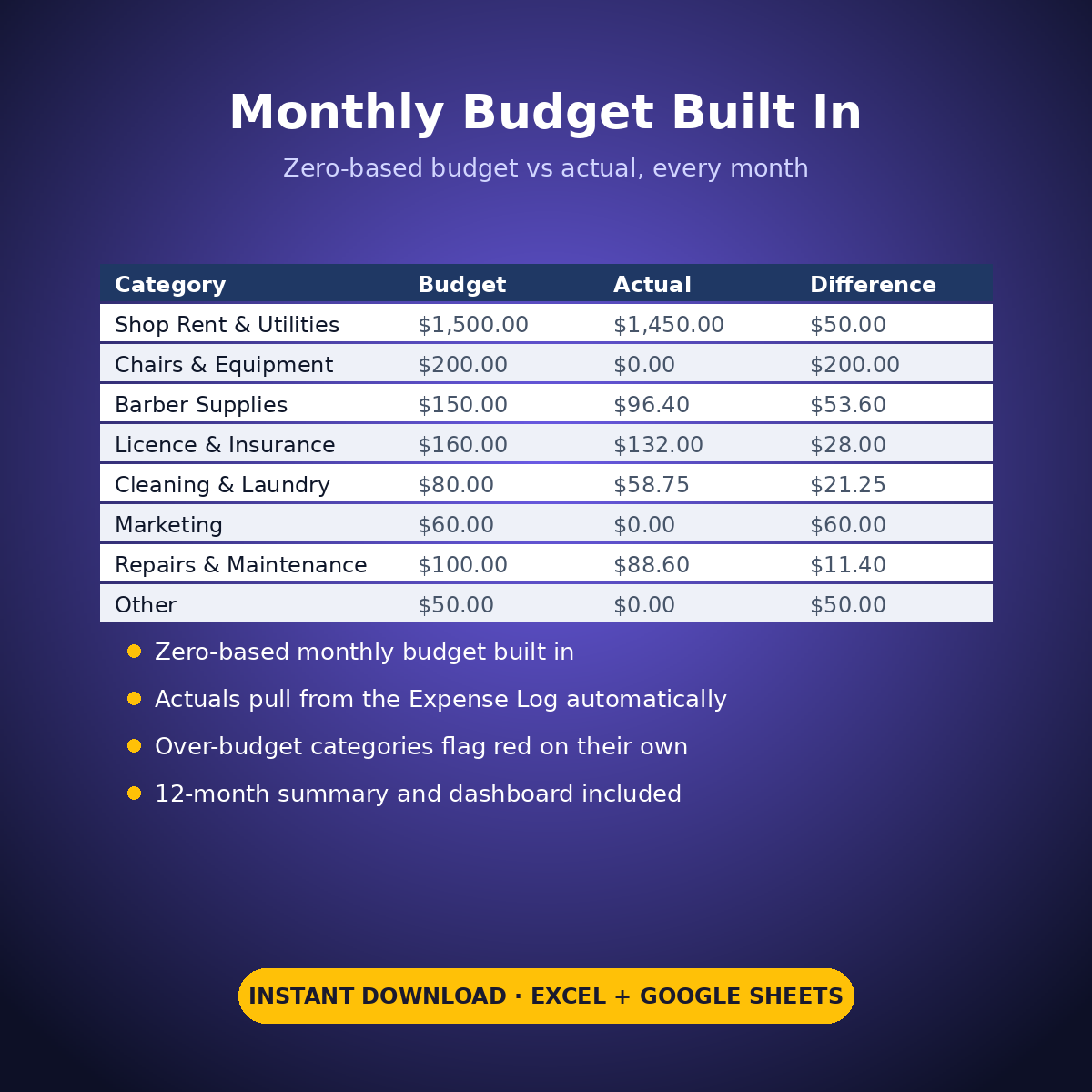
– Plus the standard Expense Log, zero-based Monthly Budget, Dashboard and Monthly Summary tabs
Every rent, price and amount in this workbook is an example setting you type — the sheet does arithmetic on your figures only, and nothing here is tax advice.
How it works: the seven tabs are Start Here (your settings + step-by-step), the two feature tabs, Expense Log, Monthly Budget (zero-based), Dashboard and Monthly Summary. Yellow cells are the only places you type — every yellow value is your own entry. Formula cells are locked (password: sheetdaily, disclosed on the Start Here tab) and every formula is error-wrapped, so an untouched sheet reads blank instead of showing error codes. Instant download, ready for Excel and Google Sheets.
A note on the sample data: every price and date in this workbook is example data, typed in by hand to show you how the sheet behaves. Replace it with your own.


Reviews
There are no reviews yet.