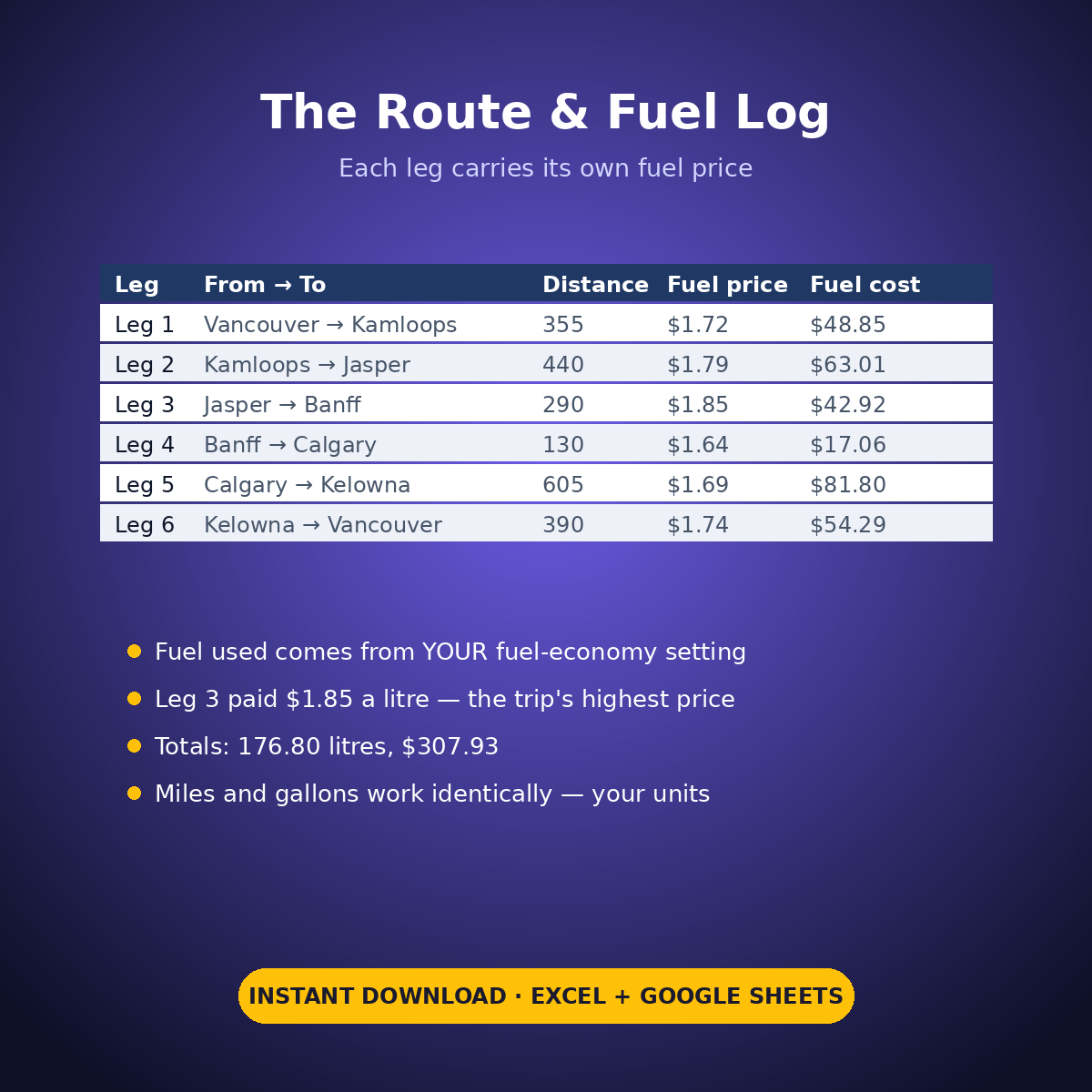
Most road trip budgets guess the fuel. This planner doesn’t: you log the drive leg by leg — from, to, distance, and the fuel price you actually paid on that leg — and it works out fuel used and fuel cost per leg from your own fuel-economy setting, in your own units (km and litres, or miles and gallons — the arithmetic is identical, and the sheet never converts or assumes).
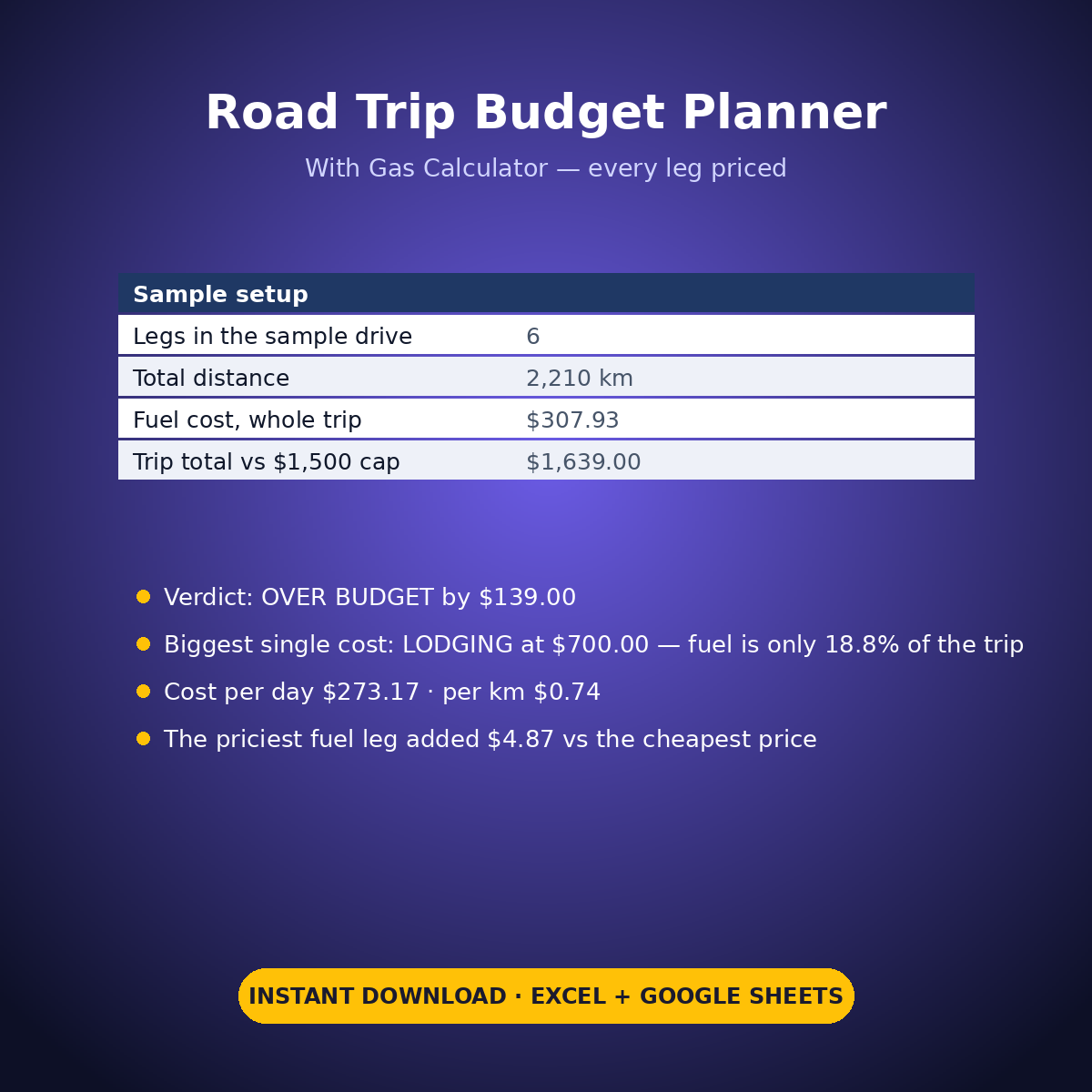
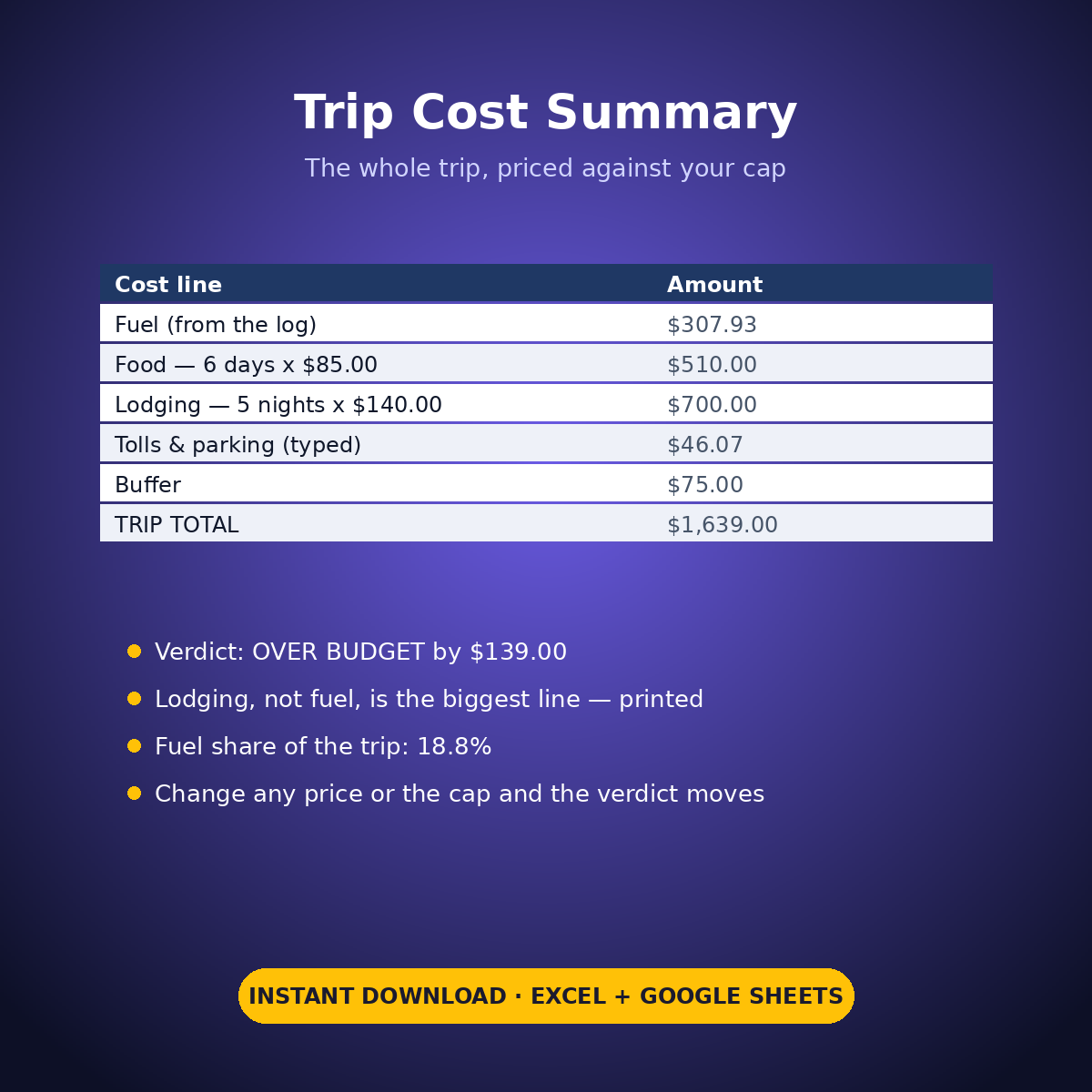
The sample drive is honest about where road trip money really goes. Across 6 legs and 2,210 km the fuel comes to $307.93 — but lodging is the biggest cost at $700.00, and the sheet prints that plainly instead of letting the gas calculator pretend otherwise. The mountain-town leg paid $1.85 a litre against $1.64 at the cheapest stop, and the summary prices that difference exactly: $4.87 extra on that one leg. The trip totals $1,639.00 against a $1,500 cap: OVER BUDGET by $139.00, printed in words.
HOW IT WORKS
– ‘Route & Fuel Log’: one row per leg — from, to, distance and fuel price typed by you; fuel used (distance / your fuel-economy setting) and fuel cost calculate per leg and total at the bottom.
– ‘Trip Cost Summary’: fuel from the log, food as trip days x your per-day figure, lodging as nights x your per-night figure, tolls & parking typed once, plus your buffer — then the verdict against your own budget cap, cost per day, cost per distance unit and fuel’s share of the whole trip.
– Every input is yours: distances, prices, economy, daily figures and the cap are all typed settings, so the same workbook prices a weekend run or a cross-country drive.
WHAT’S INSIDE
– Leg-by-leg route log with per-leg fuel pricing (sample: 6 legs, 2,210 km, 176.80 litres, $307.93)
– A trip cost summary with a printed OVER/UNDER verdict against your own cap
– The honest headline: lodging ($700.00), not fuel, is the sample’s biggest cost — and it says so
– Cost per day ($273.17) and cost per distance unit ($0.74) on the sample
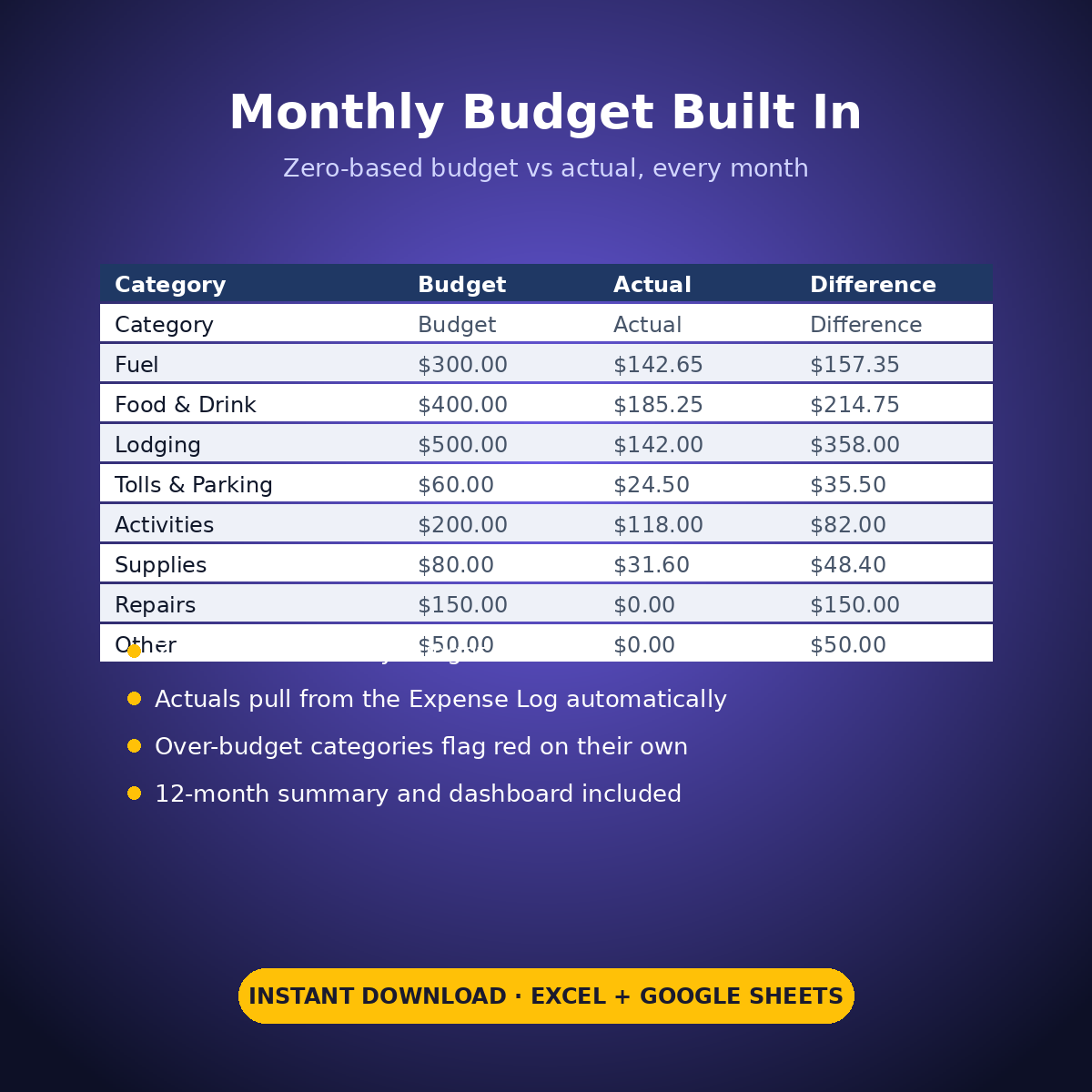
– Plus the standard Expense Log, zero-based Monthly Budget, Dashboard and Monthly Summary tabs
Change any price, any distance or the cap and every line moves. The sample is just honest — your trip gets your numbers.
How it works: the seven tabs are Start Here (your settings + step-by-step), the two feature tabs, Expense Log, Monthly Budget (zero-based), Dashboard and Monthly Summary. Yellow cells are the only places you type — every yellow value is your own entry. Formula cells are locked (password: sheetdaily, disclosed on the Start Here tab) and every formula is error-wrapped, so an untouched sheet reads blank instead of showing error codes. Instant download, ready for Excel and Google Sheets.
A note on the sample data: every price and date in this workbook is example data, typed in by hand to show you how the sheet behaves. Replace it with your own.



Reviews
There are no reviews yet.